301 vs 302 Redirects
Which redirect to use, when, and what each does to your rankings.
On this page
A 301 redirect tells browsers and search engines that a page has moved permanently; a 302 says the move is temporary. That single distinction changes how search engines treat the old URL: with a 301, they transfer indexing signals to the new address and eventually replace the old URL in results; with a 302, they keep the original URL indexed and expect it to come back. Pick 301 for real moves, 302 for short-lived detours.
Hydrogen SEO's Redirection Manager supports both types, and you can switch a rule between them at any time. This guide explains what each status code actually signals, what happens to link equity, and which type fits the scenarios you will actually meet.
What each code signals
301 Moved Permanently. The resource now lives at the target URL, and the old address should not be used again. Search engines respond by:
- Consolidating signals (including value from backlinks) onto the target URL.
- Dropping the old URL from the index over time and showing the new one instead.
- Updating canonical understanding: the target becomes the "real" page.
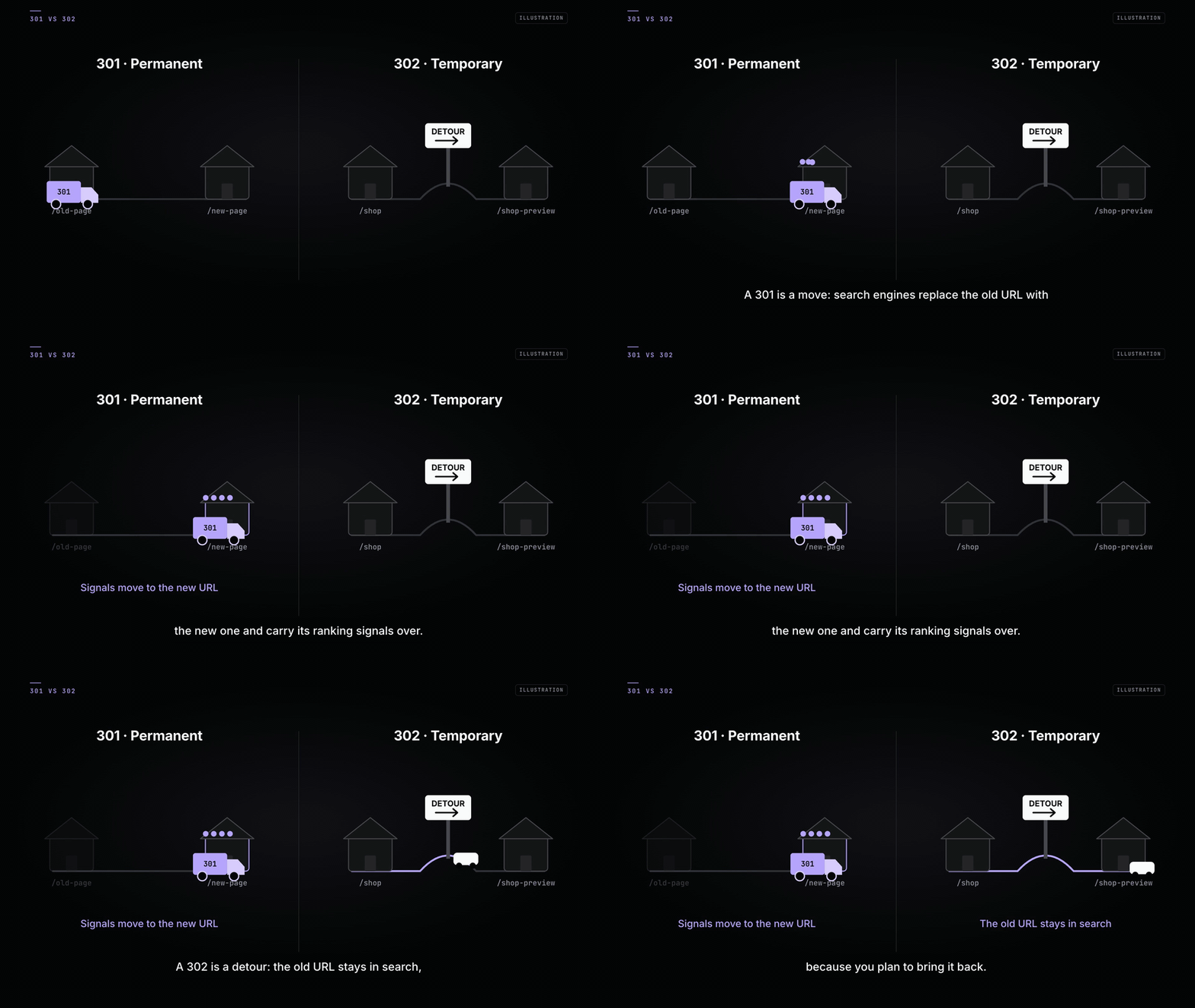
302 Found (temporary redirect). The resource is elsewhere right now, but the original URL remains the permanent home. Search engines respond by:
- Keeping the original URL indexed.
- Continuing to treat the original URL as the canonical address.
- Expecting the redirect to be removed at some point.
Browsers treat the two similarly for visitors: either way, people land on the target. The difference is almost entirely about what you are telling crawlers.
Link equity, honestly
You will read claims that a 301 passes "100% of PageRank" or that a 302 passes none. The honest version:
- Google has said publicly that its redirect types pass signals in broadly similar ways, and that a long-standing 302 will eventually be treated as if it were a 301.
- Nobody outside Google can measure exactly how much value any redirect passes, and anyone quoting a precise percentage is guessing.
- What is well established: a direct, relevant redirect preserves value far better than a redirect chain, a redirect to an unrelated page, or a dead 404.
The practical rule is simple. Do not choose 302 hoping to "hold on" to equity, and do not fear that 301 "leaks" it. Choose the code that truthfully describes the situation, redirect to the most relevant page, and avoid chains. Consistency and relevance matter more than the folklore around percentages.
Decision table
| Situation | Use | Why |
|---|---|---|
| Post or page moved to a new slug | 301 | The move is permanent; you want the new URL indexed |
| Two articles merged into one | 301 | Old URLs should hand everything to the combined page |
| Domain or HTTPS migration | 301 | Every old URL has a permanent new home |
| A/B test sending some traffic to a variant | 302 | The original URL stays canonical while you test |
| Seasonal page redirected off-season | 302 | The page is coming back; keep it indexed |
| Product out of stock, returning soon | 302 | Temporary state, permanent URL |
| Product discontinued permanently | 301 to the closest category or replacement | The URL is never coming back |
| Maintenance or "coming soon" detour | 302 | Days or weeks, not forever |
Common scenarios in detail
A moved blog post. You renamed /seo-tips/ to /wordpress-seo-checklist/. Create a 301 in Hydrogen SEO → Redirections from the old path to the new one. Search engines will index the new URL, and every backlink to the old slug keeps working. If you rename slugs often, find and fix 404 errors shows how to catch the ones you missed.
An A/B test. You are sending half your paid traffic from /landing/ to /landing-b/. Use a 302. The original URL stays canonical, and when the test ends you delete the rule. Using a 301 here would tell Google the variant is the permanent page, which is not what you mean.
A seasonal page. Your /black-friday/ page redirects to /deals/ for ten months of the year. Use a 302 so /black-friday/ keeps its history and rankings for next season. If you instead 301 it every year, you repeatedly tell Google the page is gone for good, then contradict yourself.
A domain migration. Moving from old-domain.com to new-domain.com should be wall-to-wall 301s, mapped page-to-page (not everything to the new homepage). Update your XML sitemap on the new domain and submit it in Search Console so the migration is discovered quickly.
Changing your mind
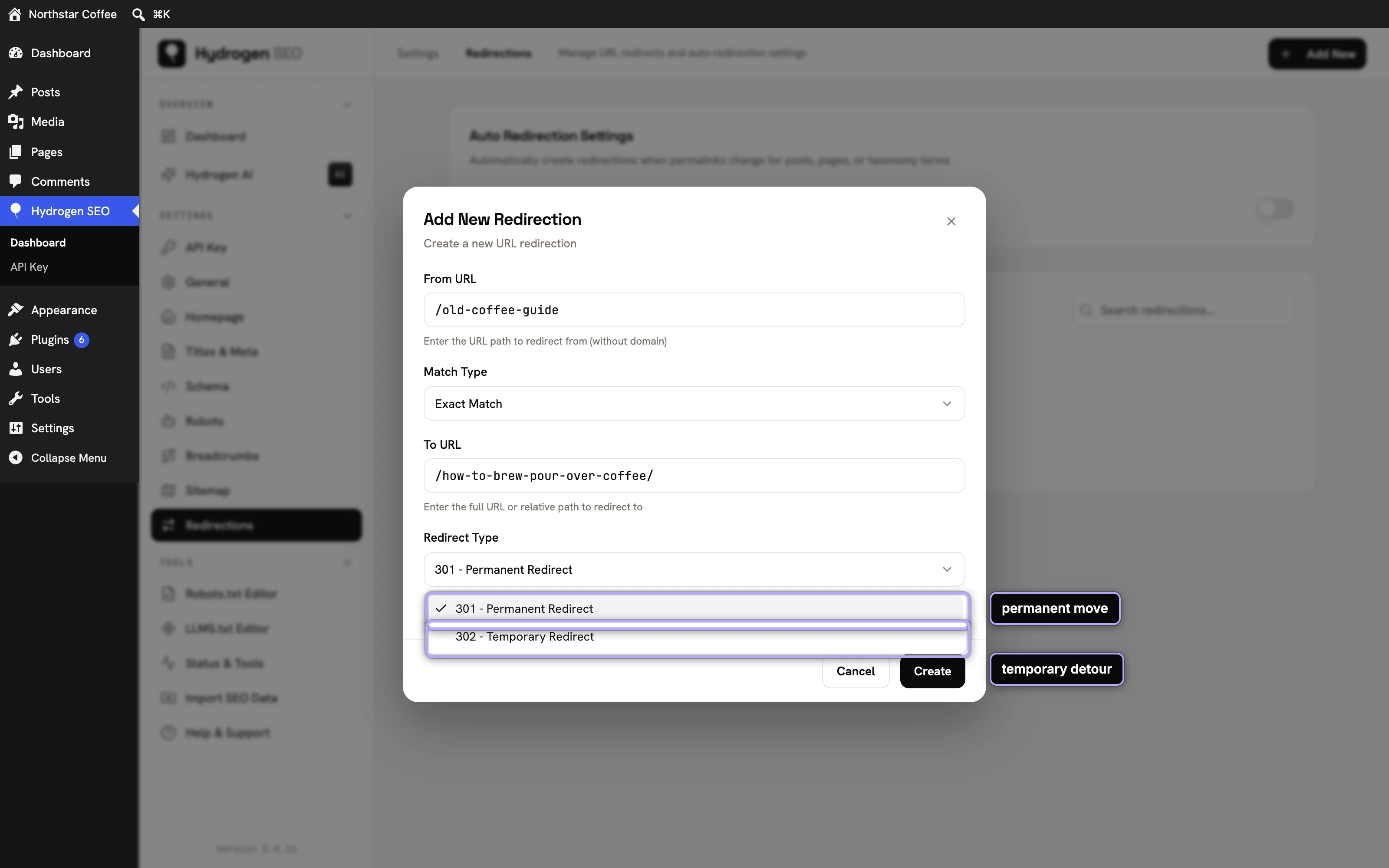
Because Hydrogen SEO lets you edit a rule's type in place, a sensible workflow is: create a 302 while you validate the destination, watch it for a few days, then edit it to a 301 once the move is confirmed. What you should avoid is leaving "temporary" redirects in place for years; if it has been temporary for twelve months, it is permanent, so say so with a 301.
FAQ
Does a 302 hurt my SEO?
No, not when it is used for a genuinely temporary situation. Problems only arise when a 302 is used for a permanent move, because you are keeping a dead URL canonical and delaying the handover to the new page.
How long should I keep a 301 in place?
As long as anything still points at the old URL. Google has recommended keeping migration redirects for at least a year; in practice, if the old URL has backlinks, keep the redirect indefinitely. Rules cost nothing to keep.
Can I chain redirects during a migration?
Avoid it. If A redirects to B and B later redirects to C, edit the first rule so A points straight to C. Chains slow crawling and every extra hop is another chance to lose signal.
What about 307 and 308 redirects?
They are the HTTP/1.1-strict cousins of 302 and 301. For content SEO in WordPress, 301 and 302 cover every real case, which is why the Redirection Manager focuses on those two.