Social Share Previews
Preview the share card before you publish, and fix it before the first share.
On this page
- Using the previews
- Fixing an ugly share card
- Re-scraping: getting platforms to notice your fix
- FAQ
- The preview looks right, but Facebook shows something else. Why?
- Are the previews pixel-perfect replicas of each platform?
- Can one image work for both Facebook and X?
- Do the previews need an account?
- Related reading
Hydrogen SEO shows you exactly how a page will look when shared, before you publish it. The SEO Settings sheet renders live share-card previews for both networks: a Facebook-style Open Graph card and an X (Twitter) card, built from your actual image, title, and description and updated as you type. Ugly share cards are almost always discovered after the link is already in a feed; the preview moves that discovery to the editor, where it costs nothing.
Using the previews
- Open the post in the editor and open the SEO Settings sheet.
- Go to the social settings. The Facebook share-card preview and the X card preview render alongside the fields that feed them.
- Edit the OG or X title, description, or image. The corresponding preview updates live, so truncation and cropping are visible immediately.
- Check both cards; the two networks truncate and crop differently, and copy that fits one can be clipped on the other.
- Save or update the post when both look right. Nothing is output to the live page until you save.
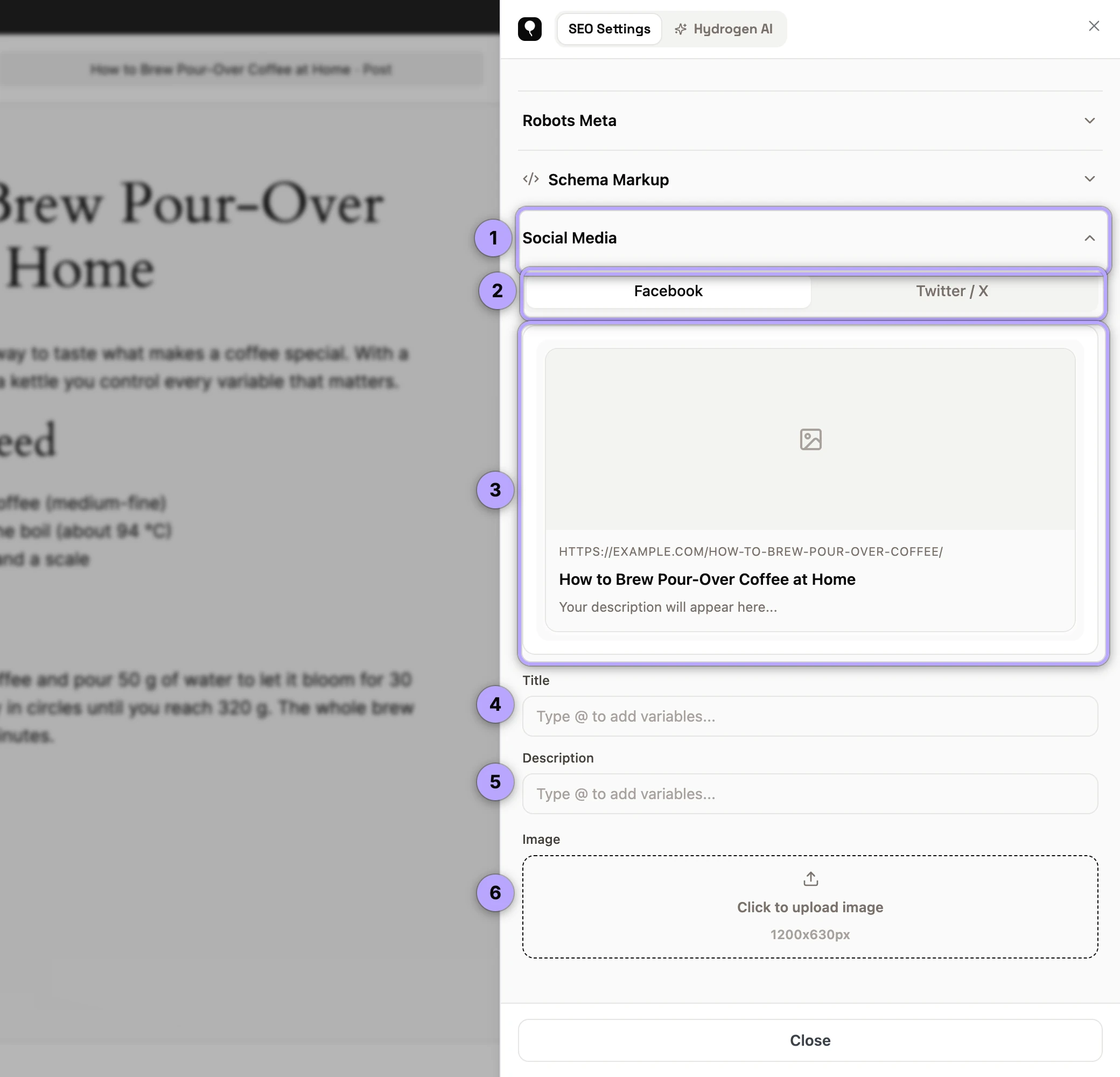
The image box opens the Media Library over the sheet (version 0.0.27 or later; earlier versions could not click through to it). With no image chosen, the post's featured image fills the card.
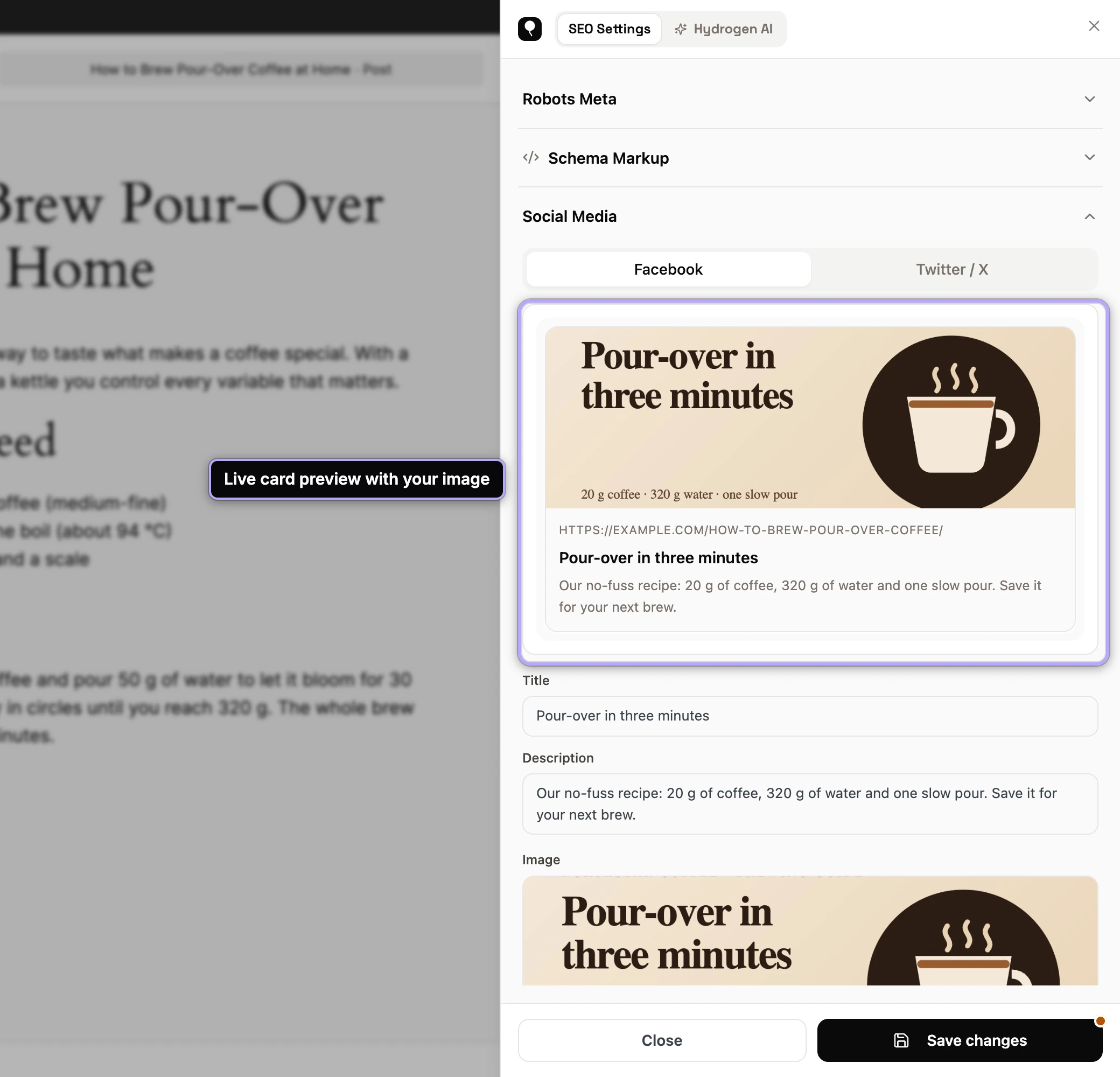
The fields behind each preview are documented in Open Graph settings and X card settings. If a field is empty, the preview shows the fallback value that will actually be used (X falls back to OG; OG falls back to your SEO title and description), so the preview is honest about what a scraper will find.
Fixing an ugly share card
Most bad cards come down to three fixable problems.
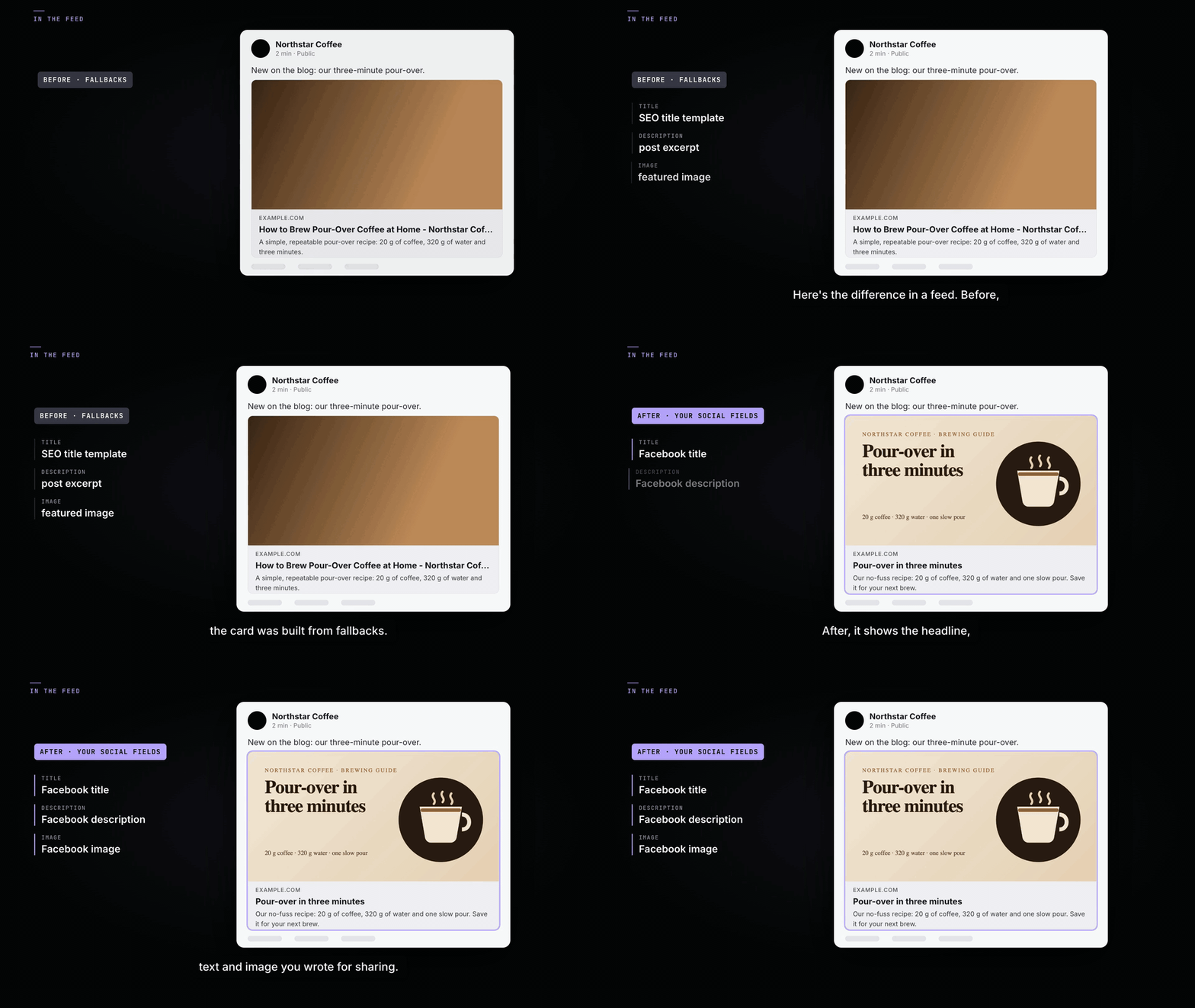
The image. Use 1200×630 pixels (a 1.91:1 ratio). This renders sharply at full width on every major platform and avoids the surprise crops that smaller or square images suffer. Keep faces, product shots, and any text away from the edges; platforms trim margins at some sizes. Avoid fine text entirely; the card is seen at feed scale, not full screen. If a page has no OG image and no featured image, Hydrogen SEO uses the default share image from the Social screen; with none of those set, platforms guess from the page's images, and the guess is usually the worst image on the page. Set a default share image once, and set a specific image for anything you intend to share.
The title. Cards truncate titles after roughly one to two lines, and the cut is mid-word with an ellipsis. Front-load the hook: the first six or seven words must carry the message. The preview shows the truncation exactly, so trim until the visible part reads as a complete thought. Social titles can differ from SEO titles, and often should; you are not bound by the search-optimized version. If you want options, ask the Hydrogen AI tab in the sheet to draft alternatives; see AI meta titles and descriptions.
The description. Platforms show even less description than Google does, and some placements hide it entirely. Write one tight sentence with the payoff first, and treat anything beyond ~100 characters as a bonus that may not be seen.
Re-scraping: getting platforms to notice your fix
Here is the honest part: fixing your card in WordPress does not instantly fix it on platforms where the URL was already shared. Social platforms scrape a URL once and cache the result, sometimes for days.
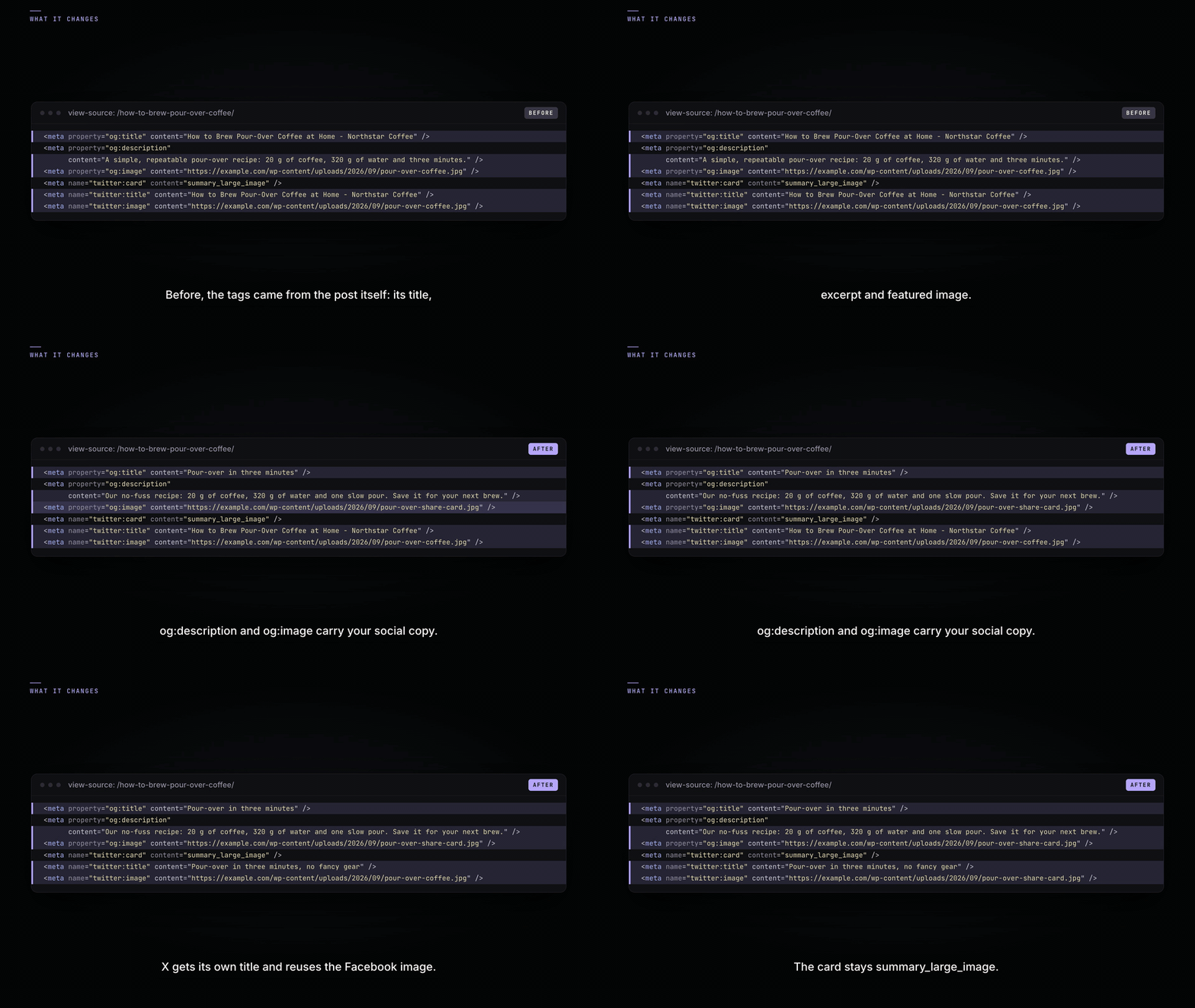
- Facebook provides the Sharing Debugger (in Meta's developer tools). Paste your URL and click "Scrape Again" to force a fresh fetch; the debugger also shows you exactly which tags Facebook read, which is useful for confirming your changes are live. This fixes future shares; posts already published with the old card keep it.
- X no longer offers a public card re-scrape tool (the old Card Validator's preview was retired). X's cache typically expires on its own, generally within about a week; in practice, sharing the URL with a changed query string will fetch fresh data, but the clean URL updates on X's schedule, not yours.
- LinkedIn has its own Post Inspector that forces a re-scrape, and messaging apps like Slack and WhatsApp maintain their own caches with their own lifetimes.
Because Hydrogen SEO renders all social tags server-side into the raw HTML, whatever a scraper fetches, it gets your current tags; there is no JavaScript-rendering wrinkle. The only variable is when the platform chooses to fetch again.
The practical rule: get the card right before the first share. That is exactly what the previews are for.
FAQ
The preview looks right, but Facebook shows something else. Why?
Facebook is showing a cached scrape from before your change. Run the URL through Facebook's Sharing Debugger and hit "Scrape Again". If the debugger still shows old tags, check that no other SEO plugin is printing a competing set; see fixing duplicate meta output.
Are the previews pixel-perfect replicas of each platform?
They are close, faithful renderings of the current card layouts, and they reliably catch the real problems: truncation, bad crops, missing images. Platforms adjust their designs over time, so treat the previews as an accurate approximation rather than a guarantee.
Can one image work for both Facebook and X?
Yes. 1200×630 with the important content centered works cleanly on both. The networks crop slightly differently at some placements, which is why checking both previews takes ten seconds well spent.
Do the previews need an account?
No. The previews and all social tag output work with no account; only AI help through the Hydrogen AI tab requires a free connected account. See connect your account.