The Redirection Manager
Create and manage 301 and 302 redirects without touching .htaccess.
On this page
- Create a redirect
- Source and target rules
- Edit or remove a redirect
- Auto Redirection
- Finding URLs to redirect
- Attachment pages
- Why you do not need .htaccess
- Redirect, or restore the content?
- FAQ
- Do Hydrogen SEO redirects work with page caching?
- Can I redirect a URL with query strings?
- How many redirects can I add?
- Should I use 301 or 302?
- Related reading
The Redirection Manager in Hydrogen SEO lets you create, edit, and remove 301 and 302 redirects directly from your WordPress dashboard. There is no .htaccess editing, no server configuration, and no separate redirect plugin required: you enter a source path and a target URL, pick a redirect type, and Hydrogen SEO serves the redirect at the WordPress level on every host.
Redirects are one of the highest-leverage tools in technical SEO. A well-placed 301 preserves the value of links pointing at an old URL, keeps visitors out of dead ends, and tells search engines exactly where content has moved. This guide covers creating your first redirect, the rules for source and target fields, managing existing redirects, and knowing when a redirect is the right call at all.
Create a redirect
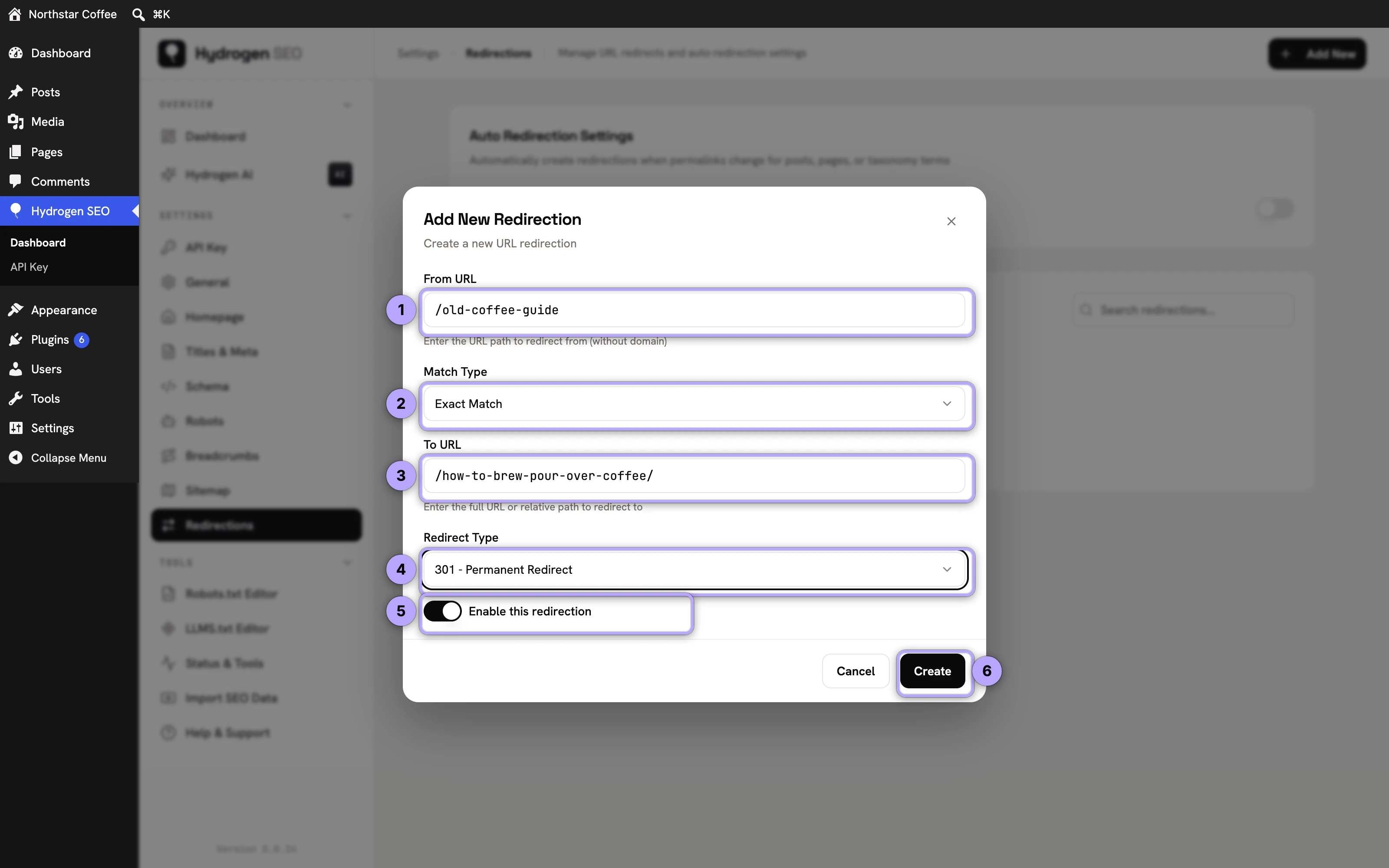
- In wp-admin, go to Hydrogen SEO → Redirections.
- Click Add New.
- In the From URL field, enter the path you want to redirect from, for example
/old-post/. Enter the path only, not your domain. - Leave Match Type on Exact Match, or choose Contains, Starts With or Ends With to catch a group of URLs with one rule.
- In the To URL field, enter where visitors should land, for example
/new-post/or a full URL such ashttps://example.com/new-post/. - Choose the Redirect Type: 301 - Permanent Redirect or 302 - Temporary Redirect. If you are unsure which to pick, see 301 vs 302 redirects.
- Leave Enable this redirection on and click Create.
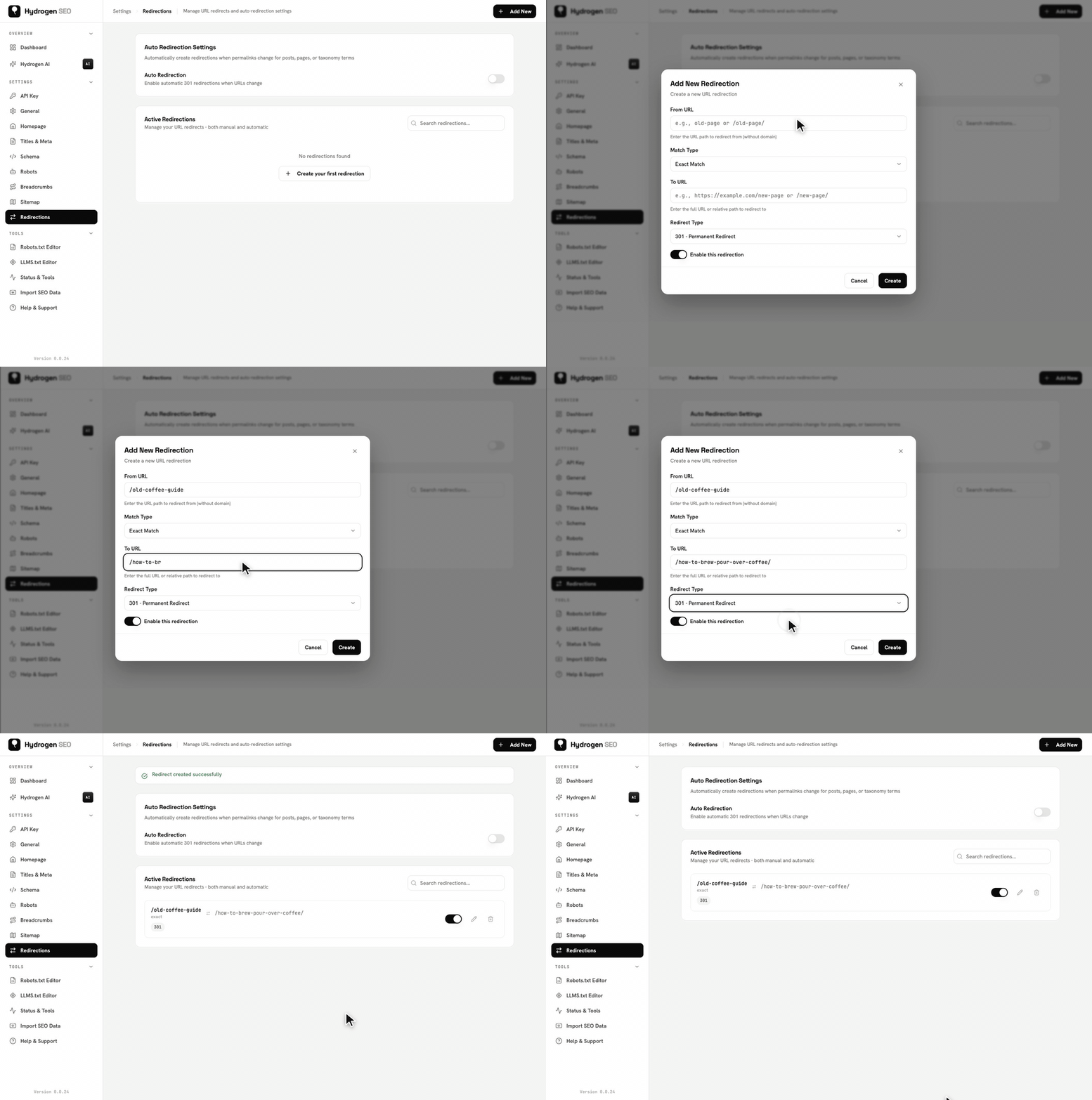
The redirect takes effect immediately. Open the source URL in a private browser window to confirm it lands on the target, or check the response headers: the old URL now answers 301 Moved Permanently with a Location header pointing at the target.

Source and target rules
A few rules keep redirects predictable and safe:
- Source is a path, not a full URL. Use
/summer-sale/, nothttps://example.com/summer-sale/. The redirect applies to your own site's URLs only. - Targets can be relative or absolute. A relative target like
/pricing/stays on your site; an absolute target likehttps://other-site.com/page/can send visitors to another domain. - One hop, not chains. Never point a redirect at a URL that itself redirects somewhere else. Chains slow visitors down and dilute the signal to search engines. Always redirect to the final destination.
- Accented and non-Latin addresses work. A rule for
/café/matches requests for/caf%C3%A9/, whether you type the characters or their percent-encoded form (version 0.0.27 and later; earlier versions did not match these). - No loops. A source must never redirect, directly or through other rules, back to itself. If you spot a loop, edit or delete one of the rules involved.
- Redirect to relevant content. Send the old URL to the page that best replaces it. Redirecting everything to the homepage is a common mistake: Google often treats irrelevant blanket redirects as soft 404s, and visitors lose the content they were looking for.
Edit or remove a redirect
- Go to Hydrogen SEO → Redirections.
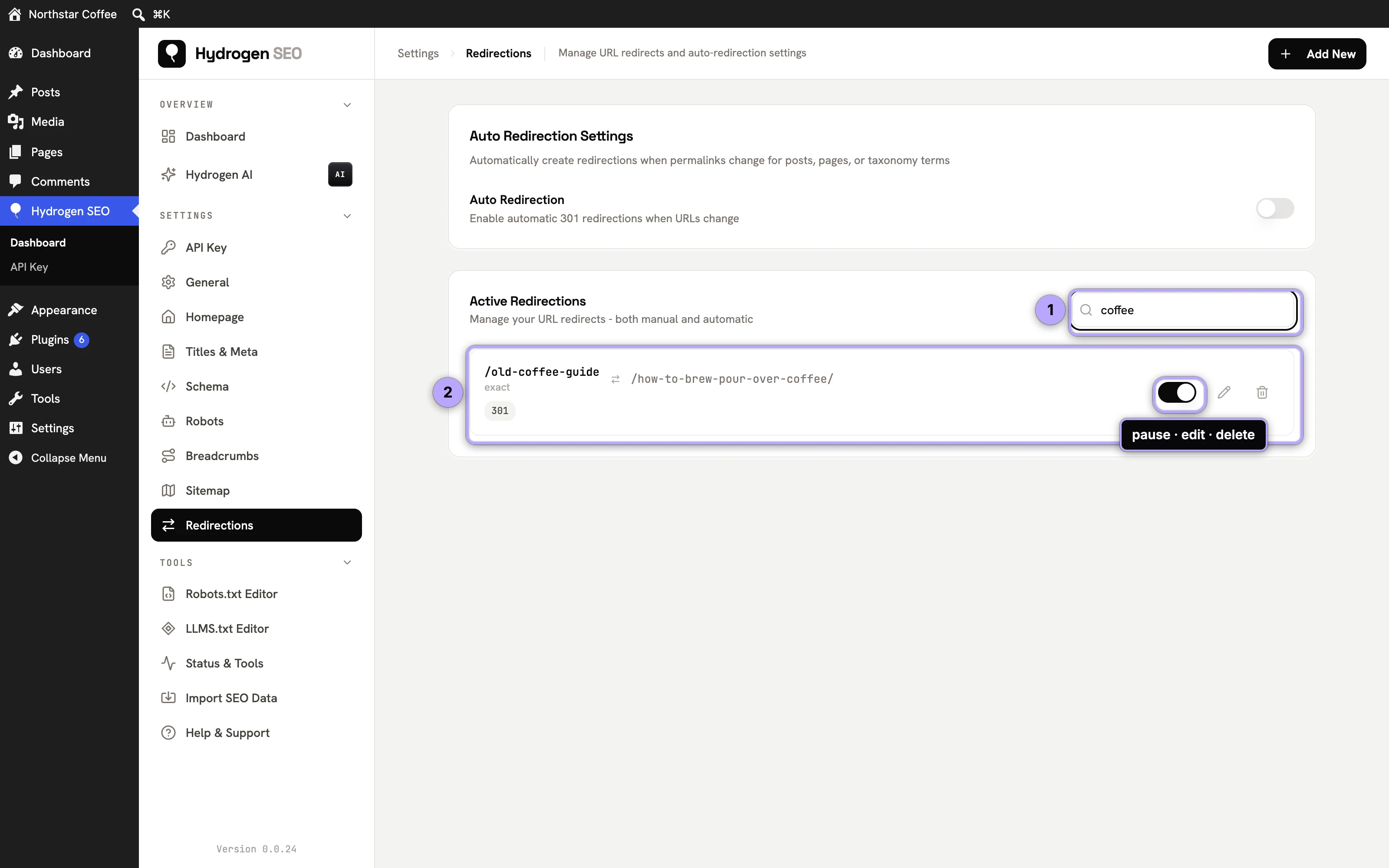
- Find the redirect in the Active Redirections list; the search box filters it as you type. Each row shows the source, target, and type, with a switch to pause the redirect without deleting it.
- Click Edit to change the source, target, or switch between 301 and 302, then save.
- Click Delete to remove the rule entirely. The source URL will resolve normally again (or return a 404 if no content exists there).
A practical pattern: start a redirect as a 302 while you confirm the new destination is correct, then edit it to a 301 once you are certain the move is permanent.
Auto Redirection
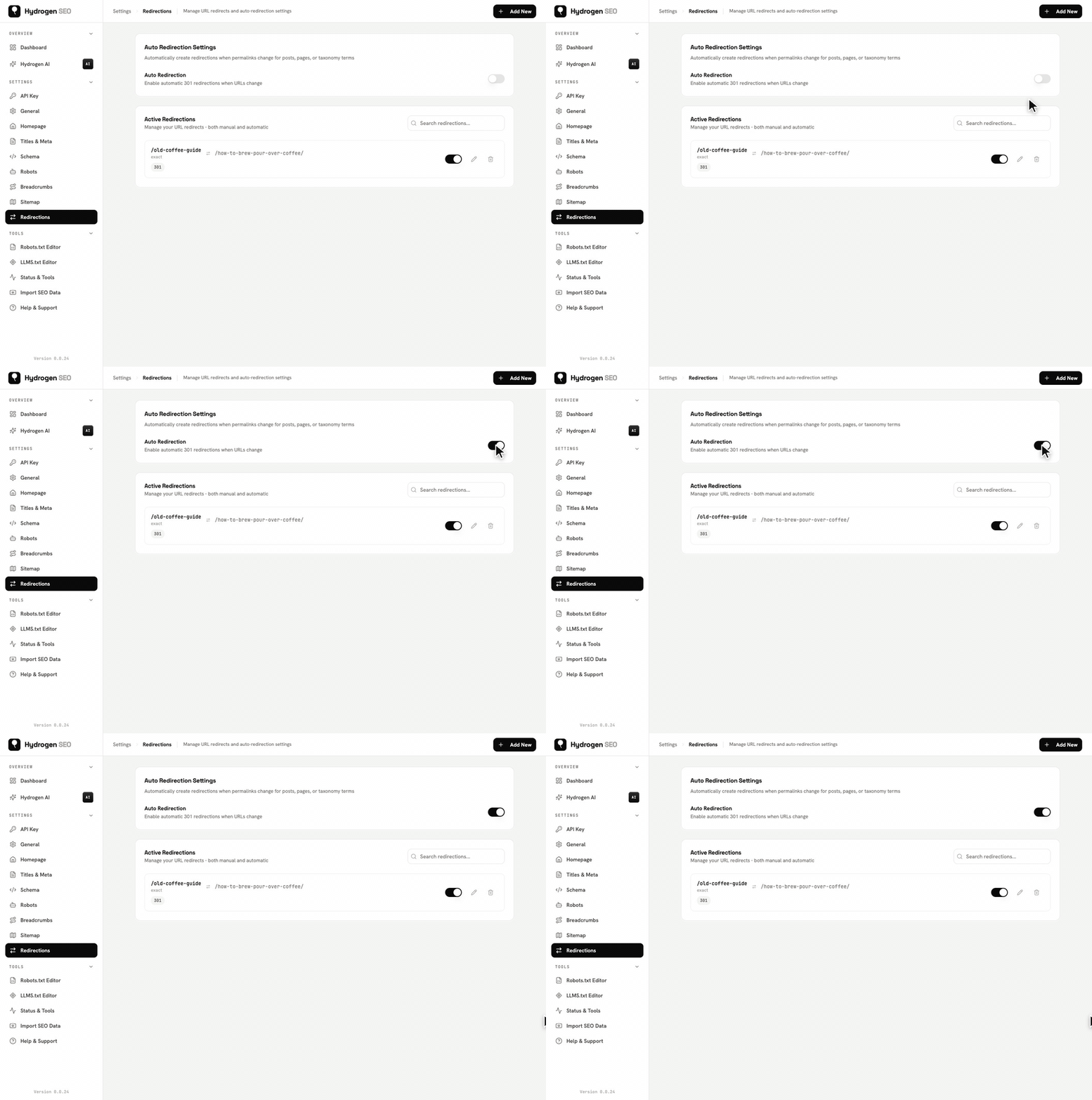
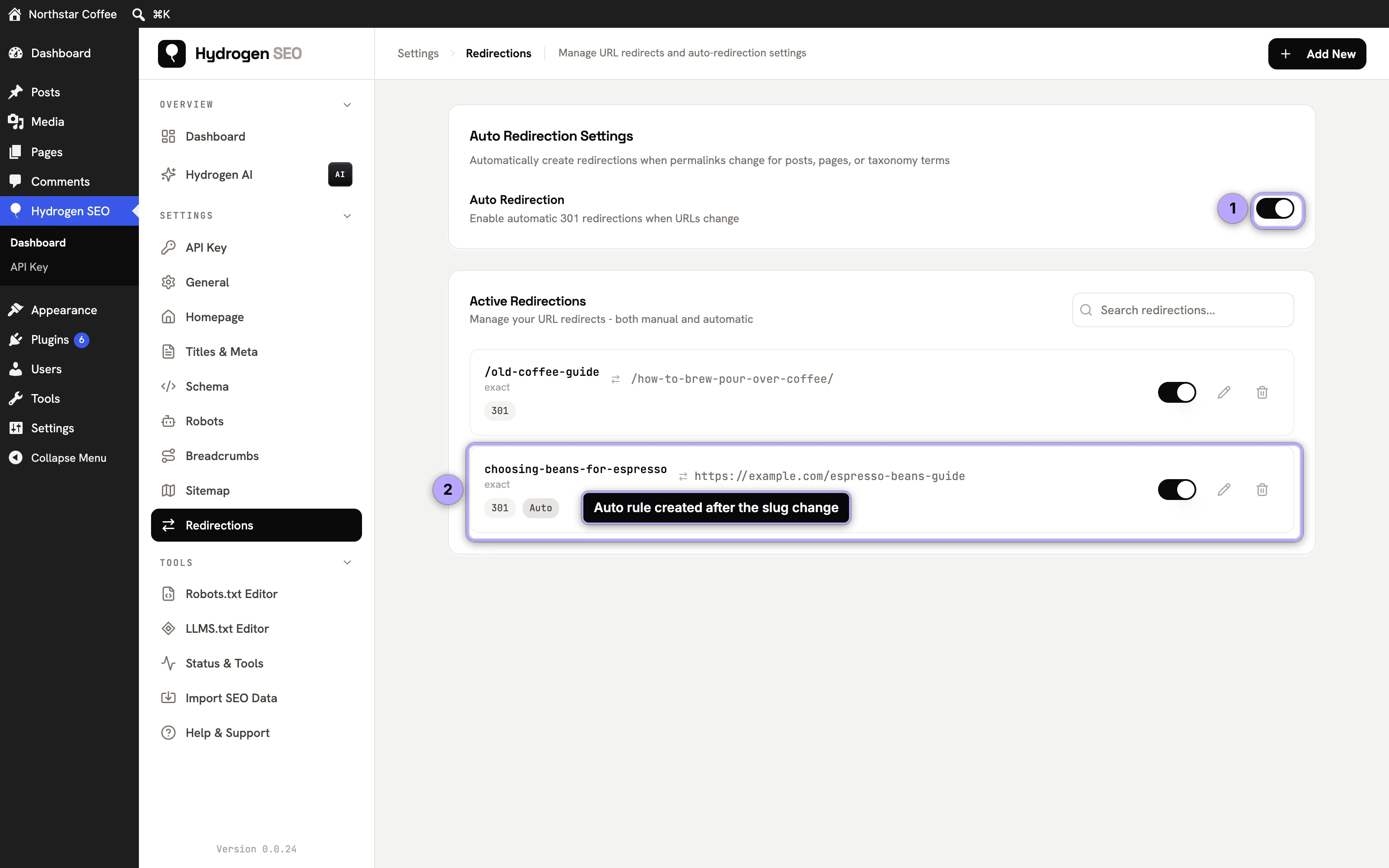
Switch on Auto Redirection at the top of the Redirections screen (it saves automatically) and Hydrogen SEO watches for changed URLs on posts, pages and terms. When you change a slug, for example from choosing-beans-for-espresso to espresso-beans-guide, it adds a 301 rule tagged Auto from the old address to the new one, so old links and bookmarks keep working. The rule appears in the list like any other, and you can edit, pause or delete it.
Finding URLs to redirect
The 404 Monitor (under Tools, version 0.0.27 and later) logs the URLs visitors and bots request that return a 404, with a hit count for each. From a row there you can create a 301 or 302 redirect, which lands in this list like any other rule, and rows whose URL already has a redirect are marked. Google Search Console's Pages report (Not found (404)) and a site audit fill in the rest; the workflow is in find and fix 404 errors.
Attachment pages
To redirect the page WordPress makes for every uploaded file, you do not need a rule per file. Switch on Redirect Attachment Pages under General → Permalinks (version 0.0.28 and later) and each one goes, with a 301, to the published post the file was uploaded to, or to the file when there is none. Rules in this list are checked first, so a rule you add for one attachment address overrides the automatic target. See attachment page redirects.
Why you do not need .htaccess
Traditionally, redirects on Apache servers meant hand-editing the .htaccess file, where a single typo can take the whole site down. Hydrogen SEO handles redirects inside WordPress instead. That means:
- Redirects work identically on Apache, Nginx, LiteSpeed, and managed hosts where you cannot touch server files.
- You can add, edit, and remove rules without SFTP access or a deploy.
- Every rule is visible in one screen, so nothing hides in a server file only one person on the team knows about.
Like all of Hydrogen SEO's output, redirects are server-rendered, so crawlers and browsers both receive a proper HTTP status code with zero front-end JavaScript involved.
Redirect, or restore the content?
A redirect is not always the answer. Before adding one, ask what the URL deserves:
- The content moved or was merged → redirect (301) to the new or combined page.
- The content was deleted by accident, or still gets search traffic and backlinks → consider restoring or rewriting it instead. A redirect passes some value; the original ranking page usually recovers more.
- The content is gone for good and nothing replaces it → a 404 (or 410) is honest and correct. See find and fix 404 errors for when to leave a URL dead.
- The URL never existed (an inbound typo from another site) → redirect it to the page the linker clearly meant.
If you are working through a large backlog of broken URLs, run a site audit first to find every broken internal link, then fix them in batches.
FAQ
Do Hydrogen SEO redirects work with page caching?
Yes. The redirect is issued before WordPress renders a page, so it works alongside standard caching plugins and host-level caches. If a brand-new redirect does not fire immediately, clear your site cache once.
Can I redirect a URL with query strings?
Enter the base path as the source. For most content moves, the path-level redirect is what you want; keep sources simple and avoid encoding tracking parameters into rules.
How many redirects can I add?
There is no artificial limit in the plugin. That said, hundreds of stale rules become a maintenance burden: periodically delete redirects whose sources no longer receive traffic or backlinks.
Should I use 301 or 302?
Use 301 when the move is permanent, 302 when it is temporary. The full decision guide, including common scenarios, is in 301 vs 302 redirects.