Template Variables Reference
Every %variable% you can use in titles, descriptions and schema fields.
On this page
- The @ smart-tags editor
- All variables
- Example templates
- For developers
- FAQ
- Can I use variables in per-post fields, not just templates?
- What happens if a variable has no value on a given page?
- Is %date% different from %currentdate%?
- What does %separator% print?
- Can I add my own custom variables?
- Related reading
Template variables are placeholders like %title% and %site_name% that Hydrogen SEO replaces with real values when a page renders. They power the global templates in Hydrogen SEO → Titles & Meta, and they work just as well inside per-post fields in the SEO Settings sheet. This page lists every variable the plugin supports, what each outputs, and where it applies.
If you are new to templates, start with SEO titles and meta descriptions for the workflow, then come back here for the reference.
The @ smart-tags editor
You never have to memorize this list. In any field that supports variables:
- Place your cursor where the variable should go.
- Type
@to open the smart-tags editor. - Browse or search the variables available in the current context.
%separator%and%search_query%are in the list alongside the rest. - Select a variable to insert it. It appears as a tag inline with your text and is replaced with its live value on the front end.
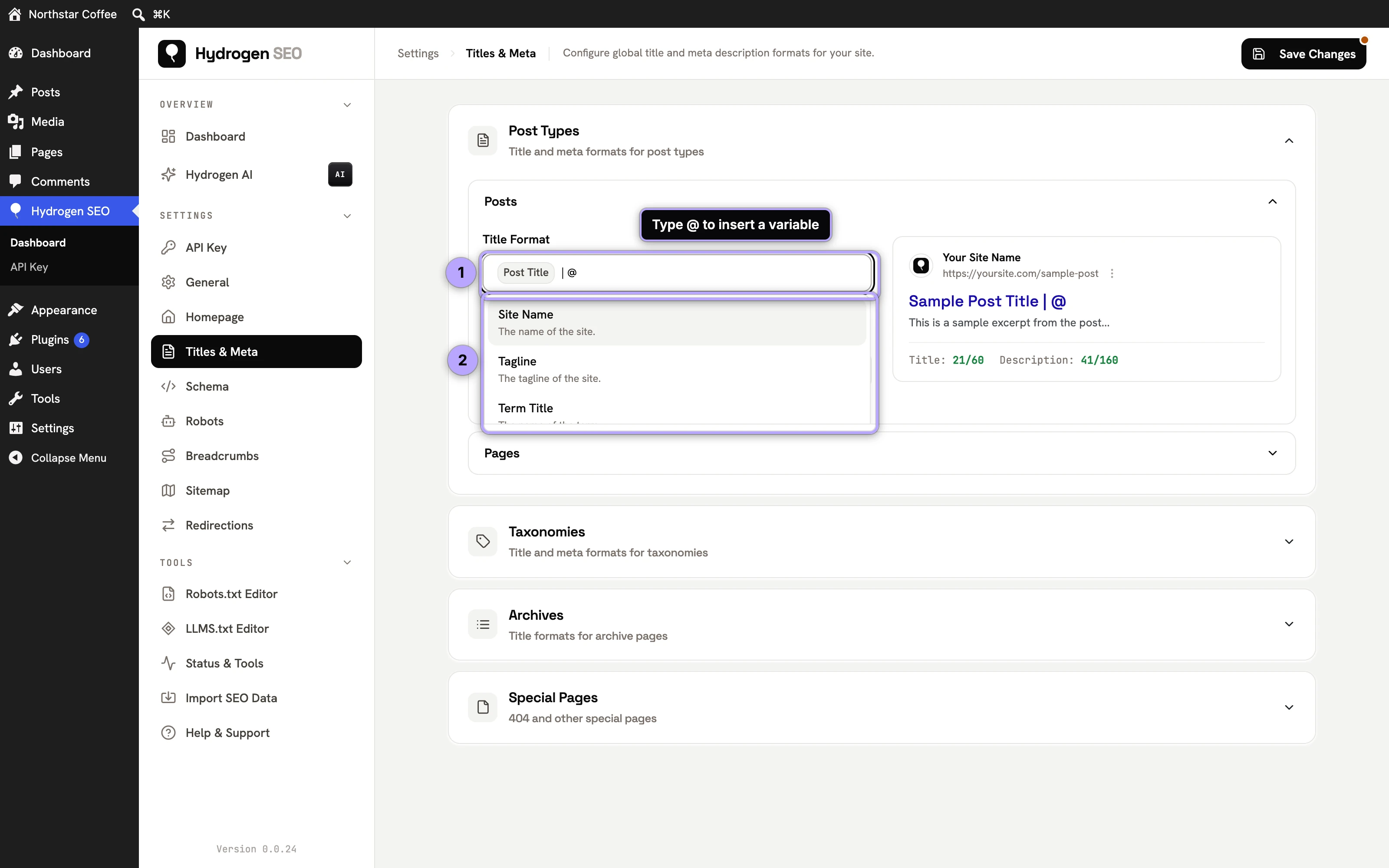
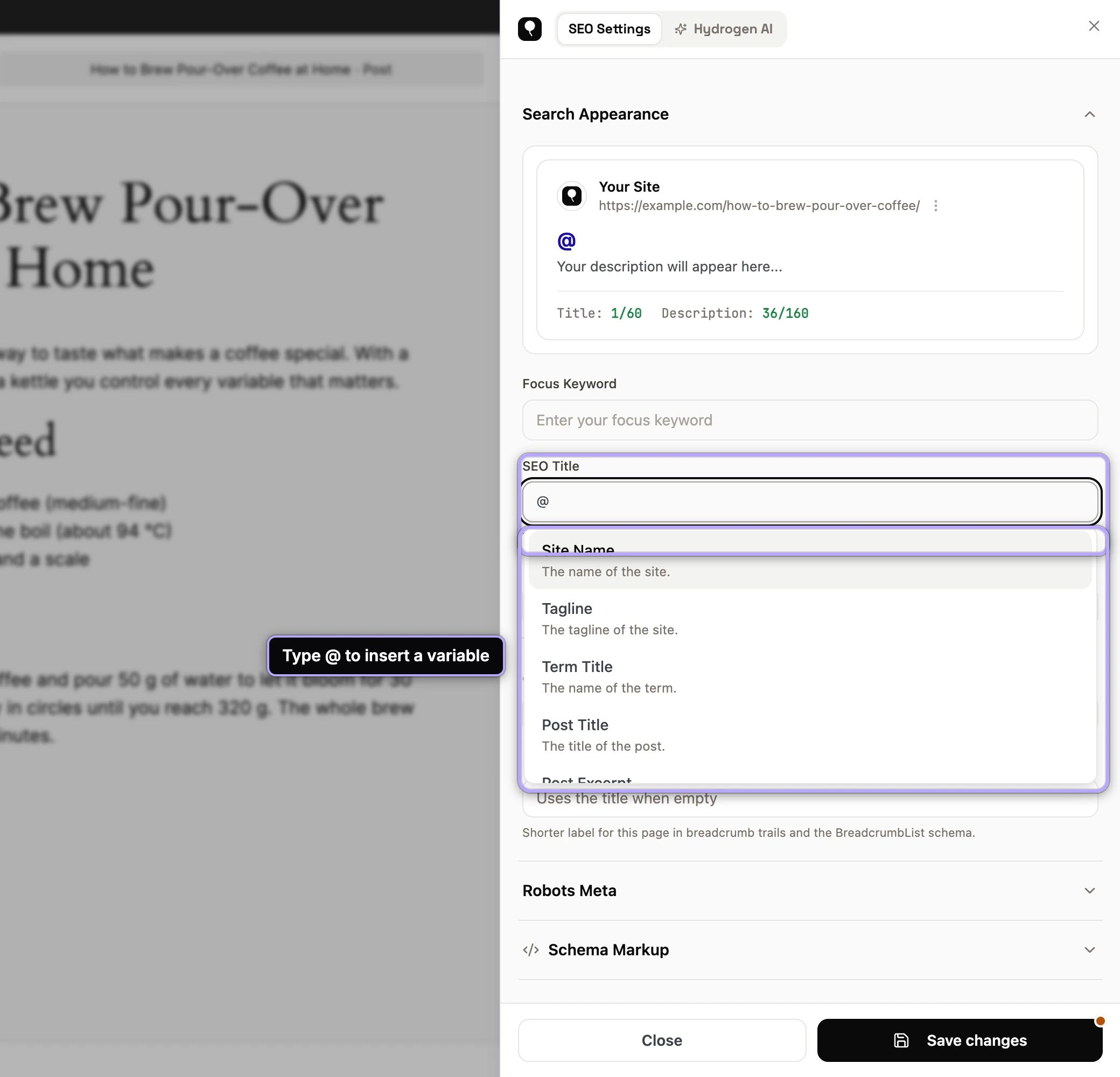
Schema fields support the same smart tags, so dynamic values carry through to your structured data too.
All variables
| Variable | Outputs | Applies to |
|---|---|---|
%title% | The post, page, or custom post type item's title | Posts, pages, CPTs |
%site_name% | Your Site Title from Settings → General | Everywhere |
%tagline% | Your site tagline from Settings → General | Everywhere |
%separator% | The Title Separator set in Titles & Meta → General (default -) | Everywhere |
%excerpt% | The post's excerpt | Posts and other content with excerpts |
%content% | The post's content | Posts, pages, CPTs |
%published% / %date% | On a post or page, its publish date. On a date archive, the archive period: "2026", "September 2026", or the full date in your site's date format for a day archive | Posts, pages, CPTs, date archives |
%modified% | The item's last modified date | Posts, pages, CPTs |
%author_name% / %author% | The author's display name; on an author archive, that author's display name | Posts and author archives |
%category% | The post's first category | Posts |
%categories% | All of the post's categories, comma-separated | Posts |
%tags% | The post's tags, comma-separated | Posts |
%post_type% | The post type's name | Post type contexts and archives |
%permalink% | The URL of the current post or page | Posts, pages, CPTs |
%term_title% / %term_name% | The term's name (category, tag, or custom taxonomy term) | Taxonomy archives and term SEO fields |
%term_description% | The term's description | Taxonomy archives and term SEO fields |
%search_query% | What the visitor searched for | Search results template |
%currentdate% | Today's date, evaluated when the page renders | Everywhere |
%currentday% | The current day of the month | Everywhere |
%currentmonth% | The current month | Everywhere |
%currentyear% | The current year | Everywhere |
%currenttime% | The current time | Everywhere |
%org_name% / %org_logo% / %org_url% | The Organization name, logo and URL from your schema settings | Everywhere, mainly schema fields |
%file_name% | An attachment's file name | Image alt and title formats |
Where two names are listed together, they are aliases and output the same value.
The RSS feed text fields on the General screen accept three more variables that print links rather than text: %post_link%, %site_link% and %author_link%. They work only there.
Because all output is server-rendered, every replacement happens before the HTML leaves your server; crawlers never see the raw %placeholders%.
Example templates
Posts
| Field | Template |
|---|---|
| Title | %title% %separator% %site_name% |
| Description | %excerpt% |
A recipe or news site might prefer %title% (%currentyear%) %separator% %site_name% to signal freshness, since %currentyear% updates itself every January.
Categories and other taxonomies
| Field | Template |
|---|---|
| Title | %term_title% %separator% %site_name% |
| Description | %term_description% |
If your term descriptions are empty, write them; they make better snippets than anything auto-generated.
Archives and search
| Field | Template |
|---|---|
| Date archive title | %published% %separator% %site_name% (default) |
| Author archive title | %author_name% %separator% %site_name% (default) |
| Search results title | Search Results for "%search_query%" %separator% %site_name% (default) |
| 404 page title | Page Not Found %separator% %site_name% (default) |
On a date archive for September 2026, the date template prints "September 2026 - Your Site" with the default separator; on the archive for a single day it prints the full date in your site's date format. Set these once in Hydrogen SEO → Titles & Meta and every archive page inherits them; individual posts and terms can still be overridden in the SEO Settings sheet.
For developers
The replacement map is filterable. Use hydrogen_seo_variable_replacements to adjust values or add your own replacements site-wide; the filters reference documents the signature alongside hydrogen_seo_title and hydrogen_seo_description, which run on the final assembled strings.
FAQ
Can I use variables in per-post fields, not just templates?
Yes. The SEO title, meta description, and social fields in the SEO Settings sheet all accept variables, and the @ editor works there too. A per-post value of %title% %separator% Updated %modified% is perfectly valid.
What happens if a variable has no value on a given page?
It resolves to an empty string. For example, %excerpt% on a post with no excerpt outputs nothing, so build templates that still read well when an optional value is missing.
Is %date% different from %currentdate%?
Yes. %date% is the content's publish date and never changes unless you re-date the post; on a date archive it is the period the archive covers. %currentdate%, %currentmonth%, and %currentyear% reflect the moment the page is rendered, which makes them useful for evergreen titles.
What does %separator% print?
The character chosen under Titles & Meta → General → Title Separator: -, |, •, /, \, ~, :, » or «. Change it there and every template that uses %separator% follows.
Can I add my own custom variables?
Not from the UI, but developers can extend or modify the replacement map with the hydrogen_seo_variable_replacements filter. See extending Hydrogen SEO.