Image Alt Text
Write alt text with AI from the Media Library, one image or a selection, optionally on upload, or fill gaps without AI.
On this page
- Accessibility first, SEO second
- Writing good alt text
- Where you can write alt text with AI
- One image: the Generate Alt Text button
- Many images: bulk Generate Alt Text
- Ask the agent
- Generate alt text with AI on upload
- Filling missing alt text without AI
- Always review AI output before saving
- FAQ
- Does alt text really affect rankings?
- Should every image have alt text?
- Do the AI alt text features cost anything?
- I don't see the Generate Alt Text button. Why?
- Can Hydrogen AI handle alt text as part of a bigger cleanup?
- Related reading
Alt text is the written description attached to an image's alt attribute. It exists first for accessibility: screen readers speak it aloud to visitors who cannot see the image, and browsers show it when an image fails to load. Search benefits come second: alt text is the clearest signal search engines have about what an image shows, feeding both image search and the page's overall relevance. Hydrogen SEO helps you write it at scale: AI generation for a single image or a bulk selection in the Media Library, optional AI alt text on upload, and a non-AI fallback that fills missing alt attributes from a template.
Accessibility first, SEO second
The order matters. Alt text written for screen-reader users, a plain, accurate description of what the image shows and why it is on the page, is almost always also the best alt text for SEO. Alt text written for search engines first tends to become keyword stuffing, which serves nobody: it is noise for assistive technology and a well-documented anti-pattern for search.
So the rule is simple: describe the image honestly, in context. If a keyword belongs naturally in that description, include it. If it does not, leave it out.
Writing good alt text
- Describe what matters in context. The same photo needs different alt text on a product page ("Blue ceramic pour-over coffee dripper, size 02") than in a tutorial ("Pouring water in slow circles over the coffee grounds").
- Be specific and brief. One clear sentence usually suffices. Aim for the detail a person would need, not a caption-length essay.
- Skip "image of" and "picture of". Screen readers already announce it as an image.
- Decorative images can have empty alt. A purely ornamental divider or background flourish should carry
alt=""so screen readers skip it, rather than invented filler text. - Never stuff keywords. "coffee dripper best coffee dripper buy coffee dripper" helps no one and can hurt.
Where you can write alt text with AI
AI alt text is one of Hydrogen SEO's AI features, so it needs a free hydrogenseo.com account connected to the site; see connect your account. The buttons below appear only while the site is connected to Hydrogen AI. Each image costs 1 credit.
One image: the Generate Alt Text button
A ◆ Generate Alt Text button sits above the Alternative Text field in the attachment details panel, wherever WordPress shows that panel:
- Media → Library in grid view, when you click an image.
- The media modal of the post editors, when you add or select an image in a post.
- The attachment edit screen (Media → Library → Edit on a single image).
- Open the image's attachment details in any of those places.
- Click ◆ Generate Alt Text.
- Hydrogen SEO analyses the image and fills the Alternative Text field.
- Review the text, edit it if needed, and save as you normally would.
This is the right tool when you are working through a post and hit an image with an empty alt field: one click and a quick review instead of a context switch.
Many images: bulk Generate Alt Text
Established sites often carry hundreds or thousands of images with no alt text at all. Fixing that by hand is nobody's afternoon, which is what the bulk button is for:
- Go to Media → Library.
- Select the images you want alt text for.
- Click ◆ Generate Alt Text in the toolbar.
- Confirm when asked. Each selected image uses 1 credit.
- Review the results in the Media Library afterwards and correct anything that is off.
Credits are explained in credits and billing; signup includes free credits. When credits run out, only AI generation stops; nothing else in the plugin is affected.
Ask the agent
The Hydrogen AI agent can also bulk-generate alt text, for example "add alt text to every image in the media library that doesn't have any". It shows its progress and every change.
Generate alt text with AI on upload
Hydrogen SEO → General → Images → Generate Alt Text with AI on Upload writes alt text for each image uploaded without it, at 1 credit per image.
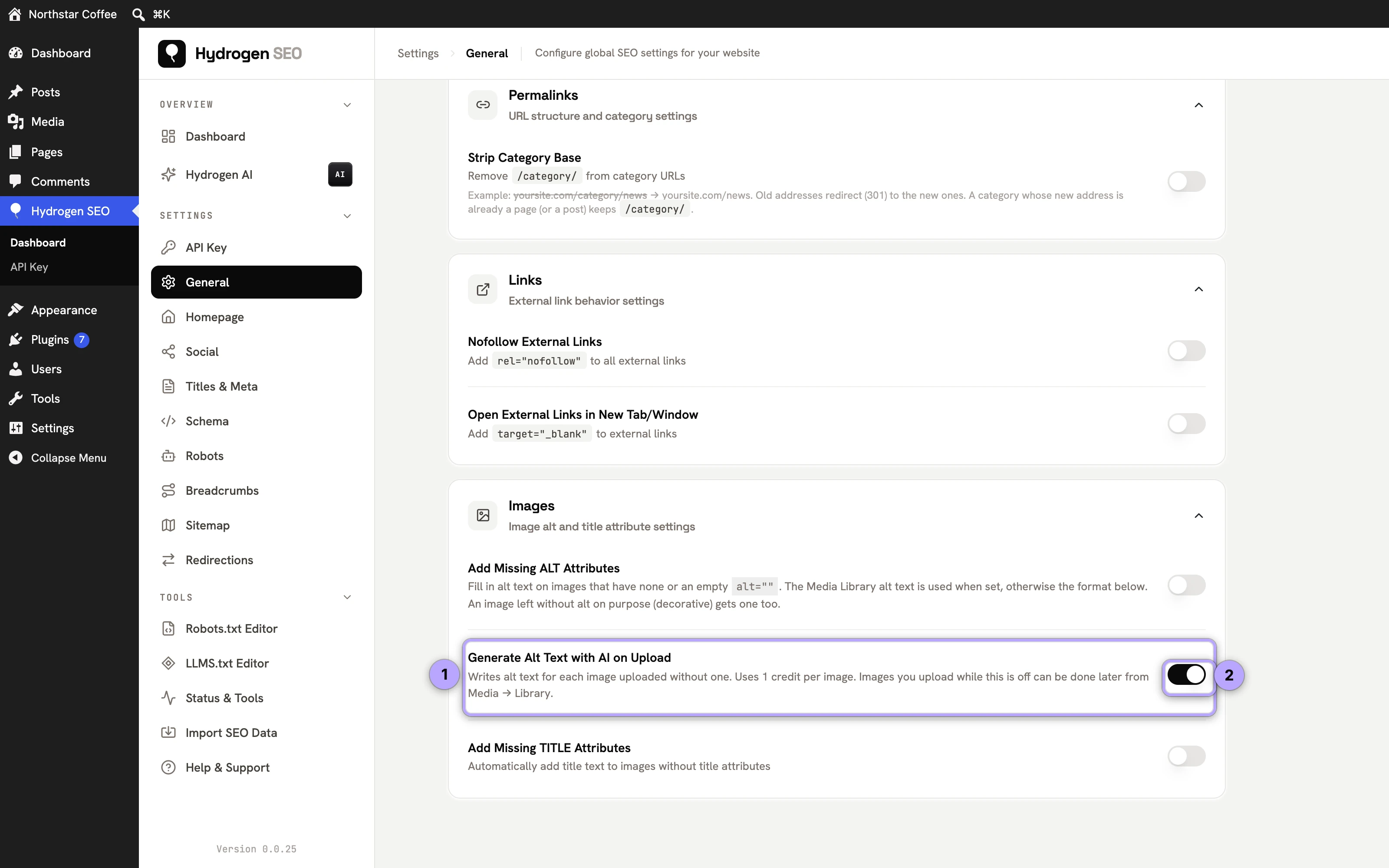
- It is off by default; nothing is generated or charged until you switch it on.
- It applies to images only. PDFs and other uploads are never sent.
- It is shown only while the site is connected to Hydrogen AI; otherwise a Connect link appears in its place.
Switch it on if your team uploads many images and rarely fills in alt text. Leave it off if you prefer to write alt text yourself or control every credit spent. See general settings.
Filling missing alt text without AI
Hydrogen SEO → General → Images → Add Missing ALT Attributes is a free, no-account safety net. It fills in the alt attribute on images that have no alt or an empty alt="" when a page is printed. WordPress prints alt="" for every image that has no alt text set, including featured images and block-editor images, so this covers them too.
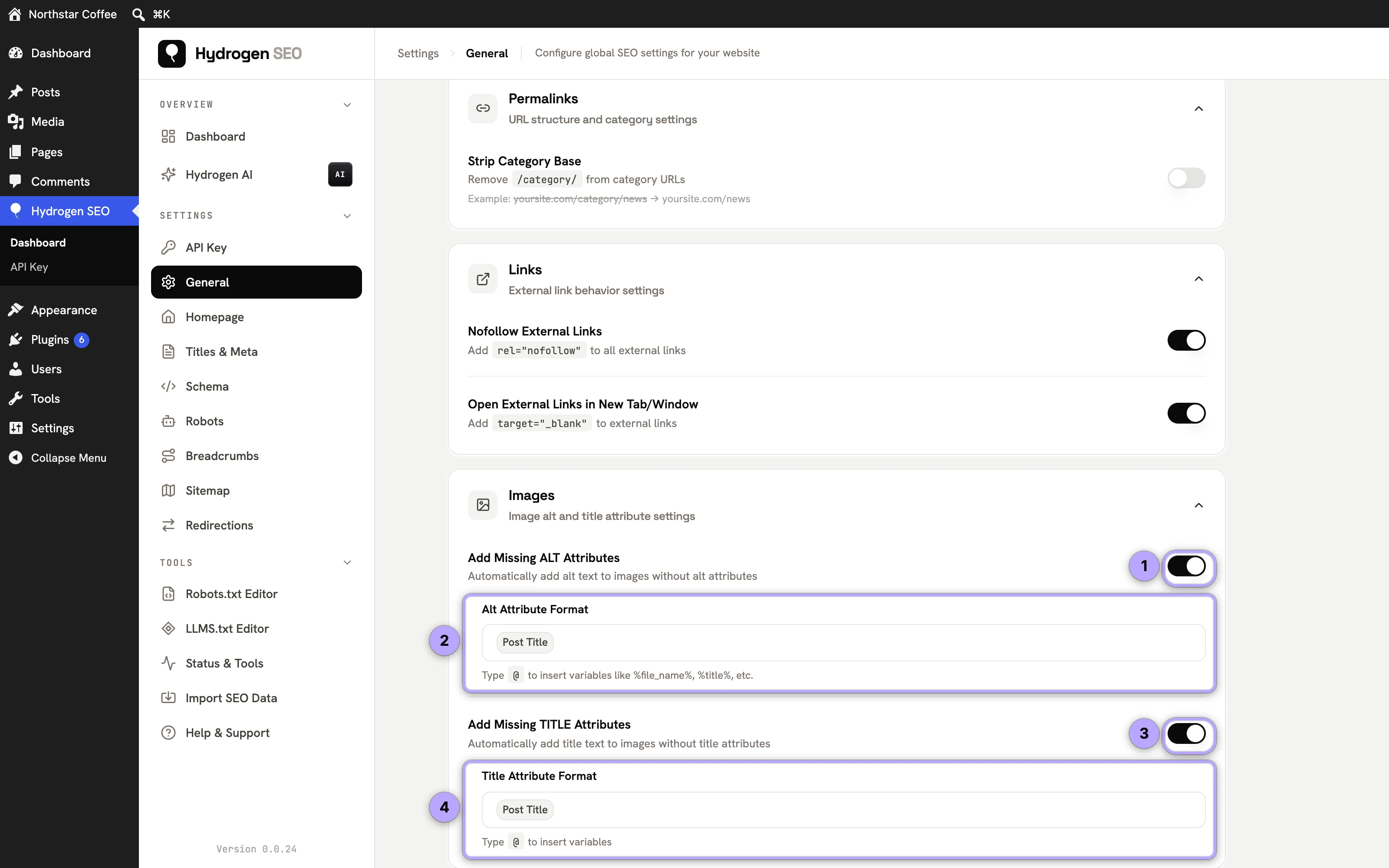
- When the image has Alternative Text in the Media Library, that text is used.
- Otherwise the Alt Attribute Format is used. The default is
%title%, the title of the post; for featured images on archive pages, it is the title of the post the image belongs to.
This does not write anything to your Media Library, and a post title is a weaker description than real alt text, so treat it as a fallback rather than a replacement for writing alt text.
Caveat for decorative images: an image you left with an empty alt on purpose, so screen readers skip it, also gets alt text when this switch is on. If your site relies on alt="" for decorative images, leave the switch off.
Always review AI output before saving
AI descriptions of images are good and getting better, but they describe what is visually apparent, not what you know. The model cannot know that the person in the photo is your founder, that the screenshot shows version 2 of your app, or that the dish is your signature recipe rather than generic pasta. Review with three questions:
- Is it accurate? No misidentified objects, people, or text.
- Is it in context? Does the description reflect why this image is on this page?
- Would it help someone who cannot see the image? That is the test that matters.
Editing a decent draft takes seconds; that review step is what turns bulk generation from "technically has alt text" into genuinely accessible, search-friendly images.
Images without alt text also lower a post's SEO score and roll up into the content structure area of your site health score, so clearing the backlog moves visible needles.
FAQ
Does alt text really affect rankings?
It is one signal among many, strongest in image search, where it is often the deciding factor in whether your images surface at all. Its indirect effect, making pages more parseable and accessible, is real but modest. Its accessibility effect is not modest: for screen-reader users it is the image.
Should every image have alt text?
Every meaningful image, yes. Purely decorative images should have an empty alt attribute (alt="") so assistive technology skips them cleanly. Note that Add Missing ALT Attributes fills empty alt attributes too, decorative ones included, so keep it off if you rely on alt="".
Do the AI alt text features cost anything?
They need a free hydrogenseo.com account, which includes free credits. Each image uses 1 credit, whether you click the button, run a bulk selection or have AI alt text on upload switched on. Heavier bulk use may need a paid plan; see credits and billing. Add Missing ALT Attributes and everything else non-AI in the plugin remains free with no account.
I don't see the Generate Alt Text button. Why?
The buttons appear only while the site is connected to Hydrogen AI. Connect your account from Hydrogen SEO → API Key (see connect your account), then reload the Media Library.
Can Hydrogen AI handle alt text as part of a bigger cleanup?
Yes. The Hydrogen AI agent can be asked in plain language to work through images missing alt text as part of a wider site cleanup, and it shows every change before it is final.