API Keys & Licenses
Create, rotate and revoke the keys that power the plugin’s AI features.
On this page
- What a license key is
- Create a key
- Connect the key in the plugin
- One key per site
- Rotating and revoking
- Credit metering per key
- FAQ
- Is the license key the same as my account password?
- What happens on the site when I revoke its key?
- Can I use one key on several sites?
- Does revoking a license key disconnect Hydrogen AI?
- Related reading
Hydrogen SEO's platform API is credit-based and keyed by license keys. You create keys on the Licenses screen at /licenses in your hydrogenseo.com account, then connect a key in the plugin under Hydrogen SEO → API Key. This page covers creating a key, connecting it, rotating and revoking, and how credit metering works per key.
What a license key is
A license key identifies a site (or integration) to the platform's REST API. Every credit-consuming request, such as AI title suggestions, content generation, alt text, and agent work, is authenticated by a key and metered against your account's credit pool. Keys are created, viewed, and revoked from one place: the Licenses screen at /licenses.
Create a key
- Sign in at hydrogenseo.com. If you don't have an account yet, /signup is free and includes free credits.
- Open the Licenses screen at /licenses.
- Create a new key.
- Copy the key. Treat it like a credential: don't commit it to repositories or paste it into shared documents.
Connect the key in the plugin
- In wp-admin, go to Hydrogen SEO → API Key.
- Paste your license key.
- Save. The plugin's AI features, including AI titles and descriptions, content and image tools, and image alt text, now authenticate through this key, and their usage is metered against your credits.
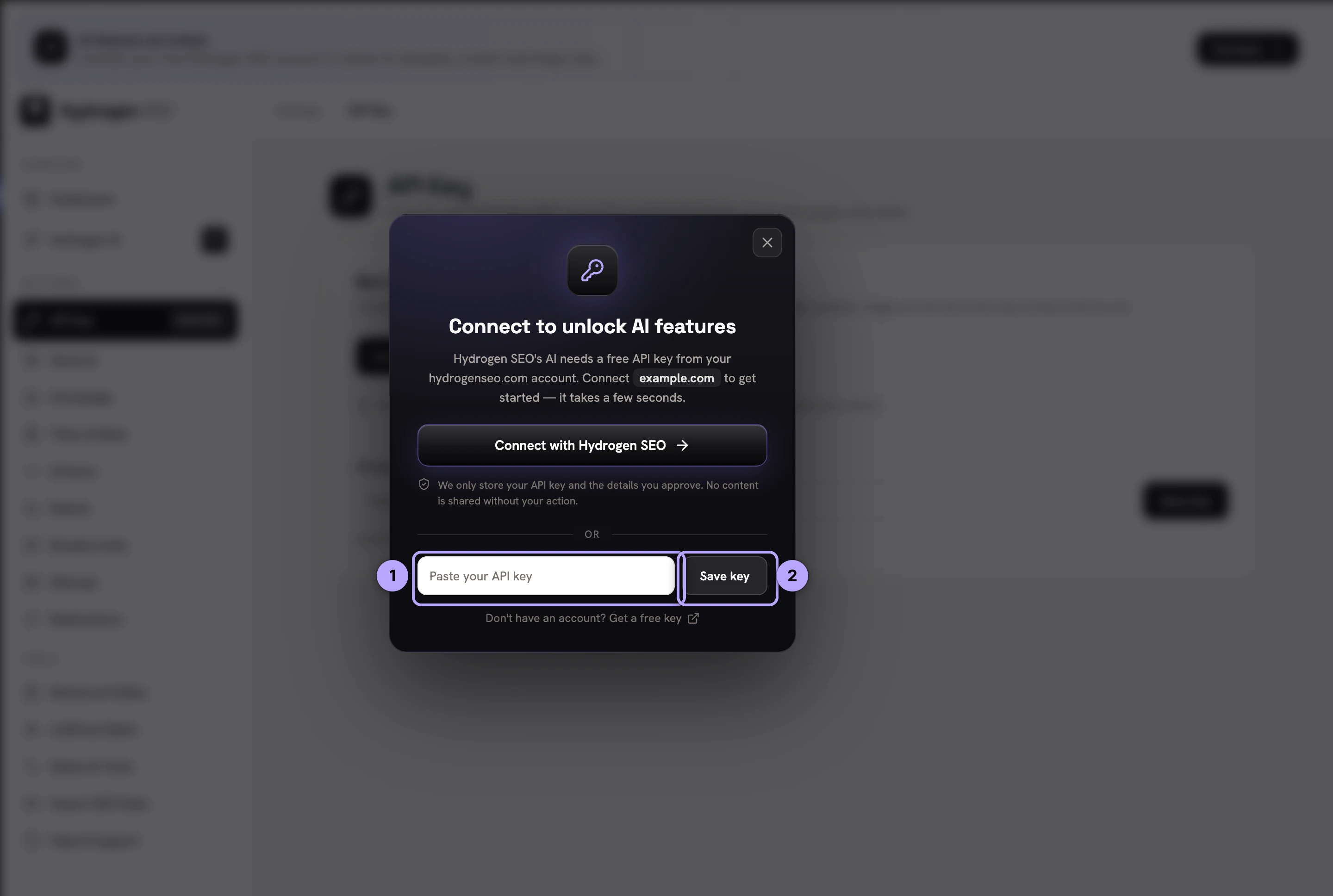
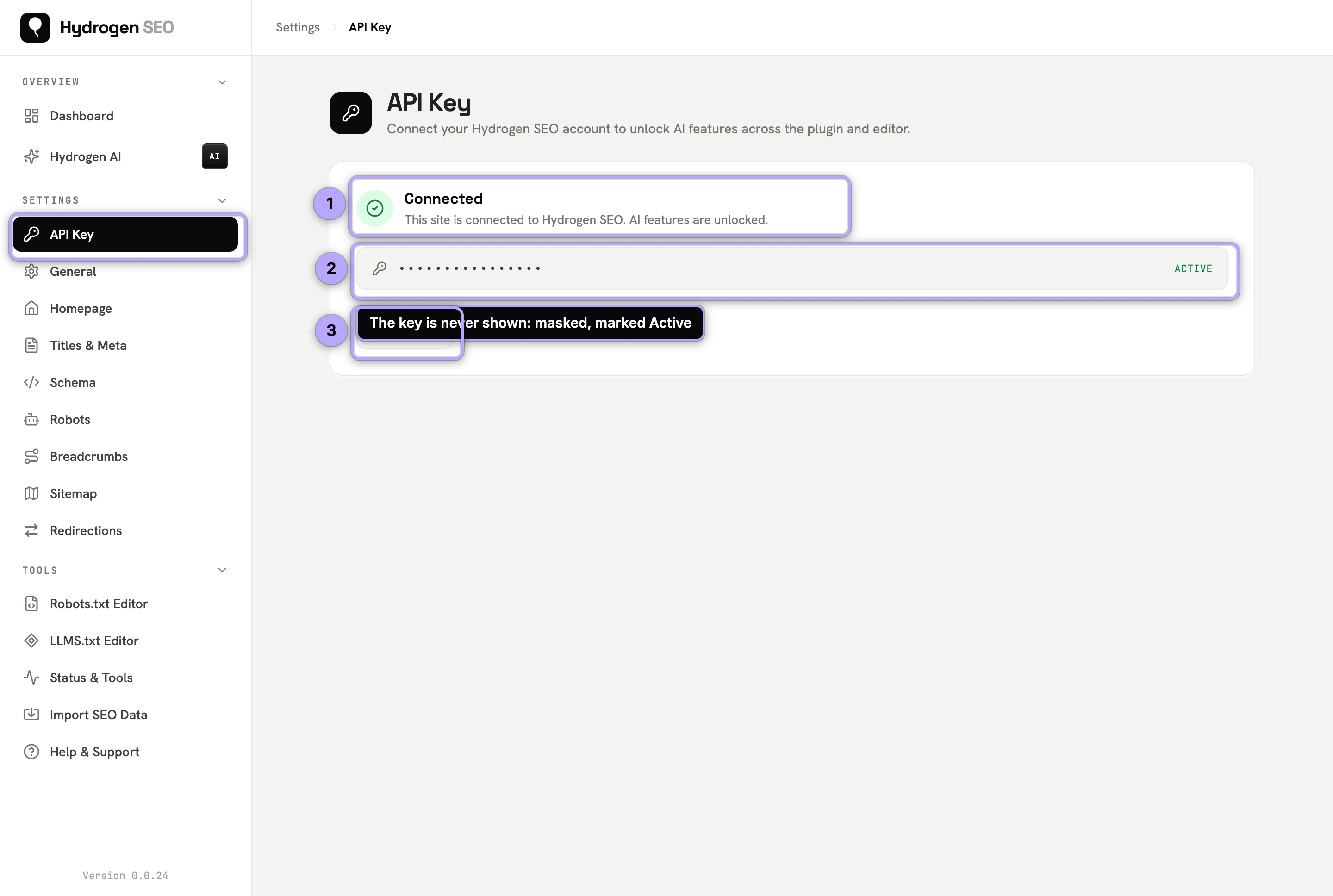
If you prefer the guided route, the account-connect flow described in connect your account gets you to the same working state.
One key per site
Recommendation: use one key per site. It costs nothing extra (credits pool at the account level regardless) and buys you three things:
- Clean metering. Credit usage is metered per key, so per-site keys tell you exactly which site is consuming what.
- Contained rotation. If a key leaks or a site is compromised, you revoke that one key. Other sites keep working.
- Clean offboarding. Handing a site over, or retiring it, is one revocation, not a shared-secret migration across every property you run.
Sharing one key across many sites works mechanically, but it turns every rotation into a multi-site chore and blurs your usage picture.
Rotating and revoking
Rotate a key when someone with access leaves, when a key may have been exposed, or simply on a schedule:
- On /licenses, create the new key.
- In each affected site's Hydrogen SEO → API Key screen, replace the old key with the new one and save.
- Back on /licenses, revoke the old key.
Doing it in this order (create, swap, revoke) means no downtime for AI features. Revoking first works too; the site's AI features simply pause until the new key is saved. A revoked key stops authenticating immediately.
Note that the license key is separate from the agent's connection credential. Hydrogen AI connects through a WordPress application password named "Hydrogen SEO Agent" with its own revocation paths; revoking a license key does not disconnect the agent, and vice versa.
Credit metering per key
Credits live in one pool on your account, and every key draws from that pool. Metering is per key, which is what makes usage legible:
- Each AI generation and each piece of agent work consumes credits, attributed to the key that made the request.
- With one key per site, your usage breaks down naturally by site.
- When the pool hits zero, only AI generation pauses, on every key. Titles, schema, sitemaps, redirects, and all other non-AI plugin features keep working. Top up or upgrade at /pricing.
The full credit model is covered in credits, plans and billing.
FAQ
Is the license key the same as my account password?
No. Your password signs you in at hydrogenseo.com. A license key authenticates API requests from a site or integration and can be revoked independently on /licenses without affecting your account.
What happens on the site when I revoke its key?
AI features pause because they can no longer authenticate; nothing else changes. Every non-AI feature of the plugin keeps working, since the plugin never requires an account for those. Save a new key under Hydrogen SEO → API Key to resume.
Can I use one key on several sites?
It works, but one key per site is the recommendation: per-key metering stays meaningful, and rotation or revocation affects only the site involved.
Does revoking a license key disconnect Hydrogen AI?
No. The agent uses a separate credential, a WordPress application password named "Hydrogen SEO Agent". Disconnect it from the plugin or revoke it under Users → Profile → Application Passwords; see AI Abilities, policies and safety.