Meet Hydrogen AI: The SEO Agent
The SEO agent that does the work through the plugin’s own tools.
On this page
- Where Hydrogen AI lives
- What you can ask it to do
- Why tools plus confirmation beat copy-paste AI
- Safety, in one paragraph
- Getting started
- FAQ
- Does Hydrogen AI change my site without asking?
- Do I need a paid plan to use the agent?
- Can the agent edit my theme, plugins, or arbitrary files?
- What's the difference between the dashboard agent and the editor tab?
- Related reading
Hydrogen AI is the SEO agent built into Hydrogen SEO: a chat interface that can read and edit your site's SEO for you. You describe what you want in plain language, and the agent does the work through the plugin's own registered tools, covering metadata, schema markup, sitemaps, robots rules, redirects, image alt text, and featured images. It never pastes text for you to copy somewhere; it makes the change itself, shows you exactly what changed, and asks before doing anything destructive.
The agent runs on the hydrogenseo.com platform (a LangGraph-based agent) and connects to your WordPress site through a secure, revocable credential. The plugin side is free; agent work uses AI credits from your hydrogenseo.com account, which starts with free credits on signup.
Where Hydrogen AI lives
Hydrogen AI appears in two places, each with a different scope:
- The plugin dashboard (site-wide). Open Hydrogen SEO → Dashboard in wp-admin and start a chat. From here the agent can work across your whole site: audit metadata everywhere, fix issues in bulk, manage redirects and sitemap exclusions, and more.
- The editor's SEO Settings sheet (post-scoped). While editing a post or page, open the SEO Settings sheet and switch to the agent tab. Here the agent is scoped to the content you are editing, which makes it ideal for focused work: "add FAQ schema to this page" or "rewrite this meta description to mention free shipping".
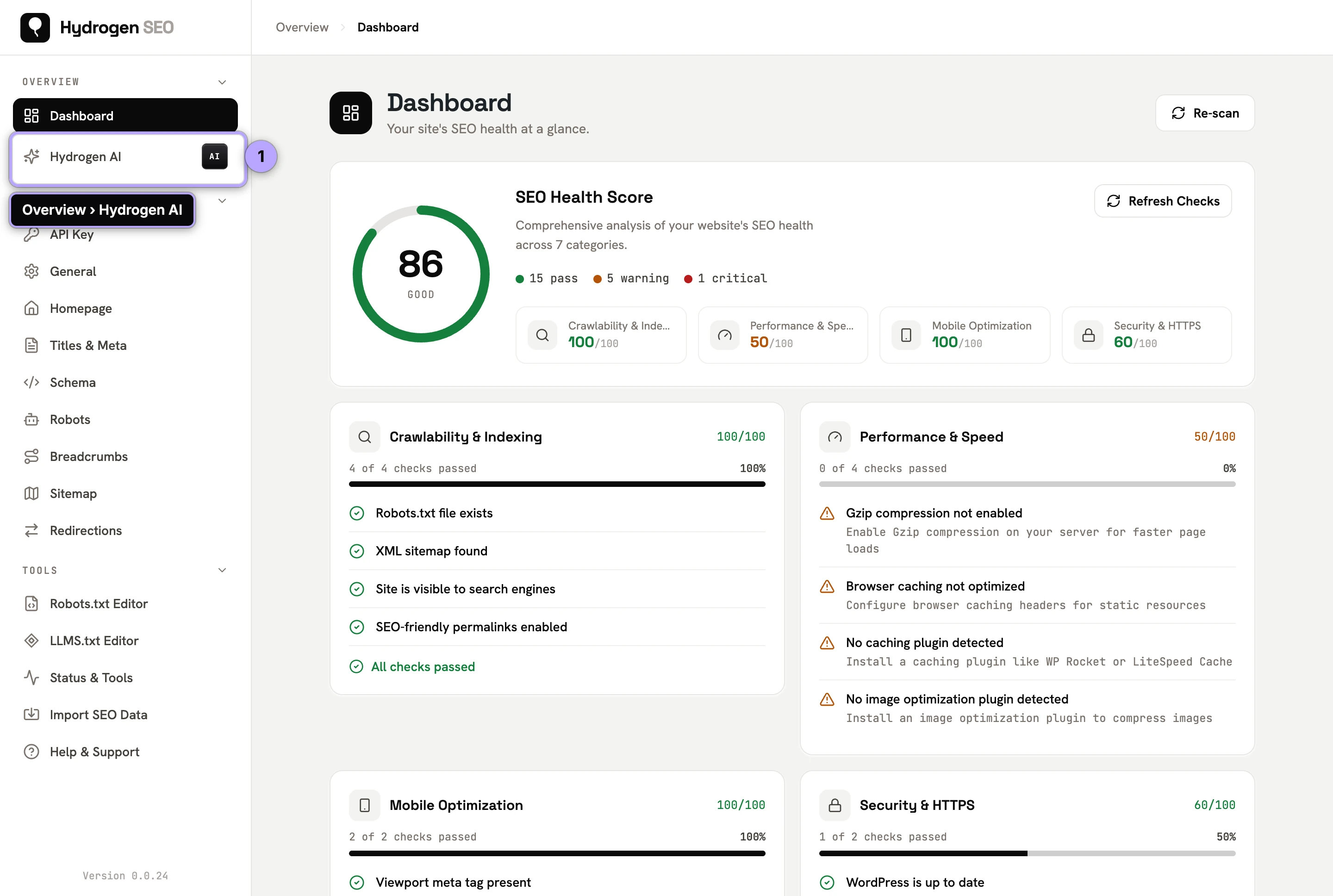
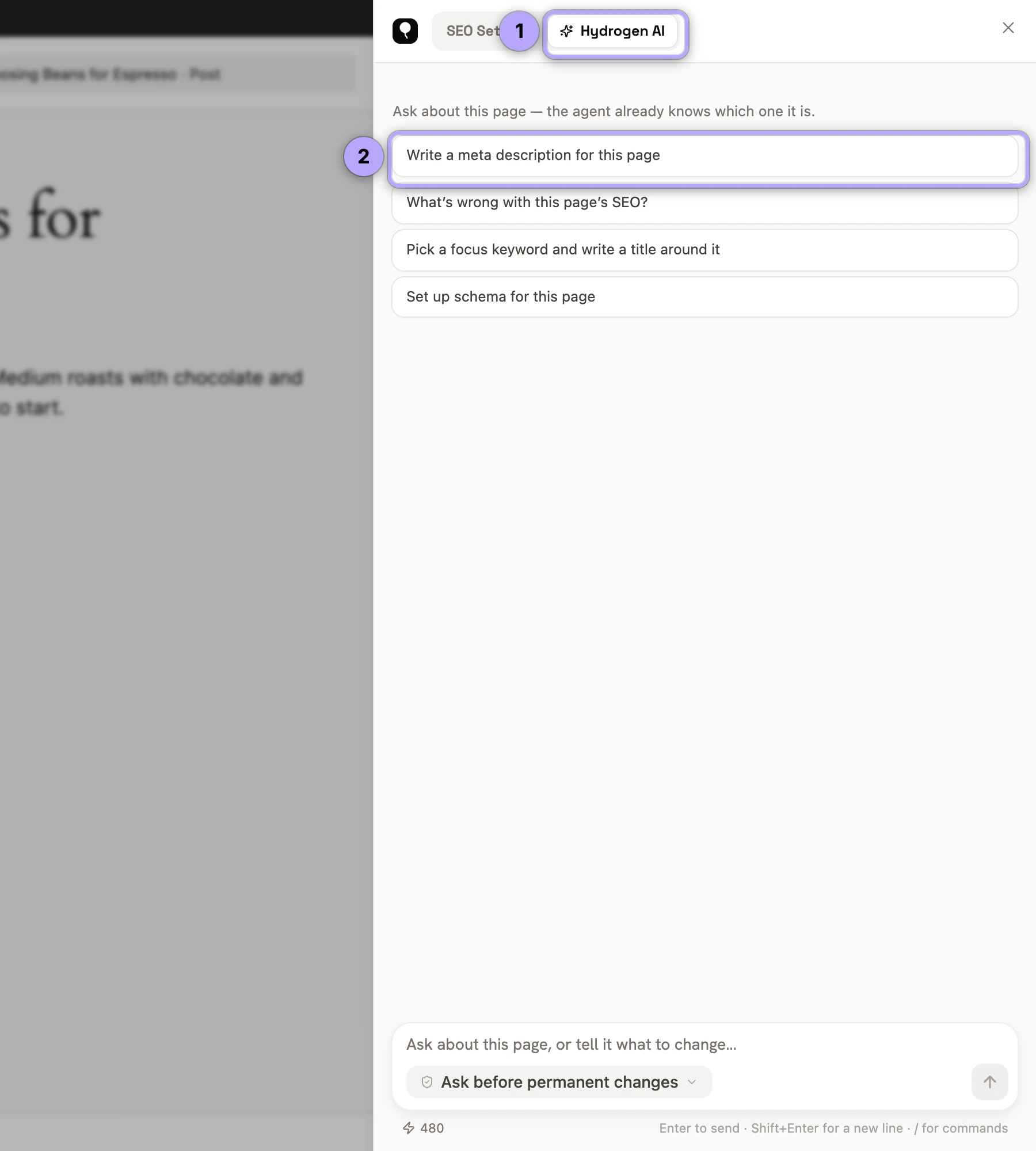
Both surfaces talk to the same agent and the same account, so your credits and connection are shared. See connect Hydrogen AI for the one-time setup.
What you can ask it to do
The agent understands ordinary sentences, not commands. Real examples:
- "Write meta descriptions for every post missing one."
- "Add FAQ schema to this page."
- "Find and fix broken internal links."
- "Set a 301 redirect from /old-pricing to /pricing."
- "Add alt text to images in the media library that don't have any."
- "Generate a featured image for this post."
- "Turn on the video sitemap and scan my posts for videos."
Because the agent works through the same modules you use by hand, everything it produces is inspectable and editable afterwards in the normal screens: titles and meta descriptions, the schema markup screens, the redirection manager, and so on. Nothing lives in a separate AI silo.
For a library of ready-made prompts, see Hydrogen AI recipes.
Why tools plus confirmation beat copy-paste AI
Most "AI SEO" today is a chatbot in one window and your site in another. You ask for a meta description, copy the answer, find the right field, paste it, save, and repeat two hundred times. That workflow has three problems: it is slow, it is error-prone (wrong field, wrong post, truncated paste), and the AI never actually sees your site, so it guesses.
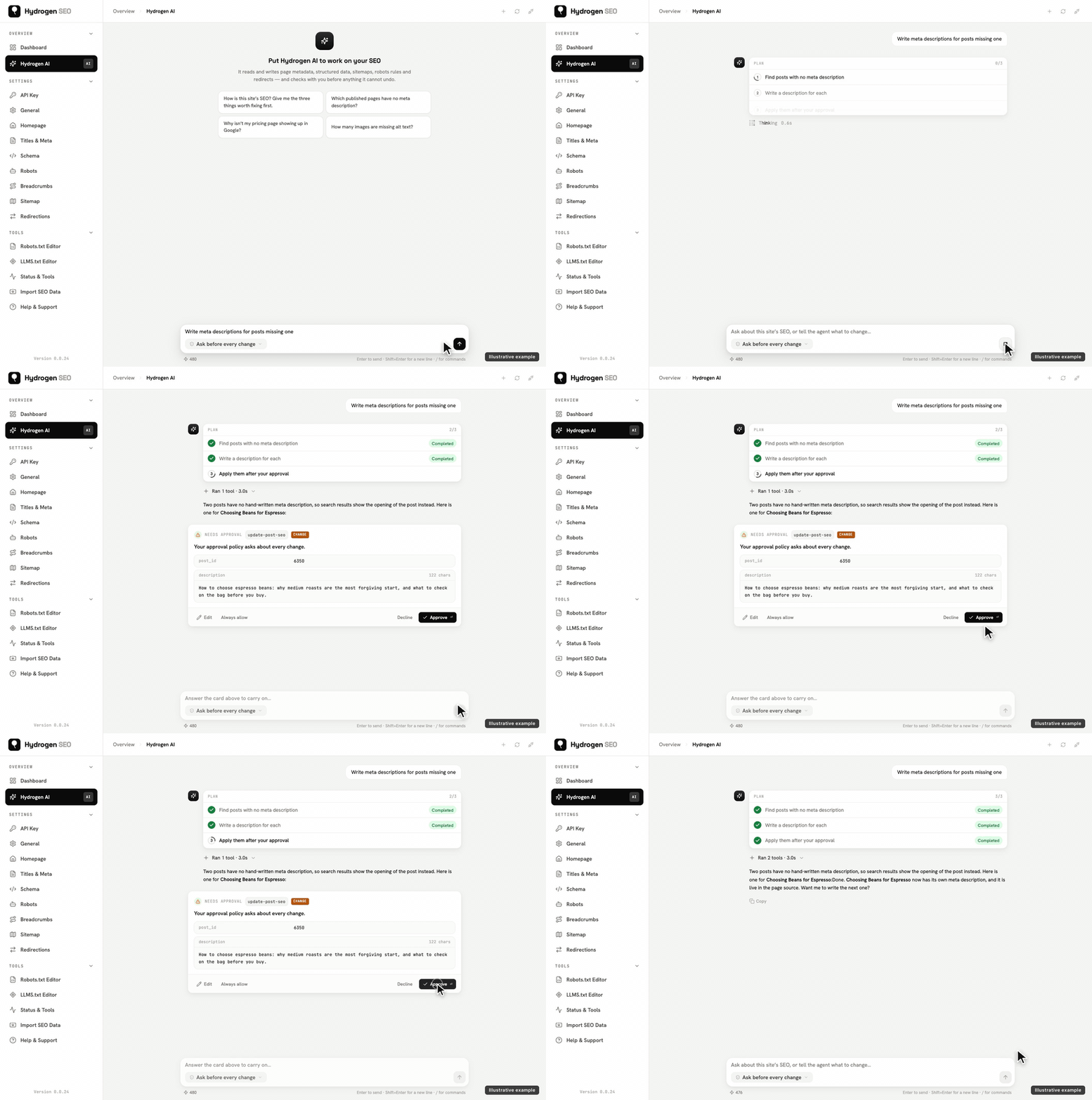
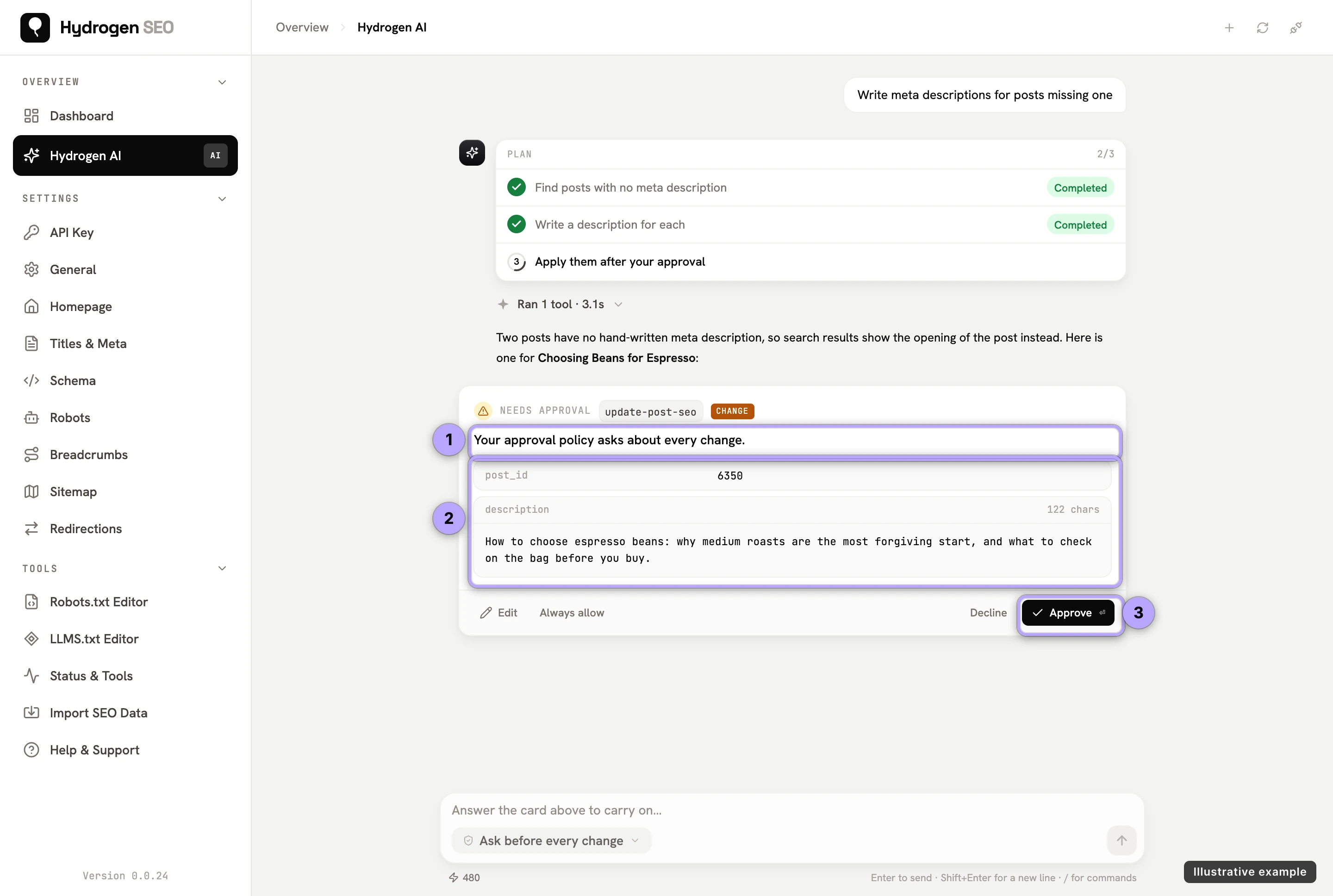
Hydrogen AI is different in kind, not degree:
- It reads the real site. Before writing anything, the agent can query your actual posts, metadata, schema, sitemap, and audit results through the plugin's REST-backed tools. Its suggestions are grounded in what is really published.
- It edits through registered tools. Every write goes through the plugin's own registered abilities, the same code paths the dashboard screens use. There is no scraping, no fragile browser automation, and no way for the agent to touch things outside those tools.
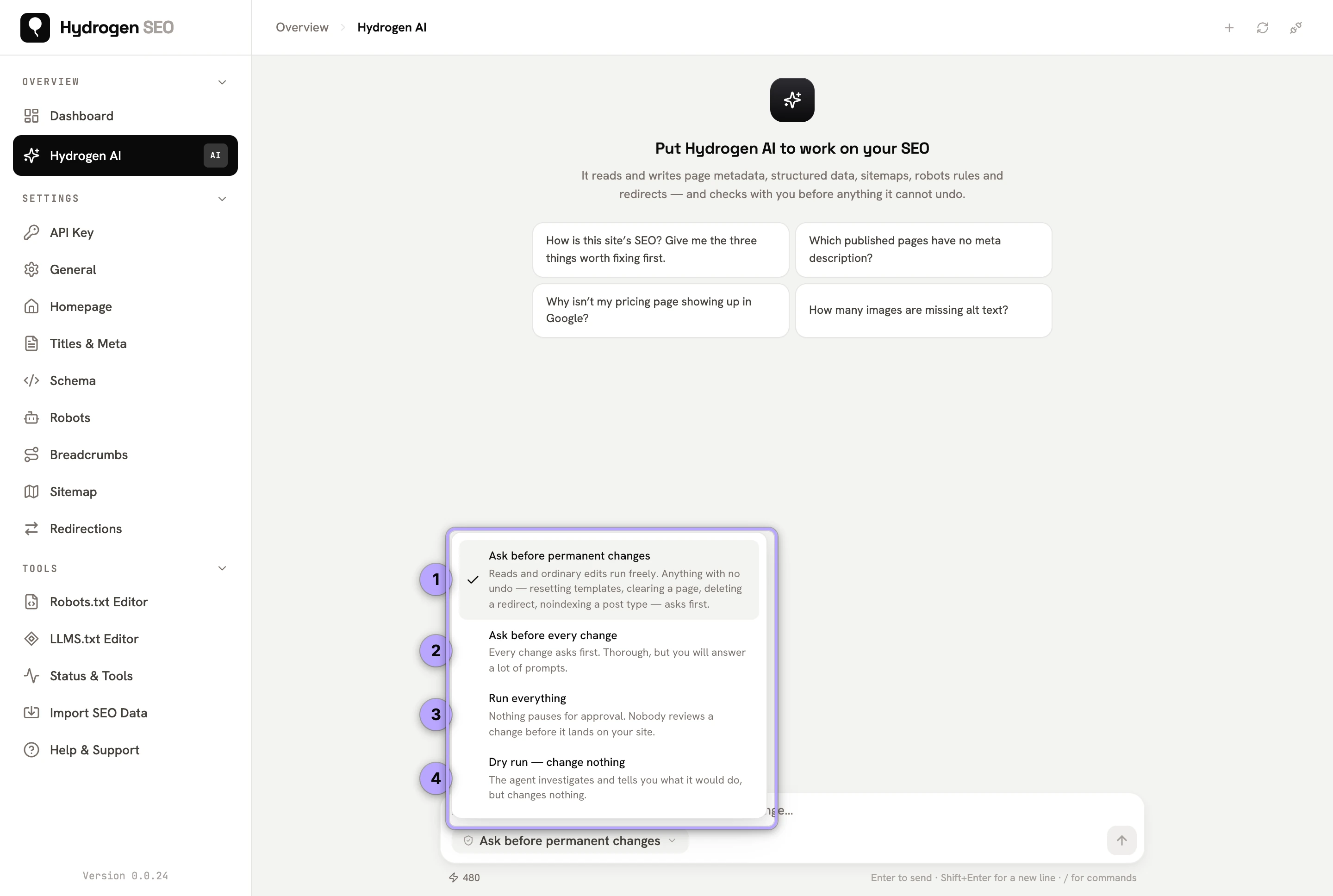
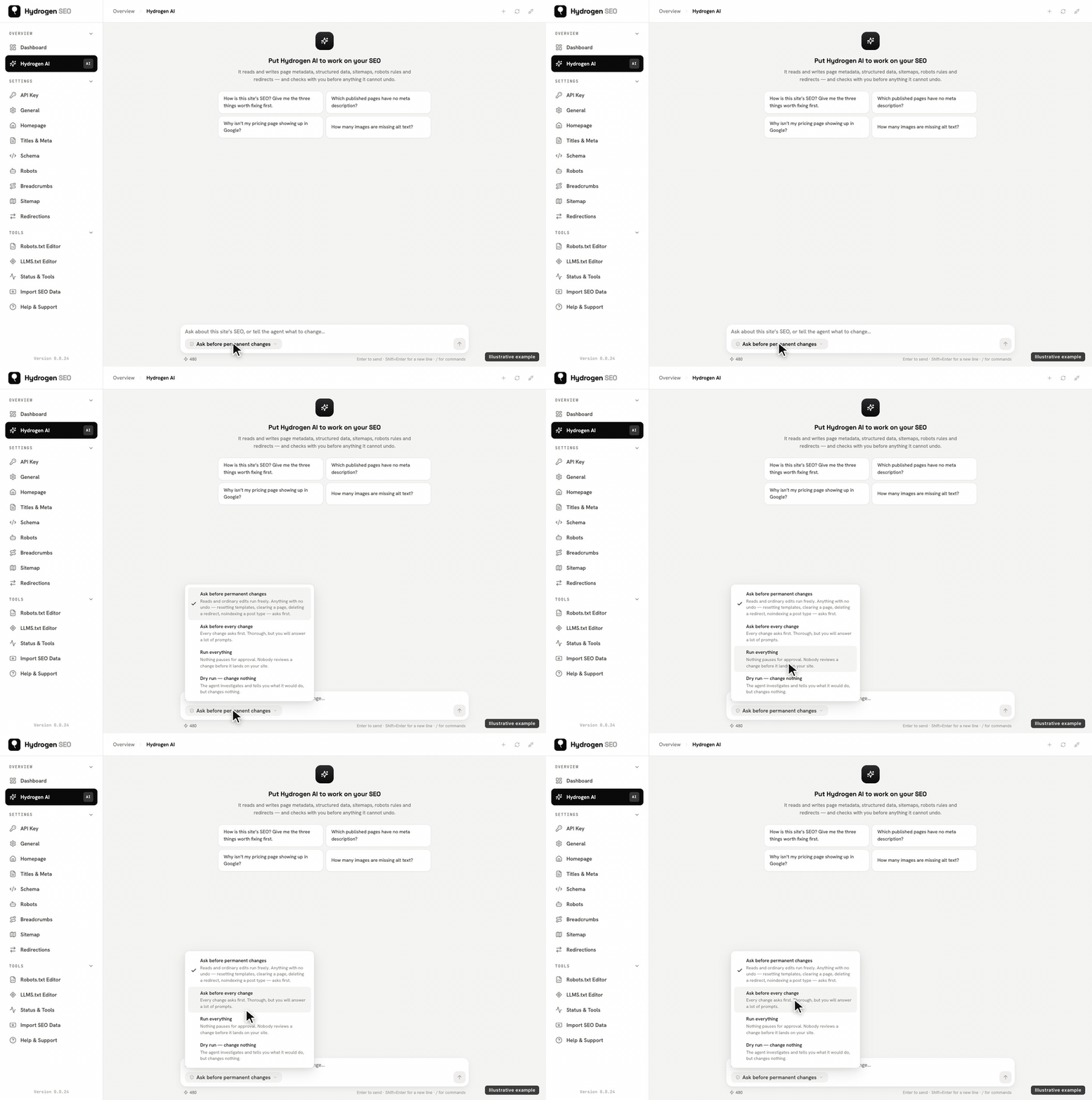
- It confirms before it commits. By default the agent asks before anything destructive, and you can tighten that to ask before every single write, or loosen nothing at all by running it read-only. Every change is shown to you, and you can stop the agent at any time.
The result is bulk-scale work with single-change accountability. You get the speed of automation and the control of doing it yourself.
Safety, in one paragraph
Hydrogen AI is gated three ways before it can act: the AI Abilities toggle must be switched on, the abilities are locked to your domain, and only users with the manage_options capability can drive the agent. Its connection to your site is a single WordPress application password named "Hydrogen SEO Agent", revocable at any time from the plugin or from Users → Profile → Application Passwords. The full model, including policy modes and revocation, is documented in AI Abilities, policies and safety.
Getting started
- Install the free plugin and run the setup wizard if you haven't already.
- Connect your hydrogenseo.com account (free, with free credits included).
- Follow Connect Hydrogen AI to your site to switch on AI Abilities and link the agent.
- Open Hydrogen SEO → Dashboard, type your first request, and review the confirmation the agent shows before it writes.
Hydrogen SEO is currently in Beta, so the agent's tool surface is still growing. Everything described here reflects what ships today.
FAQ
Does Hydrogen AI change my site without asking?
Not by default. The default policy asks before anything destructive, and every change is shown to you. You can set it to ask before every write, or run it read-only so it never writes at all. See AI Abilities, policies and safety.
Do I need a paid plan to use the agent?
No. You need a free hydrogenseo.com account, which includes free credits. Agent work consumes credits; when they run out, only AI generation pauses, and every non-AI plugin feature keeps working. Details in credits, plans and billing.
Can the agent edit my theme, plugins, or arbitrary files?
No. It works exclusively through the plugin's registered SEO tools: metadata, schema, sitemaps, robots rules, redirects, alt text, and featured images. It has no file-system or code access.
What's the difference between the dashboard agent and the editor tab?
Same agent, different scope. The dashboard chat works site-wide; the tab in the editor's SEO Settings sheet is scoped to the post you're editing.