The Site Health Score
Your SEO health score across seven areas, what each one weighs, and a prioritised list of what to fix first.
On this page
- The seven areas
- Reading the score and the issue lists
- How often to re-check
- A score is a compass, not a grade
- FAQ
- What is a "good" site health score?
- Why did my score drop when I did not change anything?
- Does the site health score need a hydrogenseo.com account?
- Is this the same as WordPress's built-in Site Health?
- Related reading
The site health score is Hydrogen SEO's single top-level measure of your site's SEO condition, built from seven areas: crawlability, performance, mobile, security, content structure, schema markup, and technical health. The score is the average of the seven category scores, each out of 100, and every category lists the issues it found with a short hint on how to fix each one, so the number always comes with something you can act on.
You will find the score in Hydrogen SEO → Dashboard. This guide explains what each of the seven areas measures, how to read and work the issue lists, and how often re-checking is actually useful.
The seven areas
Crawlability. Can search engines discover and access your content? This covers the plumbing that governs crawling: your robots.txt, per-page robots meta settings, and your XML sitemap. A site that ranks poorly because half of it is accidentally blocked is depressingly common, and entirely preventable.
Performance. How quickly your pages load and respond. Speed affects both rankings and, more importantly, whether visitors stay. Typical culprits are oversized images, heavy themes, and too many plugins loading assets everywhere. Hydrogen SEO itself is built to stay out of this category: its dashboard assets lazy-load in wp-admin and it adds zero JavaScript to your front end.
Mobile. Whether your site works properly on phones, where the majority of web traffic now lives and where Google predominantly crawls. Issues here usually trace to the theme: unreadable font sizes, content wider than the viewport, tap targets too close together.
Security. Baseline safety signals: HTTPS in place, and no obvious red flags that would erode trust with users or search engines. Security problems can suppress visibility outright, so this area is pass/fail in spirit even when expressed as part of a score.
Content structure. Whether your pages are built in a way crawlers and readers can parse: sensible heading hierarchies, scannable sections, internal links between related content, and images with alt text. This area aggregates across the site what the on-page SEO analysis checks per post.
Schema markup. Whether your pages carry structured data that makes them eligible for rich results. Hydrogen SEO outputs JSON-LD for Article, Product, FAQ, HowTo and more; see the schema markup overview. This area flags pages that should have schema but do not, and schema that is incomplete.
Technical health. The remaining plumbing: canonical URLs, redirects behaving correctly, no broken internal links, metadata present where it should be. Much of what the site-wide audit finds in detail rolls up into this area.
Reading the score and the issue lists
At the top of the Dashboard, the score ring shows the overall score: 80 or more is Good, 50 to 79 is Fair, and below 50 is Poor. Next to it are the number of checks that passed, the number of warnings and the number of critical issues.
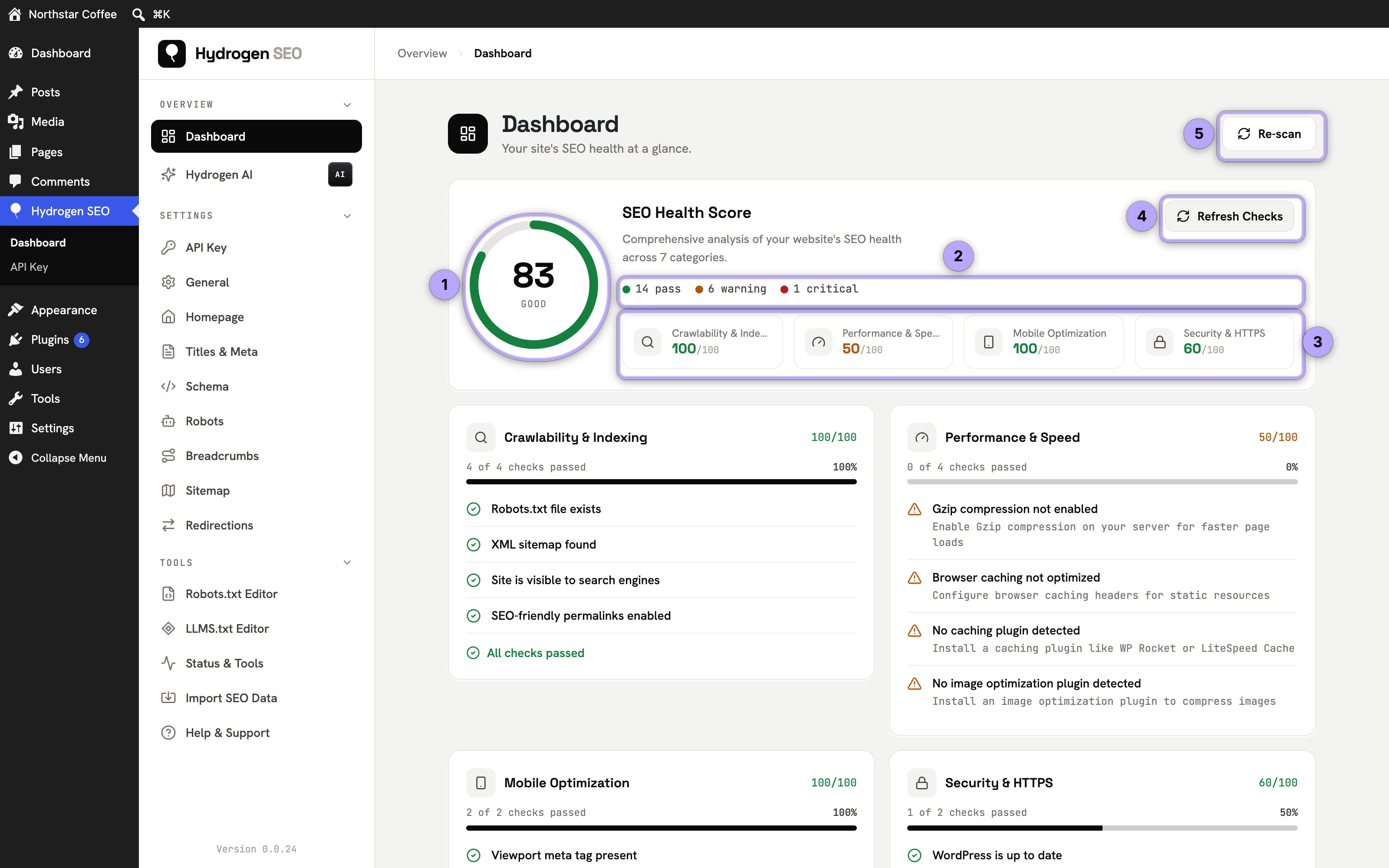
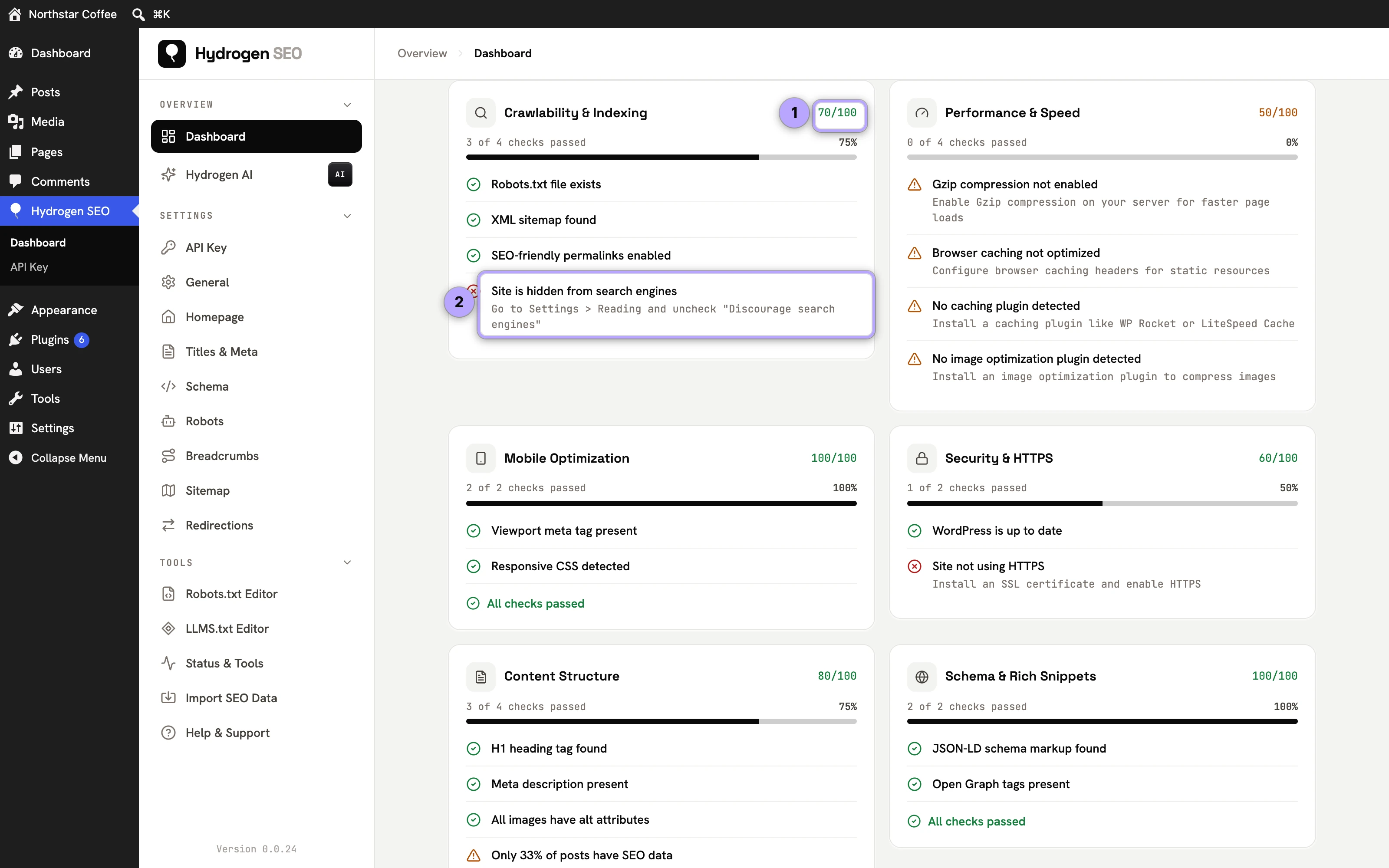
Below, each of the seven categories (Crawlability & Indexing, Performance & Speed, Mobile Optimization, Security & HTTPS, Content Structure, Schema & Rich Snippets and Technical Health) has its own card with its score out of 100, every check it passed, and every issue it found. Each issue is marked as a warning or critical and comes with a short hint on how to fix it, for example "Site is hidden from search engines", fixed by unchecking Discourage search engines in Settings → Reading.
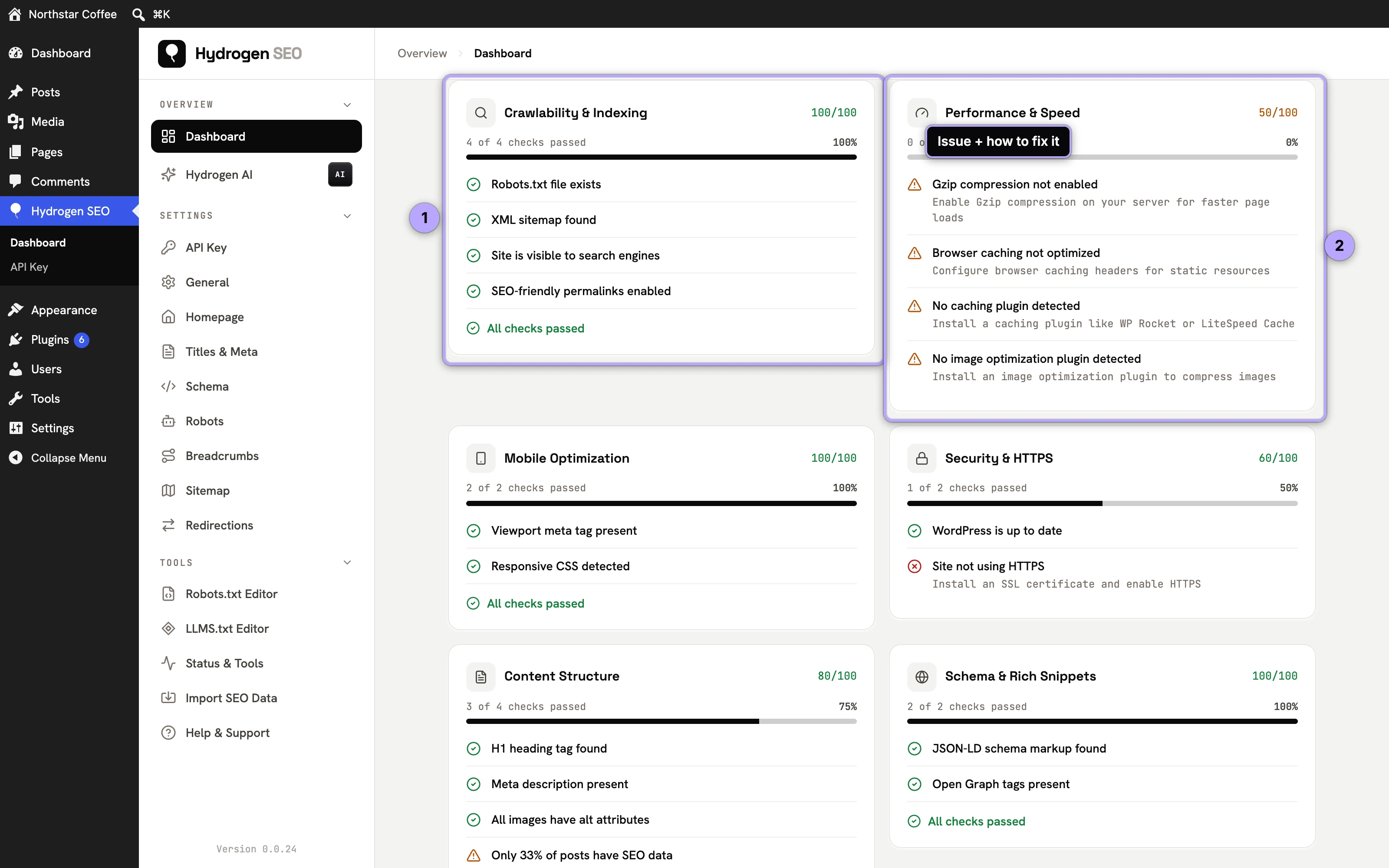
The issues are grouped by category, not ranked across the site, so decide the order yourself. Work it like this:
- Open Hydrogen SEO → Dashboard and review the score and the category cards.
- Start with the critical issues, especially in Crawlability & Indexing and Security & HTTPS; one "site hidden from search engines" outweighs fifty minor warnings.
- Fix each issue where its hint points you, then move on to the warnings.
- Click Refresh Checks (or Re-scan at the top) to run every check again and watch the score respond.
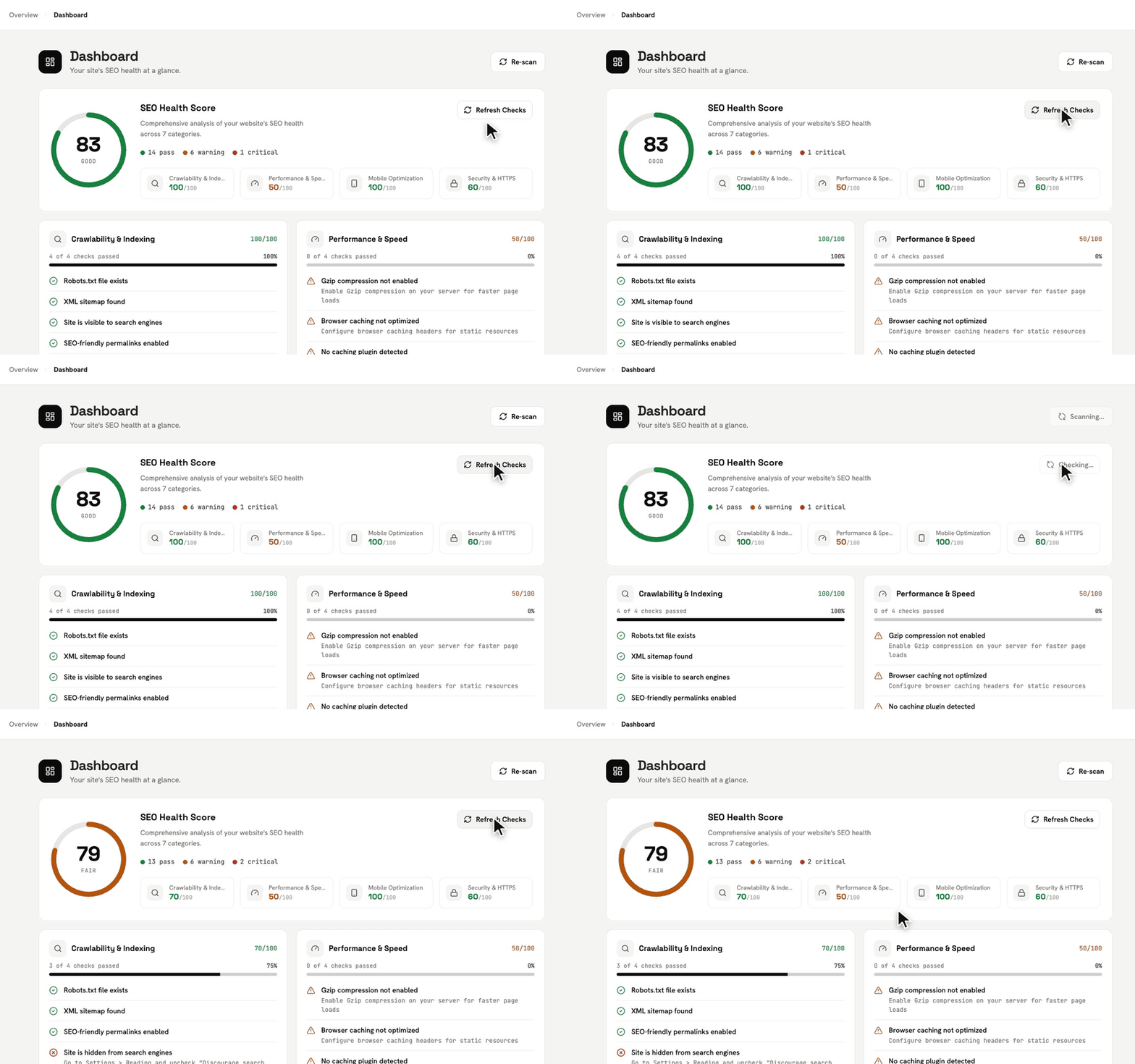
Results are saved for 24 hours so the Dashboard opens instantly, which means the score does not change on its own right after a fix. Refresh Checks and Re-scan do the same thing: they clear the saved result and run every check again. Some checks, such as Gzip compression or HTTPS, depend on your host rather than on WordPress settings.
For the mechanical items, metadata gaps, broken internal links, missing alt text, the Hydrogen AI agent can do the typing for you from a plain-language instruction.
How often to re-check
A score that never changes is not worth checking daily, and a score you check yearly cannot catch regressions. Sensible cadence:
- After every working session on the issue lists, to confirm progress (click Refresh Checks; otherwise you see the saved result for up to 24 hours).
- Monthly, as a standing check alongside your site audit.
- After any significant change: a theme switch, a plugin overhaul, a migration, a large publishing push. These are when regressions appear.
Expect the score to move in steps, not ticks. Clearing one structural issue across two hundred posts moves it; polishing one post does not.
A score is a compass, not a grade
Two honest caveats. First, no plugin can measure everything that determines rankings; content quality and the links your site earns are outside any score's reach. Second, the goal is not 100. The goal is a site with no self-inflicted technical problems, so the content you publish competes on merit. Use the score to find and clear the blockers, then spend your time writing.
FAQ
What is a "good" site health score?
There is no magic threshold. Direction matters more than the number: a site steadily clearing its critical issues and warnings is healthy. Treat anything flagged in crawlability or security as urgent regardless of the overall score.
Why did my score drop when I did not change anything?
Something changed even if you did not: a plugin update, a theme change, expired HTTPS, or new content published with missing metadata. Click Refresh Checks and look at the category cards: the new issue will be listed there with its fix.
Does the site health score need a hydrogenseo.com account?
No. The score and its issue lists are part of the free plugin. Only AI generation features need a free account.
Is this the same as WordPress's built-in Site Health?
No. WordPress's Site Health checks server and installation basics (PHP version, HTTPS, cron). Hydrogen SEO's score is SEO-specific across the seven areas above.
Related reading
Common questions
- What is a good SEO health score?
- Anything above 80 means nothing is structurally wrong and the remaining items are judgement calls. Below 60 usually means one whole area is unconfigured rather than many small problems — check which area is dragging before fixing individual pages. A perfect 100 is not a goal worth chasing; some checks are deliberately opinionated and are fine to leave failing.
- Why did my score drop without me changing anything?
- The score is computed over your current content, so publishing moves it. Ten new posts without meta descriptions will pull the metadata area down even though nothing you configured changed. That is the score working correctly.
- Does the health score affect my Google rankings?
- No. It is our measurement, not Google’s, and Google never sees it. It is useful because the things it checks correlate with what Google rewards, not because the number itself carries weight.