Switch from Rank Math, Yoast SEO, SureRank, All in One SEO, The SEO Framework, Slim SEO or SEOPress
Import settings, per-page SEO data and redirects from your old SEO plugin, with preview and undo.
On this page
Moving to Hydrogen SEO does not mean starting over. Tools → Import SEO Data in the plugin detects Rank Math SEO, Yoast SEO, SureRank, All in One SEO, The SEO Framework, Slim SEO and SEOPress — including Rank Math PRO, Yoast SEO Premium, SureRank Business, All in One SEO Pro, Slim SEO Pro and SEOPress PRO — and brings your settings, your per-page SEO work and your redirects across, with a full preview before anything is written and an Undo afterwards.
What comes across
| Area | Where it lands in Hydrogen SEO |
|---|---|
| Title and meta description templates for post types, taxonomies, author / date / search archives and the 404 page | Titles & Meta |
| Title separator and capitalization | Titles & Meta → General (Title Separator and Capitalization) |
| noindex / nofollow / noarchive per post type and taxonomy | Robots |
| Homepage title, description, social preview, Twitter card type and robots | Homepage |
| Default share image, X (Twitter) username, Facebook App ID, Open Graph and X card switches, social profile URLs | Social |
| Organization or Person name, logo, URL, phone and email; website name and alternate name | Schema |
| Custom robots.txt | Robots.txt editor |
| Breadcrumb settings (separator, home link, prefix, labels, trail options) from supported plugins, plus per-post breadcrumb titles and primary categories | Breadcrumbs, and each item's SEO Settings sheet |
| Sitemap on/off, entries per sitemap, images, included post types and taxonomies | Sitemap |
| Video sitemap settings (on/off, post types, custom fields; YouTube API key from Rank Math PRO) from Rank Math PRO, SEOPress PRO, the AIOSEO Video Sitemap add-on, SureRank Business and Yoast Video SEO | Sitemap → Video sitemap |
| Google News sitemap settings (on/off, publication name, post types) from Rank Math PRO, SEOPress PRO, the AIOSEO News Sitemap add-on, SureRank Business and Yoast News SEO | Sitemap → News sitemap |
| Per-post "exclude from news / video sitemap" and Googlebot-News noindex (Rank Math PRO, SEOPress PRO, Yoast add-ons) | The post's Exclude from Google News / Exclude from video sitemap switches |
| Author and date archives: indexed, noindexed or switched off (redirected) | Titles & Meta → Archives (author and date archives), version 0.0.29 and later |
RSS feed text before and after each post, with the post, site and author link tags converted to %post_link%, %site_link% and %author_link%; a "link to the source after each feed item" switch becomes Source: %post_link% | General → RSS Feed (RSS feed text), version 0.0.29 and later |
| Nofollow / new-tab for external links, strip category base (from Yoast SEO, Rank Math, All in One SEO, SEOPress and Slim SEO), automatic image alt and title | General |
| Every post, page, category and tag with its own SEO title, meta description, focus keyword, canonical URL, robots, Open Graph and Twitter title / description / image, Twitter card type and schema type | The SEO Settings sheet of each item |
| Redirect rules — exact, contains, starts with, ends with; 301 and 302 — including Yoast Premium, SureRank Business, All in One SEO Pro, Slim SEO and SEOPress PRO rules, plus the per-page redirects of The SEO Framework and SEOPress | Redirections |
Smart tags are translated rather than copied: %%title%%, %title%, %sep%, %%sitename%%, %%cf_price%%, #post_title, #separator_sa, {{ post.title }}, {{ sep }} and the rest become the matching Hydrogen SEO template variables. The SEO Framework has no template syntax at all, so its separator, site name and tagline branding is rebuilt as templates that render the same titles. Tags Hydrogen SEO cannot render are removed from templates and replaced by their current value in per-post fields, and every such decision appears in the report.
How your existing work is protected
- Only explicit values move. A post that never had its own SEO title in the old plugin gets none in Hydrogen SEO and keeps following your templates.
- Values that merely repeat the old plugin's default template are left to inherit, so later template edits still apply everywhere.
- Robots are resolved to what the old plugin actually output. A post that only said "nofollow" is combined with its post type's index rule so it behaves exactly as before.
- Anything you already customized in Hydrogen SEO is kept and reported as skipped, unless you switch on Overwrite values already set in Hydrogen SEO.
- Module switches are honoured. A SEOPress setting saved while its module is off, an All in One SEO robots flag behind a "use default" switch or a Slim SEO feature that is disabled is treated the way the old plugin treated it — not in effect — and reported as such.
- Nothing is deleted from the old plugin. Deactivating it is a separate, reversible step.
Step by step
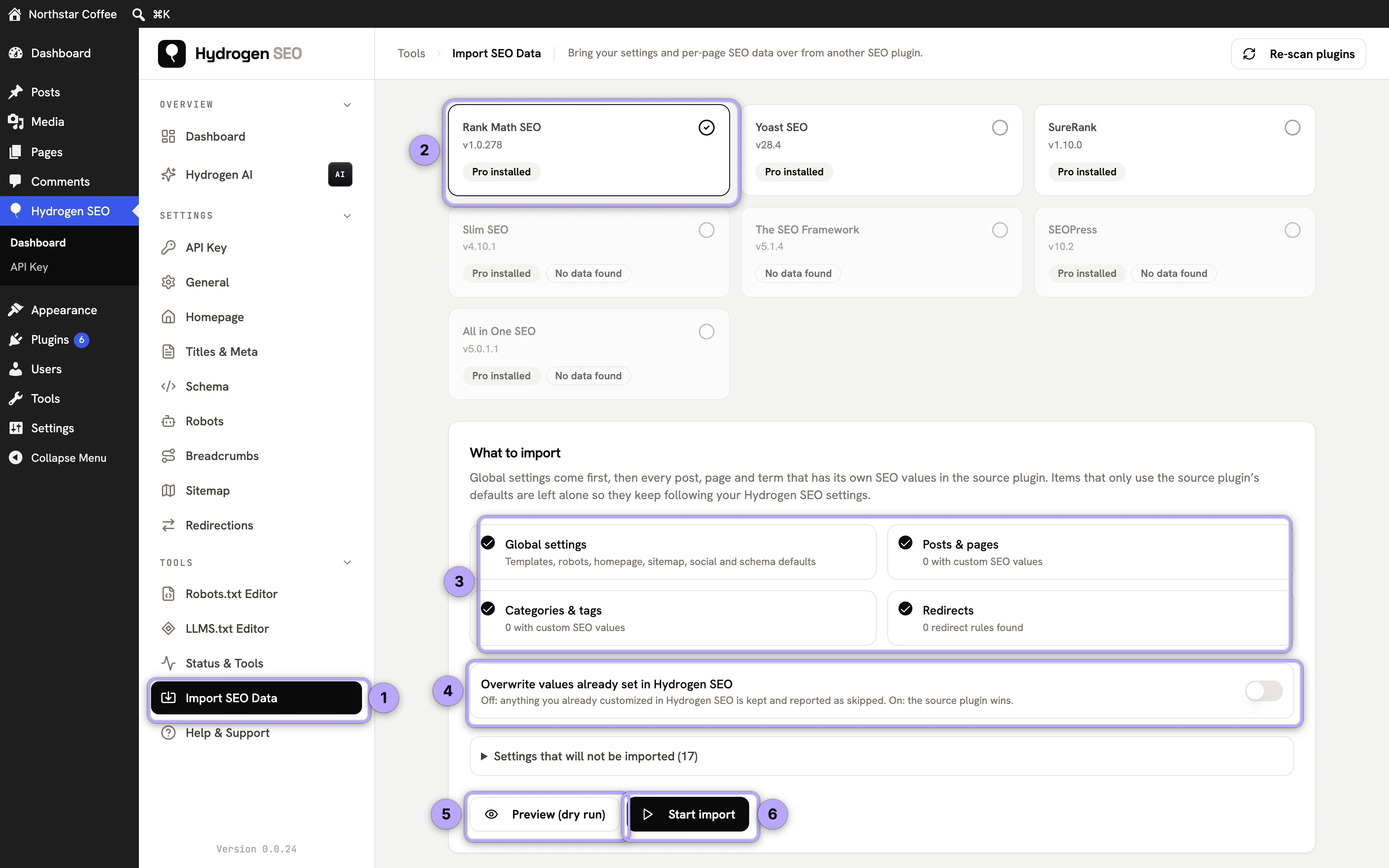
- Open Hydrogen SEO → Tools → Import SEO Data. Each detected plugin shows its version, whether it and its add-on are active, and how many posts, pages, terms and redirects carry their own SEO values. Use Re-scan plugins after installing or activating a plugin.
- Pick the source plugin and tick what to import: Global settings, Posts & pages, Categories & tags, Redirects. All four are on by default.
- Set the options. Overwrite values already set in Hydrogen SEO is off by default. Deactivate … when the import finishes is on by default — two active SEO plugins print duplicate tags, so the source plugin and its add-on are switched off once a real import completes. Turn it off if you want to compare the two plugins side by side first. Expand Settings that will not be imported to see what has no equivalent.
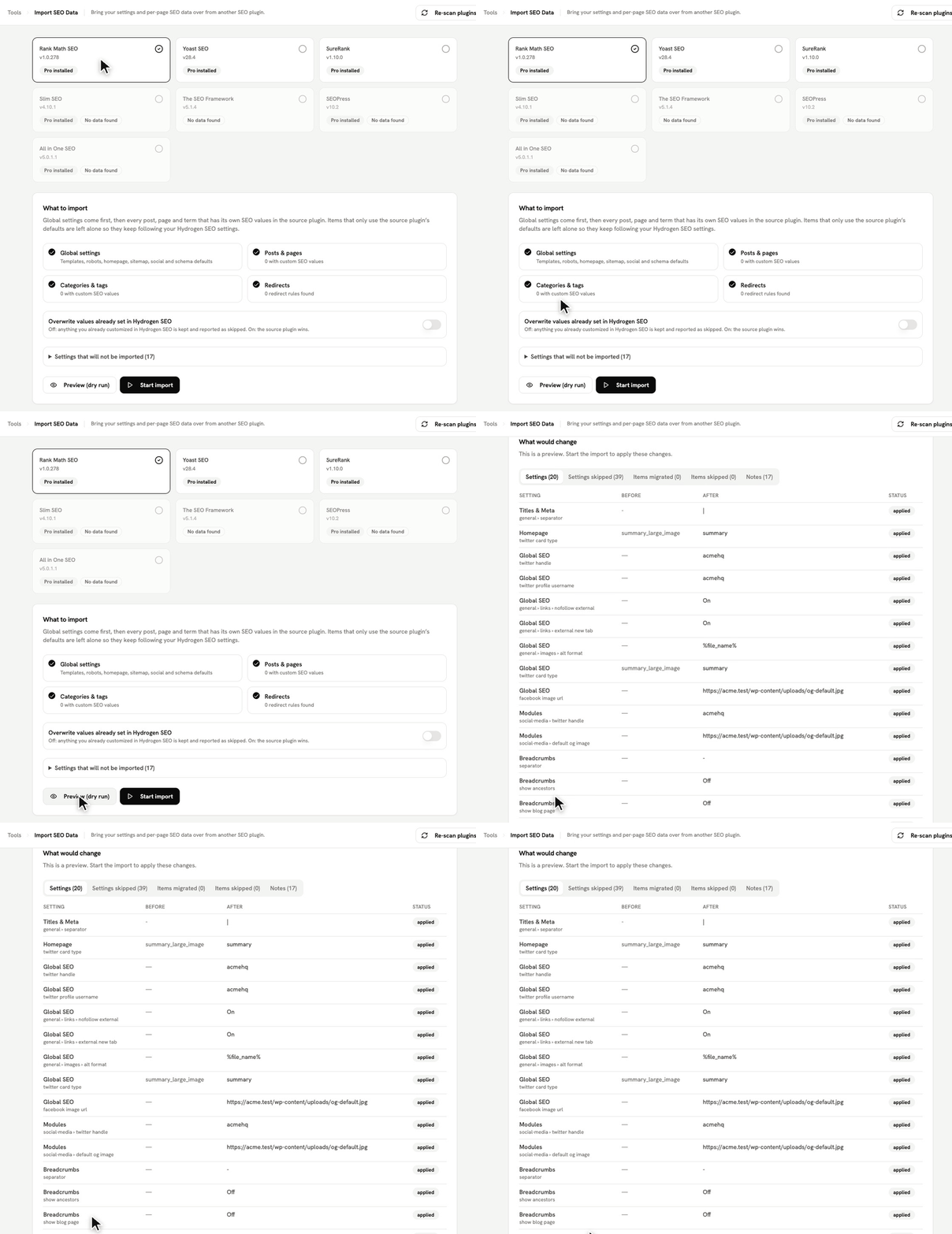
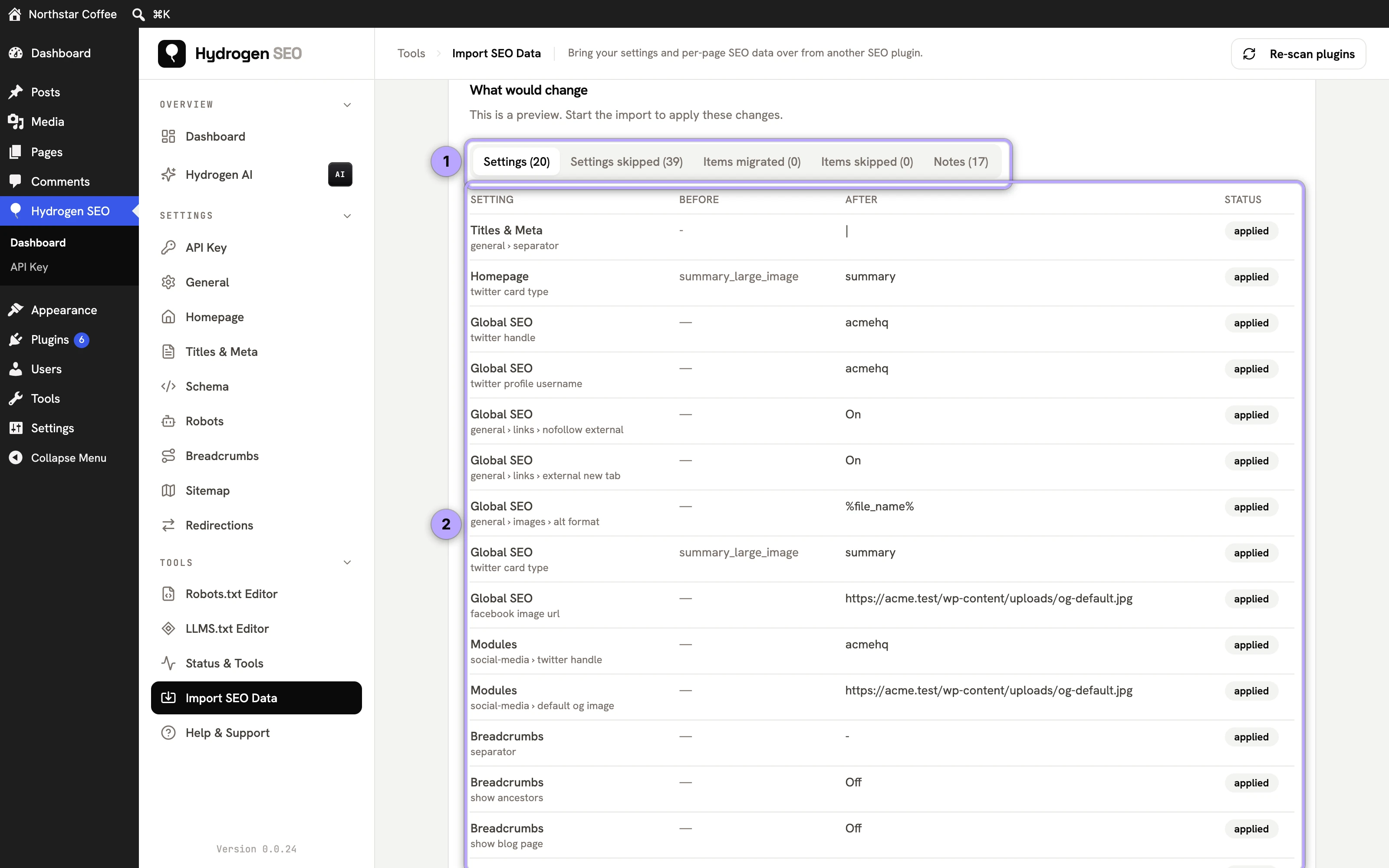
- Preview (dry run). The complete import is computed and reported — the current value, the value that would be written and the reason for every setting, plus every field of every post — but nothing is saved.
- Start import. Progress is shown per phase. Large sites run in batches; the job can be paused, resumed or cancelled, and if the browser tab closes the job continues from where it stopped when you return.
- Check the report. Items migrated lists every post, page and term with the fields written, skipped or converted; Notes collects tag conversions and unsupported directives.
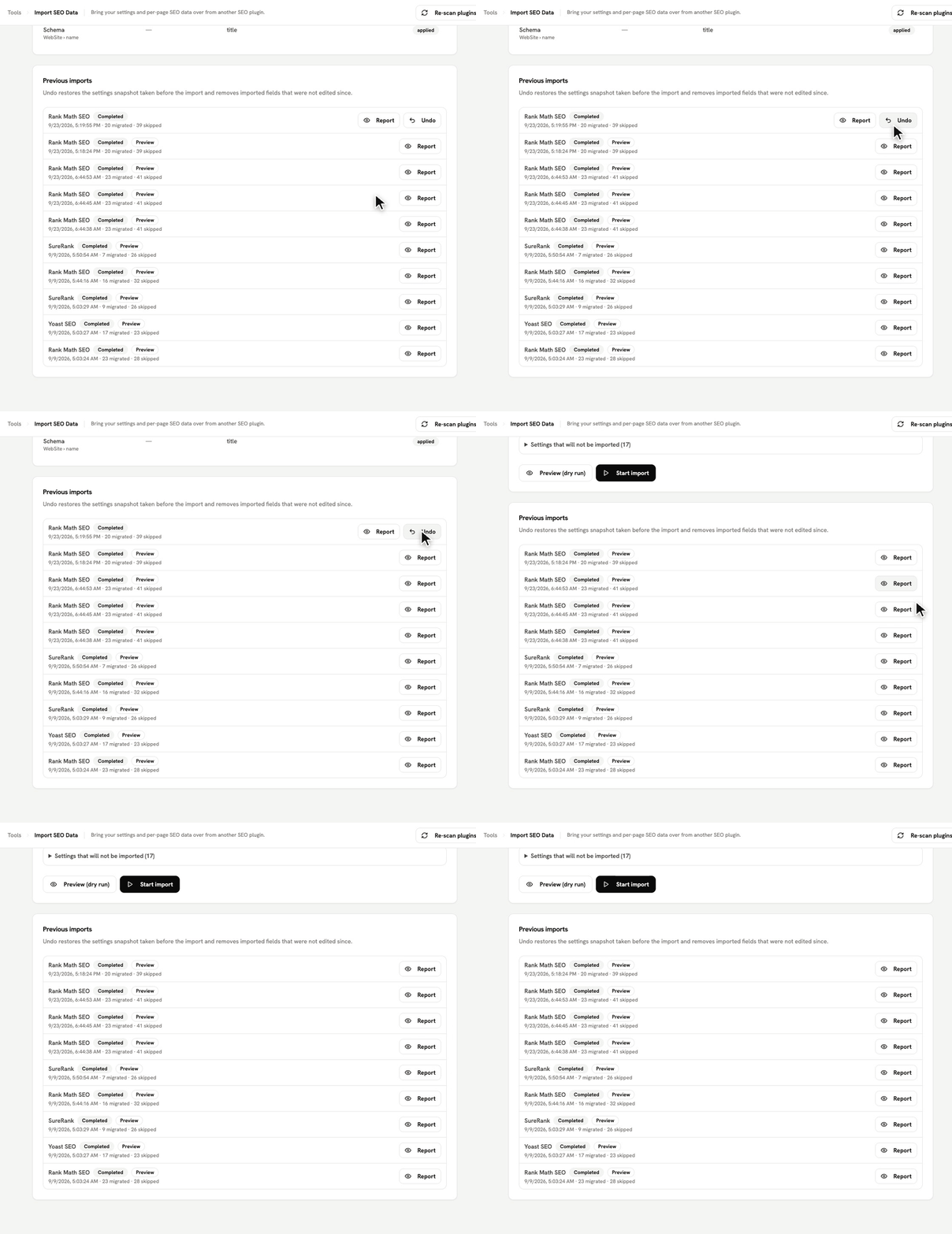
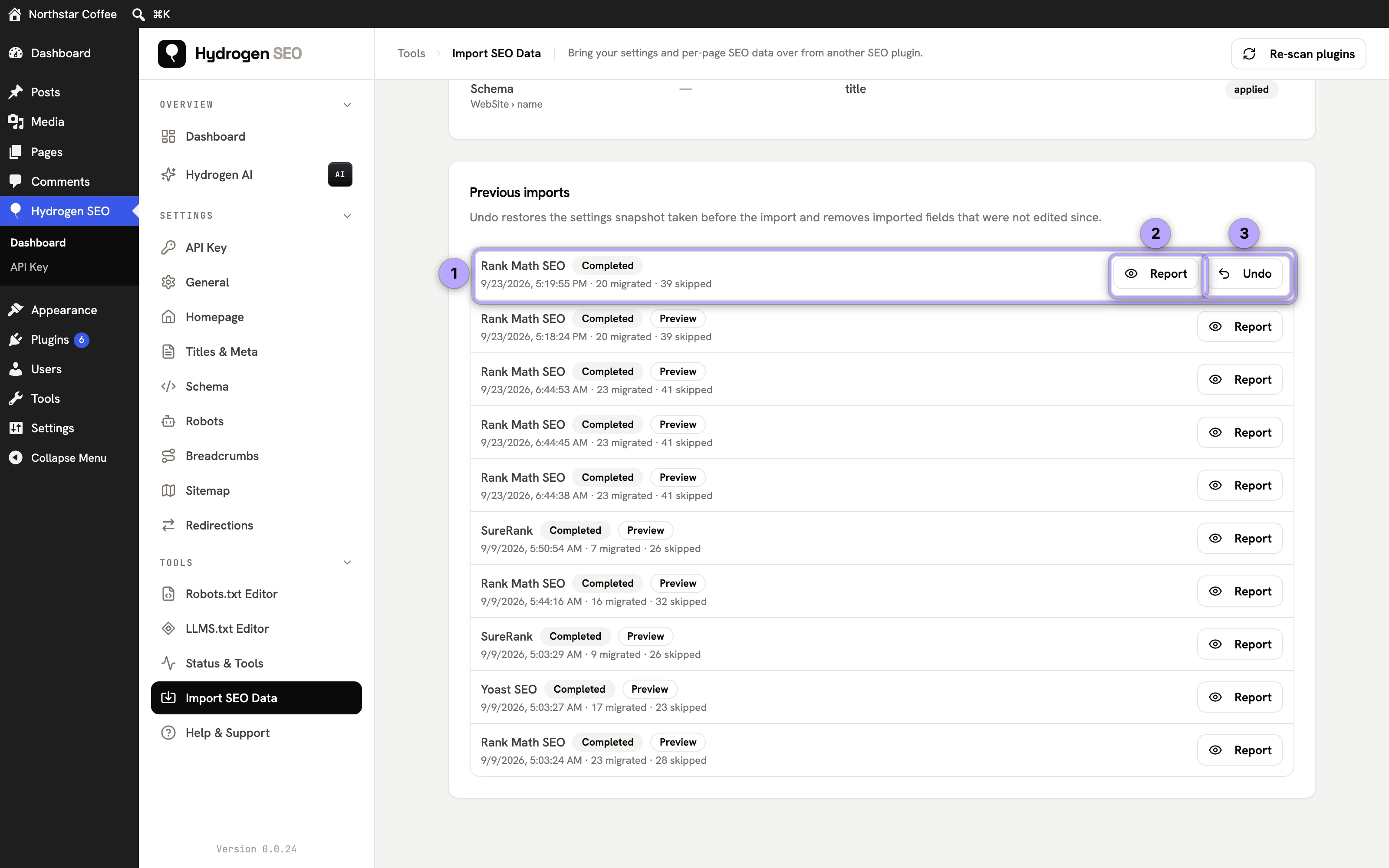
- Verify, then keep or undo. Open a few posts and your settings screens. Every real import stays in Previous imports with Undo, which restores the settings snapshot taken before the run and removes imported fields that have not been edited since. Undo does not reactivate the old plugin; do that from Plugins if you need it back.
Reading the report
| Status | Meaning |
|---|---|
| applied | Written (or would be, in a preview) |
| Already identical | Hydrogen SEO already produces the same result |
| Hydrogen SEO already has a value | You customized this; turn on Overwrite to replace it |
| Uses the global settings (nothing to copy) | The item only repeated the old plugin's template |
| No SEO data in the source plugin | The item had no explicit SEO values |
| Already migrated from this plugin | A previous run imported it; Overwrite imports it again |
| Not supported by Hydrogen SEO | The field or redirect type (regex, 410, 451) has no equivalent |
WP-CLI
wp hydrogen-seo migrate sources
wp hydrogen-seo migrate run rank-math --dry-run
wp hydrogen-seo migrate run yoast
wp hydrogen-seo migrate run surerank --keep-active --phases=settings,posts
wp hydrogen-seo migrate run aioseo --dry-run
wp hydrogen-seo migrate run seo-framework
wp hydrogen-seo migrate run slim-seo
wp hydrogen-seo migrate run seopress
wp hydrogen-seo migrate history
wp hydrogen-seo migrate rollback <run_id>
Source slugs are rank-math, yoast, surerank, aioseo, seo-framework, slim-seo and seopress. A real run deactivates the source plugin and its add-on unless --keep-active is passed; --overwrite replaces customized Hydrogen SEO values.
Not imported
Hydrogen SEO handles some things differently or not at all, so these are listed in the report instead of copied: 404 monitoring, local business addresses and opening hours, per post type default schema types, cornerstone flags, regex / 410 / 451 redirects, redirects limited to logged-in visitors or bound to a device, referrer, cookie or schedule, pass-through redirects, header / footer code snippets, news sitemap exclude-term lists from Rank Math PRO, Yoast News SEO and AIOSEO, and the news genre setting (Hydrogen SEO's news sitemap uses include-only categories instead), video sitemap entries you typed in by hand (SEOPress PRO), and premium extras such as image watermarks, multiple business locations, link assistants and AI crawler blocks. Search results are always noindex in Hydrogen SEO.
Search engine verification codes are imported (version 0.0.27 and later): codes for Google, Bing, Yandex, Pinterest and Baidu go to Webmaster Tools, including supported verification tags found in an old custom header-code box, and the report lists any service Webmaster Tools does not cover. Check the screen after the import so the services' periodic ownership checks keep passing. A 404 log is not carried across; switch on the 404 Monitor to start a fresh one.
FAQ
Do I need the old plugin active to import?
No. It has to be installed so its data is still in the database, but it can be inactive. The add-on data (PRO / Premium / Business) is imported whenever it is present, active or not. All in One SEO is the one exception worth knowing: its per-post data lives in its own database tables, which exist as long as the plugin has not been uninstalled.
Can I run the import twice?
Yes. Items already imported from the same plugin are skipped as Already migrated unless Overwrite is on, so re-running after fixing something in the old plugin only touches what changed.
What if I already configured Hydrogen SEO by hand?
Your values win by default and show up as skipped in the report. Switch on Overwrite for a run where the old plugin should win instead.