XML Sitemaps in Hydrogen SEO
How Hydrogen SEO builds your sitemap, with images, priorities and exclusions.
On this page
- Where your sitemap lives
- The Sitemap screen
- Sitemap index vs per-type sitemaps
- Last-modified dates
- Image entries
- Priorities
- Excluding content
- Caching
- FAQ
- Do I need a sitemap if my site is small?
- Why is a URL missing from my sitemap?
- Does listing a URL in the sitemap guarantee indexing?
- Can I change what the sitemap includes without code?
- Related reading
An XML sitemap is a machine-readable index of the URLs on your site that you want search engines to crawl. Hydrogen SEO generates yours automatically: a sitemap index that links to individual sitemaps per post type and taxonomy, complete with image entries, sensible priorities, exclusion controls, and a cache that clears itself when your content changes. You configure it from the Sitemap settings in the Hydrogen SEO menu in wp-admin, and for most sites the defaults are already right.
Where your sitemap lives
Hydrogen SEO publishes a sitemap index at your site's sitemap URL; you'll find the exact link in the Sitemap settings in your Hydrogen SEO dashboard. The same URL is also referenced automatically in your robots.txt file (see the robots.txt editor), which is how many crawlers discover it without being told.
To see it yourself:
- Open the Sitemap settings in the Hydrogen SEO menu.
- Copy the sitemap index URL shown there.
- Open it in a browser. You should see XML listing the individual sitemaps beneath it.
Once confirmed, submit that URL to search engines by following submit your sitemap to Google.
The Sitemap screen
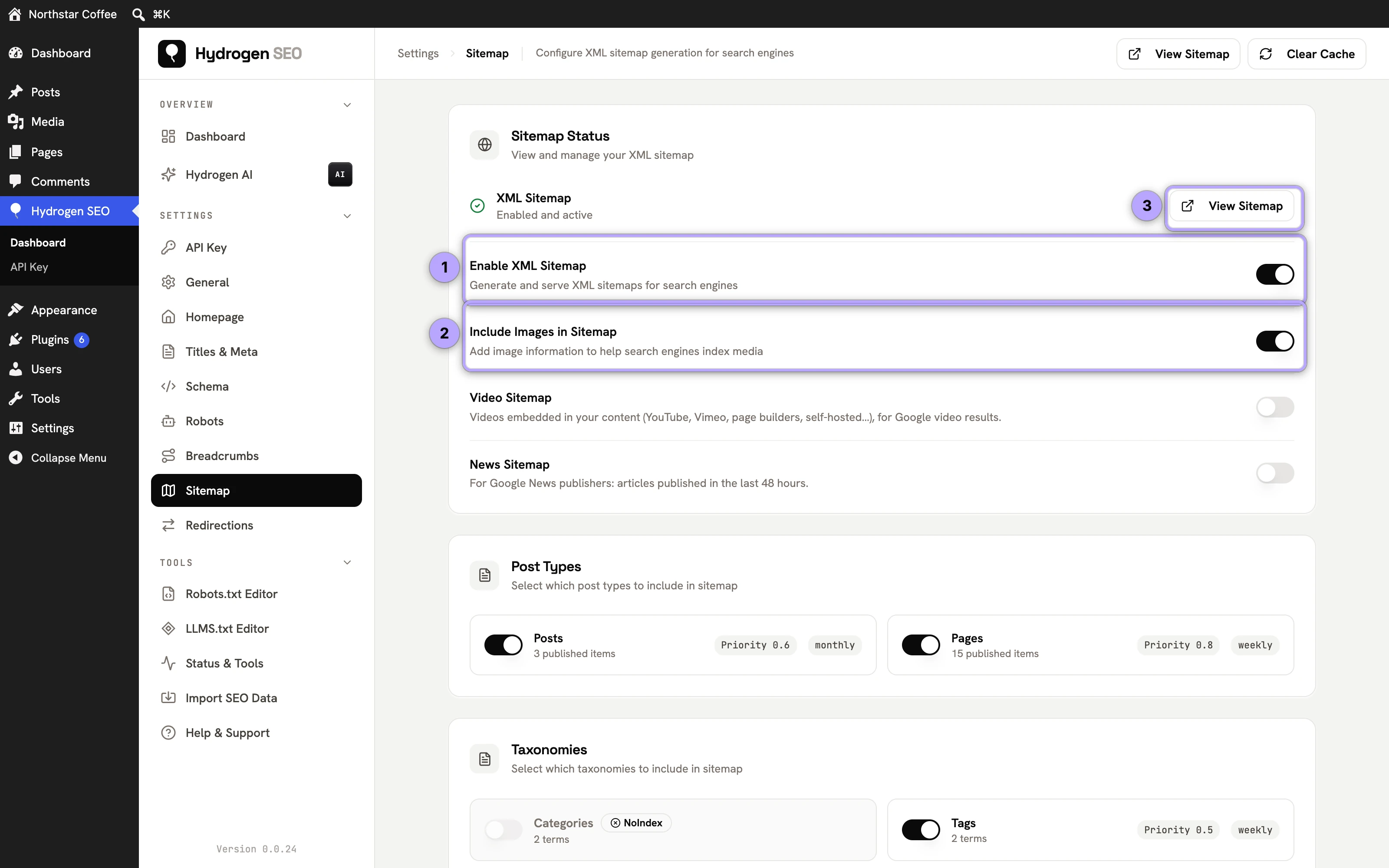
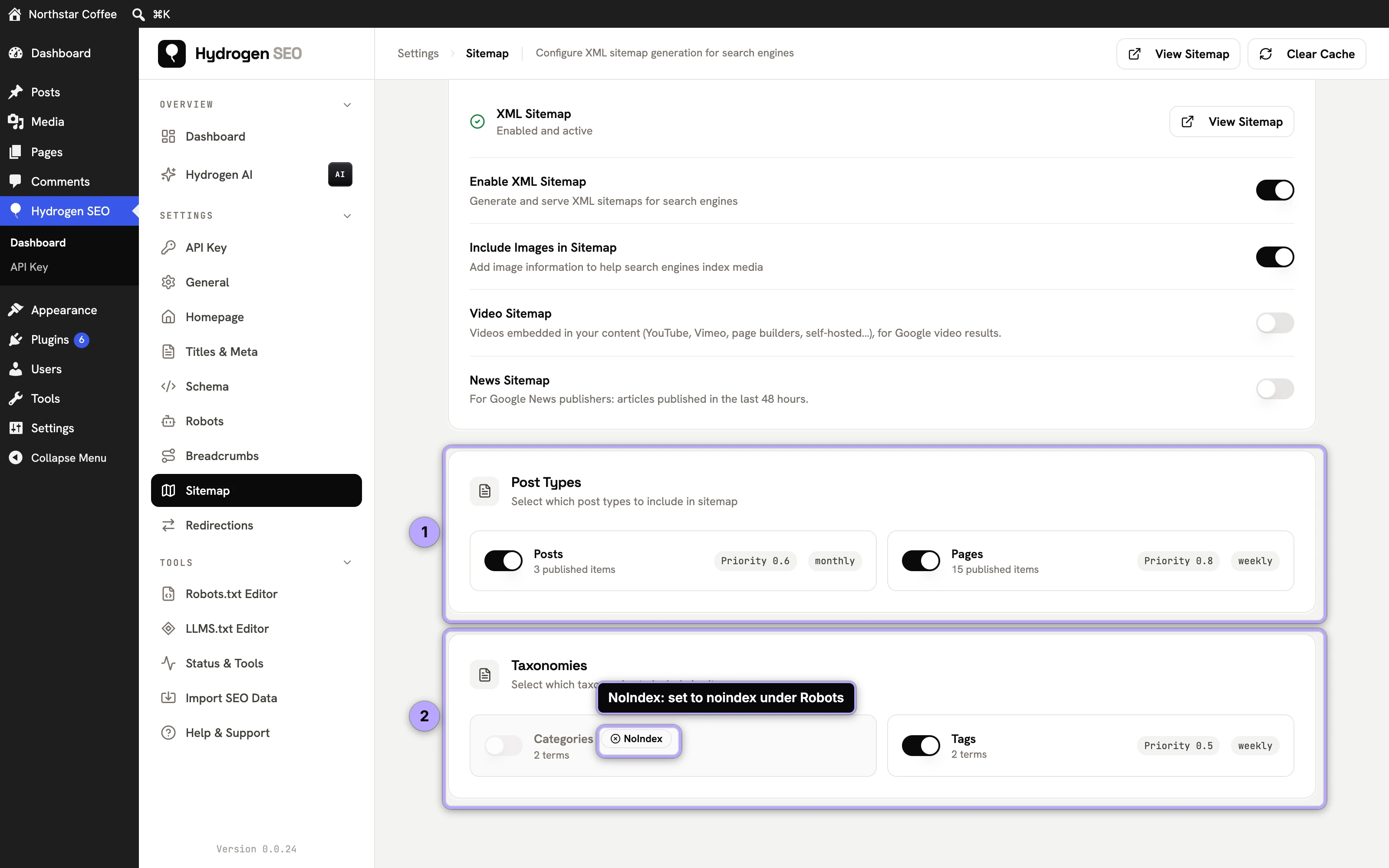
Hydrogen SEO → Sitemap has a Sitemap Status card, with Enable XML Sitemap, Include Images in Sitemap and a View Sitemap link, and Post Types and Taxonomies cards with a switch per type. A type that is noindex under robots meta settings carries a NoIndex badge here.
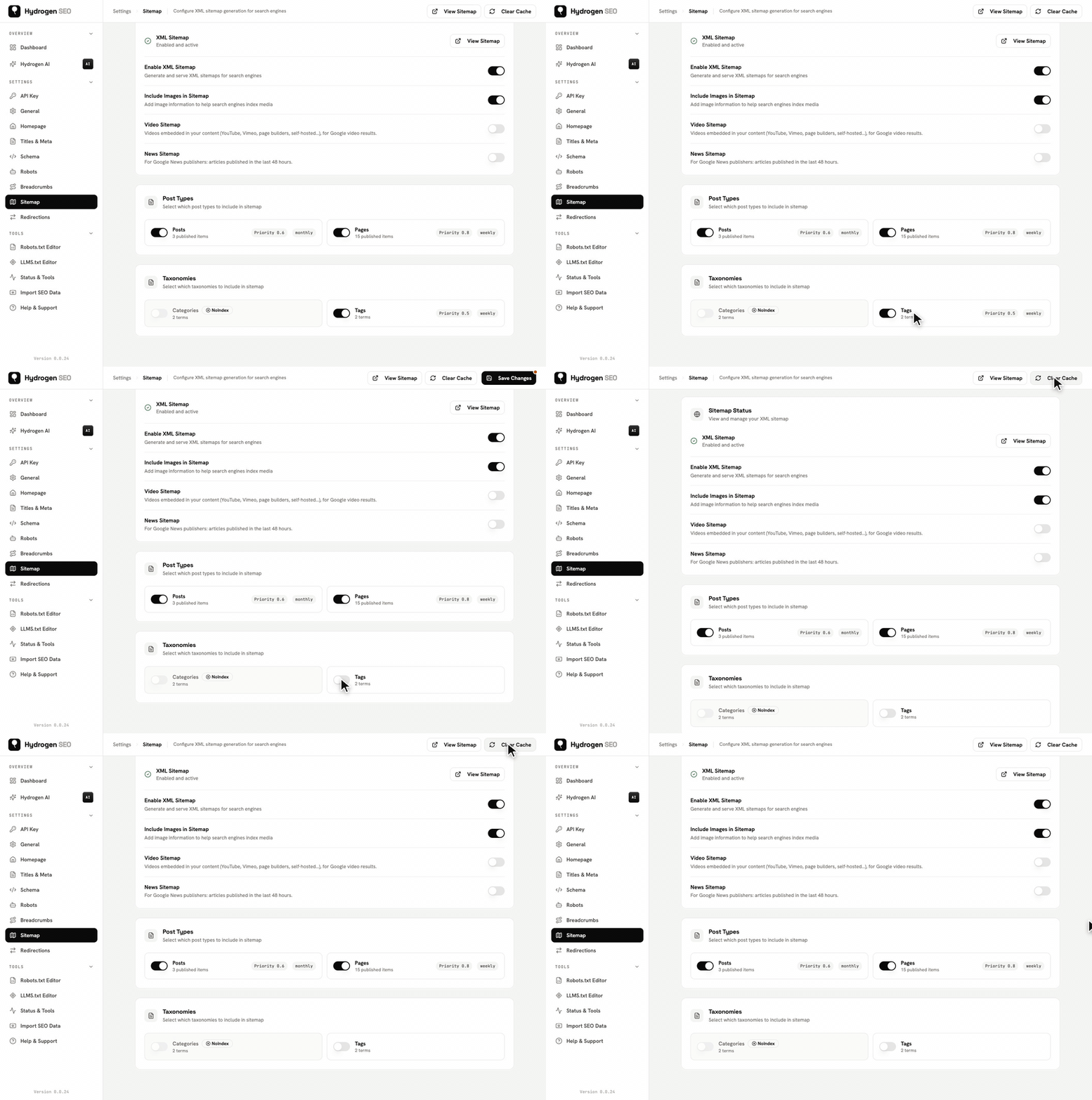
Unlike the switches on some other screens, changes here are not saved as you click. Click Save Changes in the top bar; saving also refreshes the sitemap cache, so switching a type off removes its sitemap from the index straight away.
Sitemap index vs per-type sitemaps
Rather than one giant file, Hydrogen SEO uses the standard two-level structure:
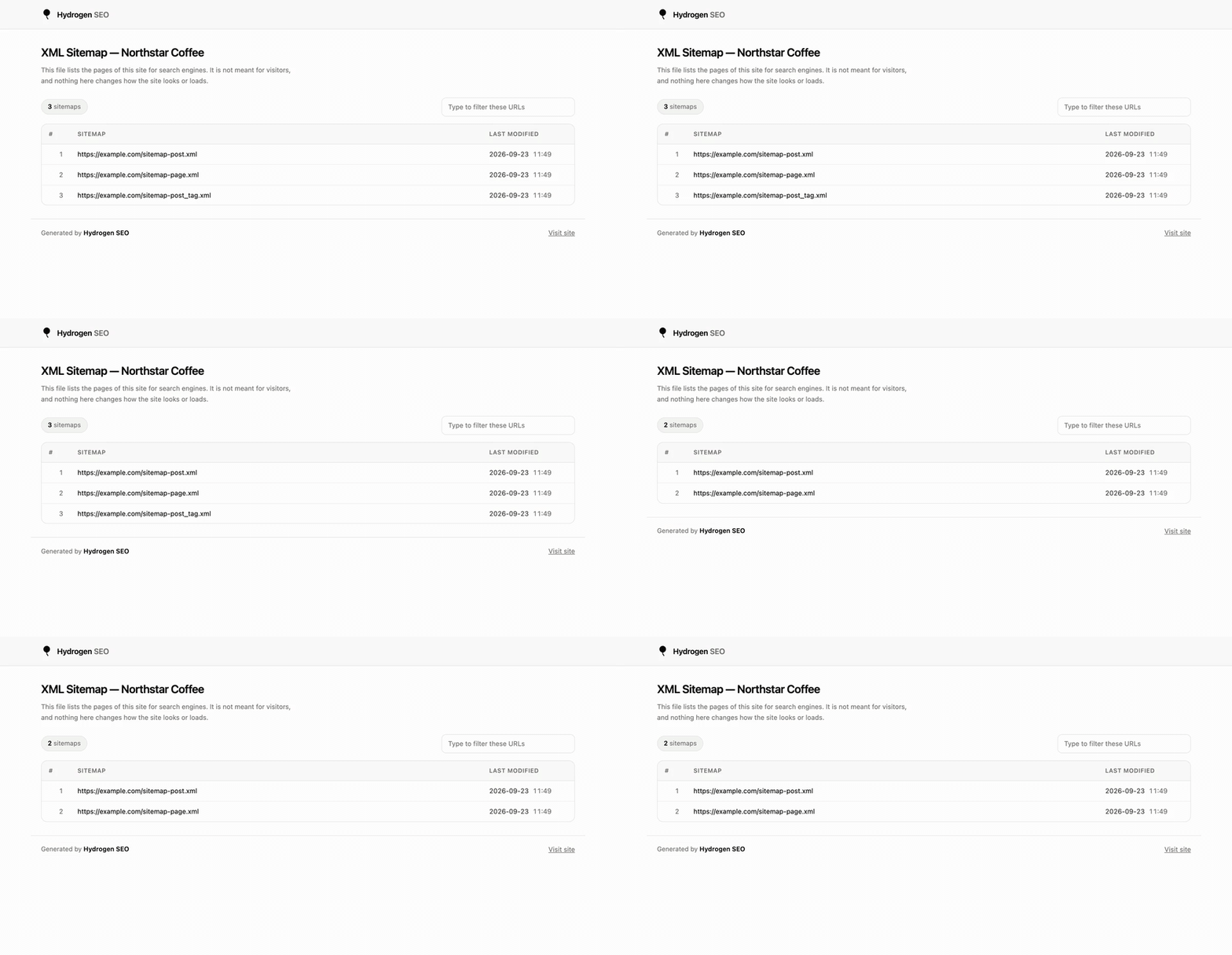
- The sitemap index is the front door: a small XML file that lists the child sitemaps.
- Per-post-type sitemaps list the URLs of each content type separately: one for posts, one for pages, one for each public custom post type.
- Taxonomy sitemaps do the same for category, tag, and custom taxonomy archives. With Noindex Empty Archives on (the default, under Titles & Meta → General), terms with no posts are left out.
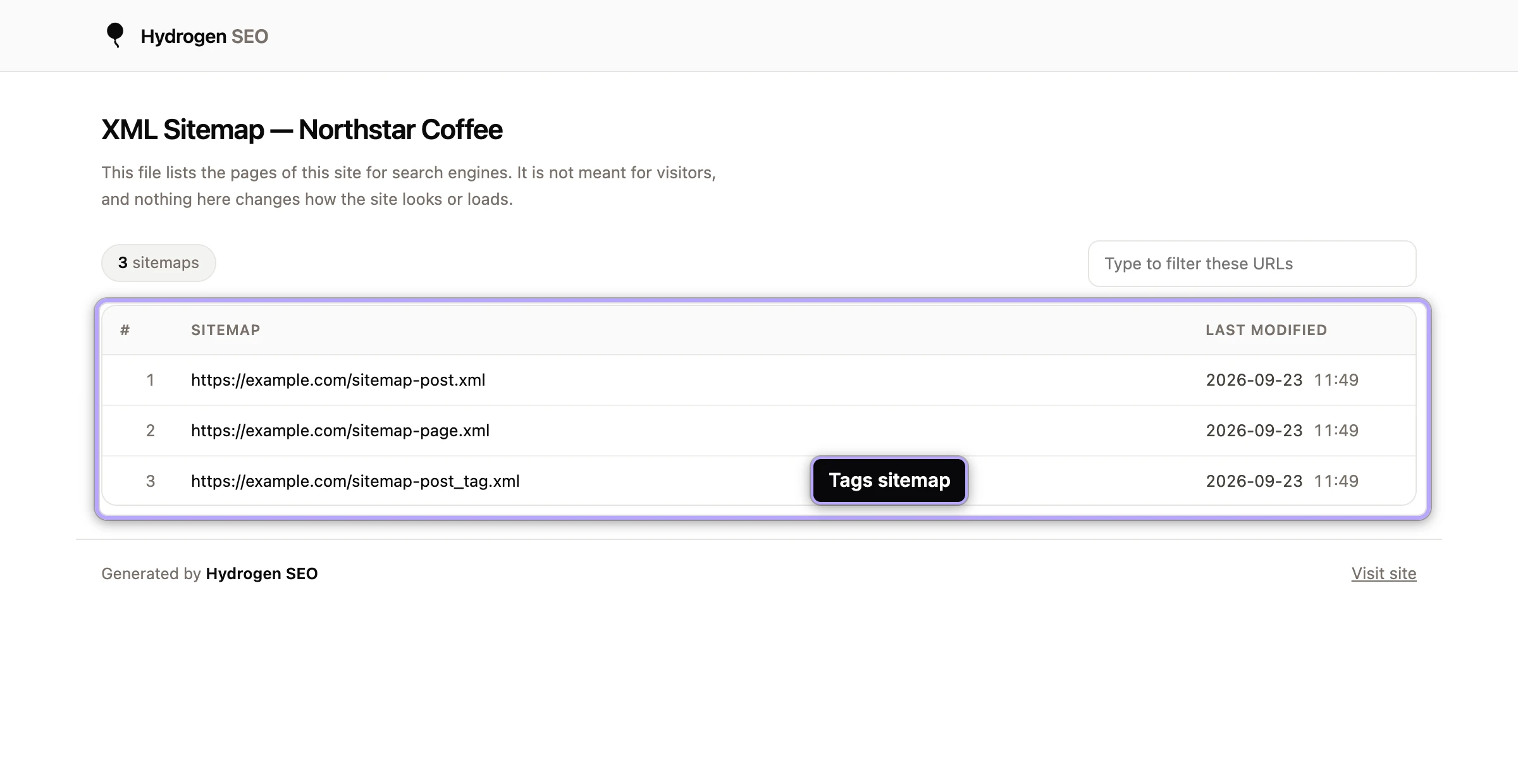
Large post types are split into pages rather than served as one long file. Each page holds up to the entries per sitemap number set on the Sitemap screen (1,000 by default), and the pages are named sitemap-post.xml, sitemap-post-2.xml, sitemap-post-3.xml and so on. Every page is listed in the index, so you never submit them individually.
Two optional sitemaps sit alongside these, both off by default: a video sitemap for posts with embedded or self-hosted videos, and a news sitemap for publishers in Google News. When switched on, they are listed in the same index.
This structure keeps each file small and fast to fetch, lets crawlers re-read only the section that changed, and makes diagnostics easy: if your products aren't being indexed, you can open the product sitemap directly and see exactly what's listed. Developers can adjust each layer via filters such as hydrogen_seo_sitemap_index_xml, hydrogen_seo_sitemap_post_type_xml, and hydrogen_seo_sitemap_taxonomy_xml in the filters reference.
Last-modified dates
Each entry carries a lastmod date so crawlers can tell what changed since their last visit. All lastmod values are given in UTC, whatever timezone your site uses. For a taxonomy sitemap, a term's lastmod is the date of the newest post in that term, so a category shows as updated when something is published in it.
Image entries
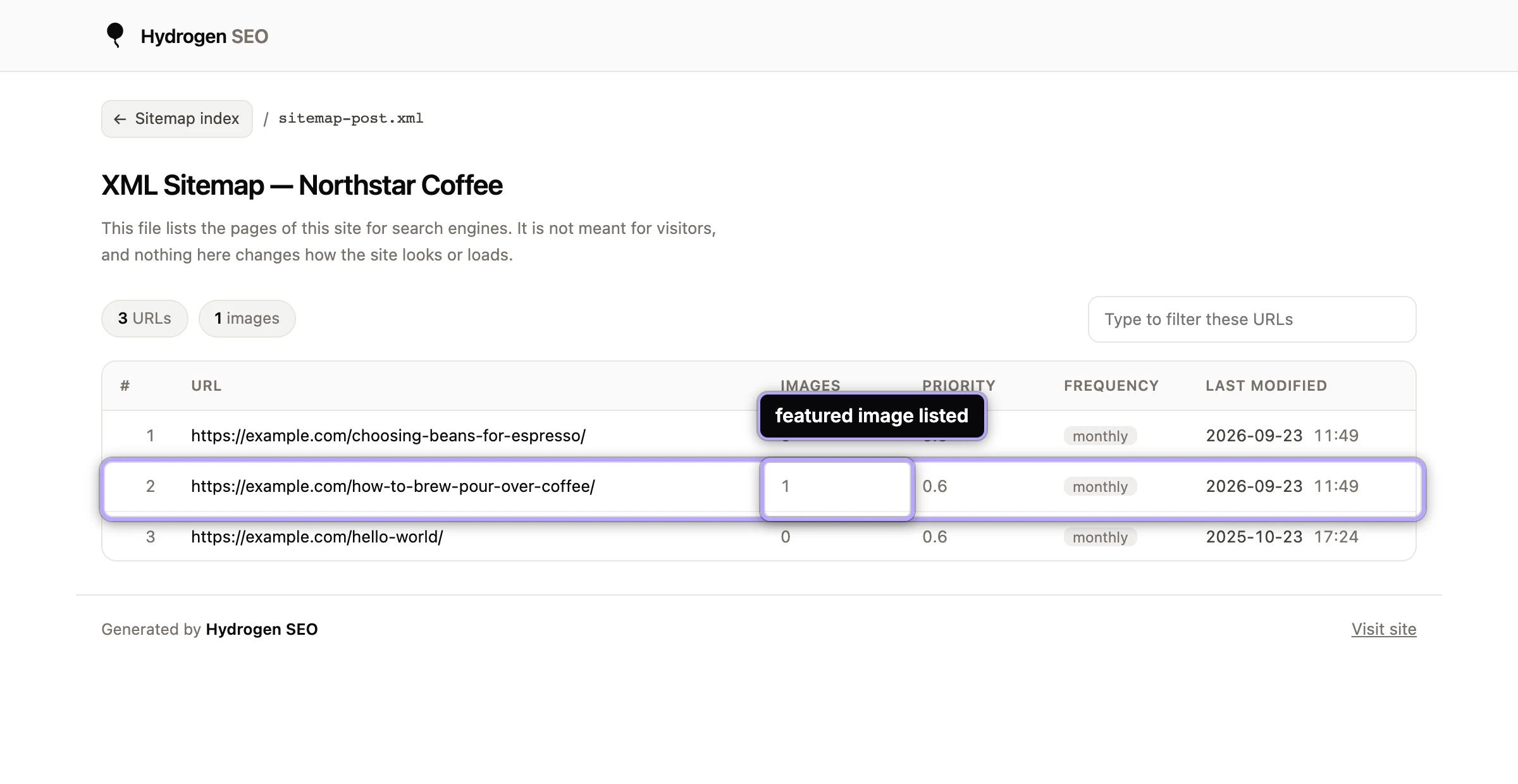
Each URL entry can include the images that appear in that piece of content, so image search crawlers discover your images alongside the pages that host them. This works together with good image alt text: the sitemap gets the image found, the alt text tells machines what it shows. The images included per post can be filtered with hydrogen_seo_sitemap_post_images.
Priorities
Sitemap priority is a hint (0.0 to 1.0) about a URL's importance relative to your other URLs. Hydrogen SEO assigns reasonable values automatically, and developers can override per post with the hydrogen_seo_sitemap_post_priority filter. Be honest with yourself about what priority does: major search engines treat it as a weak hint at best. It is worth keeping sane, not worth obsessing over. Your internal linking and content quality decide importance far more than this number.
Excluding content
Not everything belongs in the sitemap. Thin archives, thank-you pages, and anything set to noindex should stay out; a sitemap that lists URLs you simultaneously tell engines not to index sends mixed signals (more on that interplay in robots meta settings).
Hydrogen SEO's sitemap supports exclusions so you control exactly what is listed. Content excluded from search via your robots settings is the primary mechanism, password-protected posts are always left out, and developers can drop any item programmatically with the hydrogen_seo_sitemap_exclude_item filter. After changing exclusions, reload the relevant per-type sitemap in your browser to confirm the URL is gone.
Caching
Generating sitemap XML on every request would be wasteful, so Hydrogen SEO caches the generated sitemaps and serves the cached copy. The cache is cleared automatically when your content changes, so a newly published post appears in the sitemap without you doing anything.
Settings that decide which URLs are listed, or what those URLs look like, clear it too, from version 0.0.27: noindex for a post type or taxonomy on the Robots screen, noindex for empty archives under Titles & Meta, Strip Category Base on the General screen, the WordPress permalink structure, category base and tag base, and the Discourage search engines from indexing this site setting. The next request for the sitemap is built with the new setting, so there is nothing to wait for.
For developers: when the cache is cleared, the plugin fires the hydrogen_seo_sitemap_cache_cleared action, which you can hook to trigger downstream work such as purging a CDN copy of the sitemap or pinging an external service. It is listed with everything else in the actions reference.
If a change ever seems not to show up, the near-universal cause is an additional caching layer (page cache plugin or CDN) holding an older copy in front of Hydrogen SEO's own cache. Purge that layer and re-check; the full checklist is in sitemap troubleshooting.
FAQ
Do I need a sitemap if my site is small?
It costs you nothing, since Hydrogen SEO generates and maintains it automatically, and it still helps: it gives engines a clean list of canonical URLs and speeds up discovery of new and updated content. There is no size below which it hurts.
Why is a URL missing from my sitemap?
Usually one of three reasons: the content is excluded (by robots settings, password protection or the exclusion filter), it is not in a public post type or taxonomy, or a stale external cache is serving an old copy. Work through sitemap troubleshooting in that order.
Does listing a URL in the sitemap guarantee indexing?
No. A sitemap is an invitation to crawl, not an instruction to index. Engines still evaluate each URL on its own merits. What the sitemap guarantees is discovery: engines know the URL exists and when it last changed.
Can I change what the sitemap includes without code?
Yes, through the Sitemap settings and your per-post robots controls. Code-level control (custom priorities, per-item exclusion logic, extra image handling) is available through the filters named above.