The llms.txt Editor
Publish crawl and usage guidance for AI systems.
On this page
- What llms.txt is
- Editing llms.txt in Hydrogen SEO
- What to put in it
- Reset to default
- Why machine-readable guidance matters now
- FAQ
- Will llms.txt stop AI companies from training on my content?
- Is llms.txt a replacement for robots.txt?
- Do I need an account or credits to use the llms.txt editor?
- How do I know if AI crawlers are actually reading my llms.txt?
- Related reading
llms.txt is a proposed convention: a plain-text file at the root of your site that gives AI systems machine-readable guidance about your content, what your site is, what matters on it, and how you'd like it used. Hydrogen SEO includes a built-in llms.txt editor so you can publish and maintain this file from the plugin dashboard, with sensible default content and a one-click reset.
Let's be precise about its status up front: llms.txt is a proposal, not a standard. No AI company is obliged to fetch it, and honoring it is entirely up to each crawler. Publishing one is a low-cost, forward-looking move, not a control mechanism.
What llms.txt is
Where robots.txt speaks to search crawlers about which paths they may fetch, llms.txt is aimed at large language model systems: the crawlers and agents that read the web to train models and answer questions. The proposed format is simple markdown-flavored text describing your site, pointing at your most important content, and stating any guidance about usage.
Think of it as a curated front door for machines. An AI system that fetches it gets, in one small file, an authoritative summary of who you are and where the substance lives, instead of having to infer that from crawling everything.
Because it is a convention rather than an enforced rule, the honest framing is this: llms.txt lets you state your guidance clearly. Whether any given AI crawler reads or respects it is that crawler's decision. Adoption across the industry is still taking shape.
Editing llms.txt in Hydrogen SEO
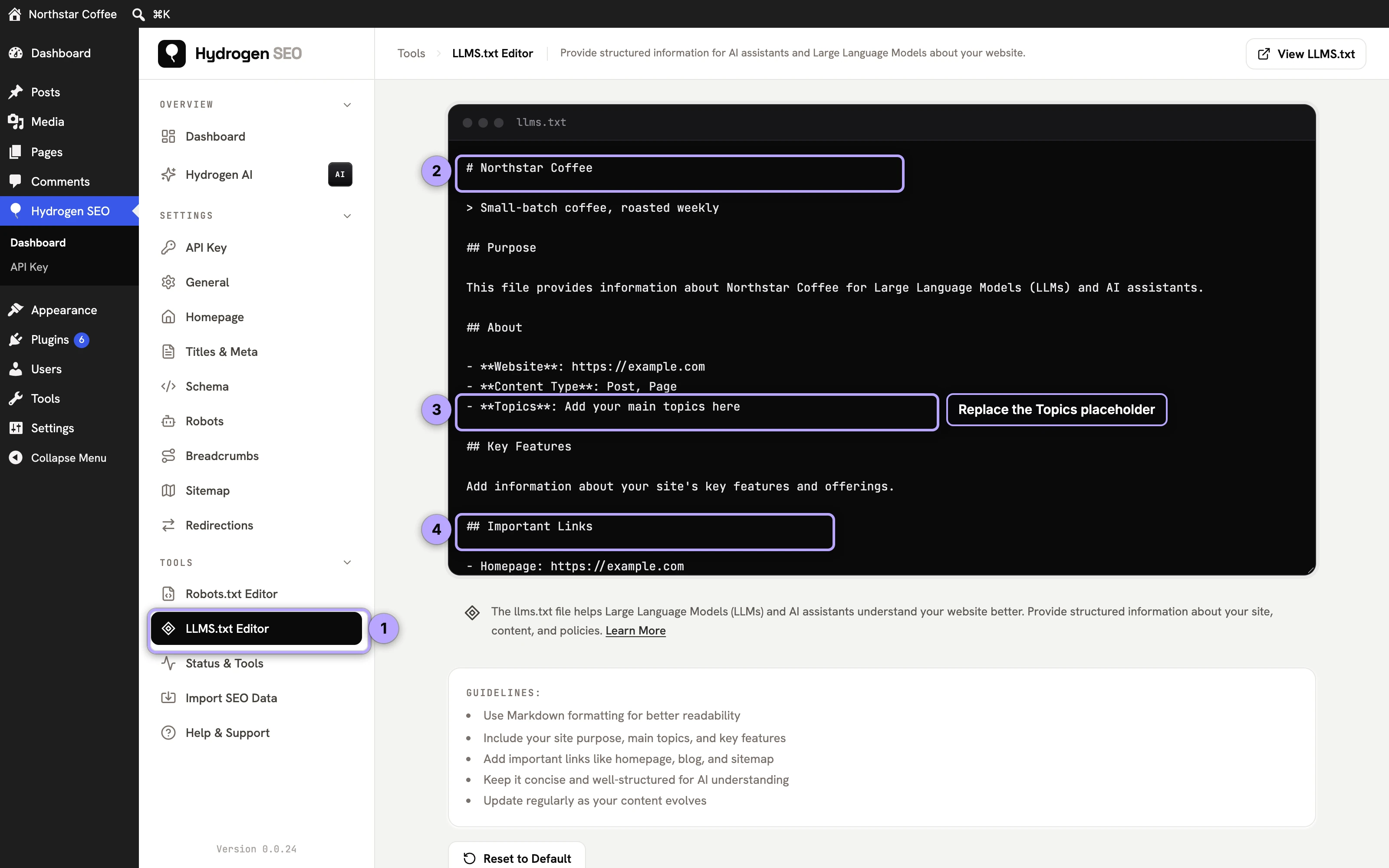
- In wp-admin, open the Hydrogen SEO menu and go to the llms.txt editor screen.
- The editor shows the current content of your llms.txt file. On a fresh install this is Hydrogen SEO's default content, a sound starting point you can publish as-is.
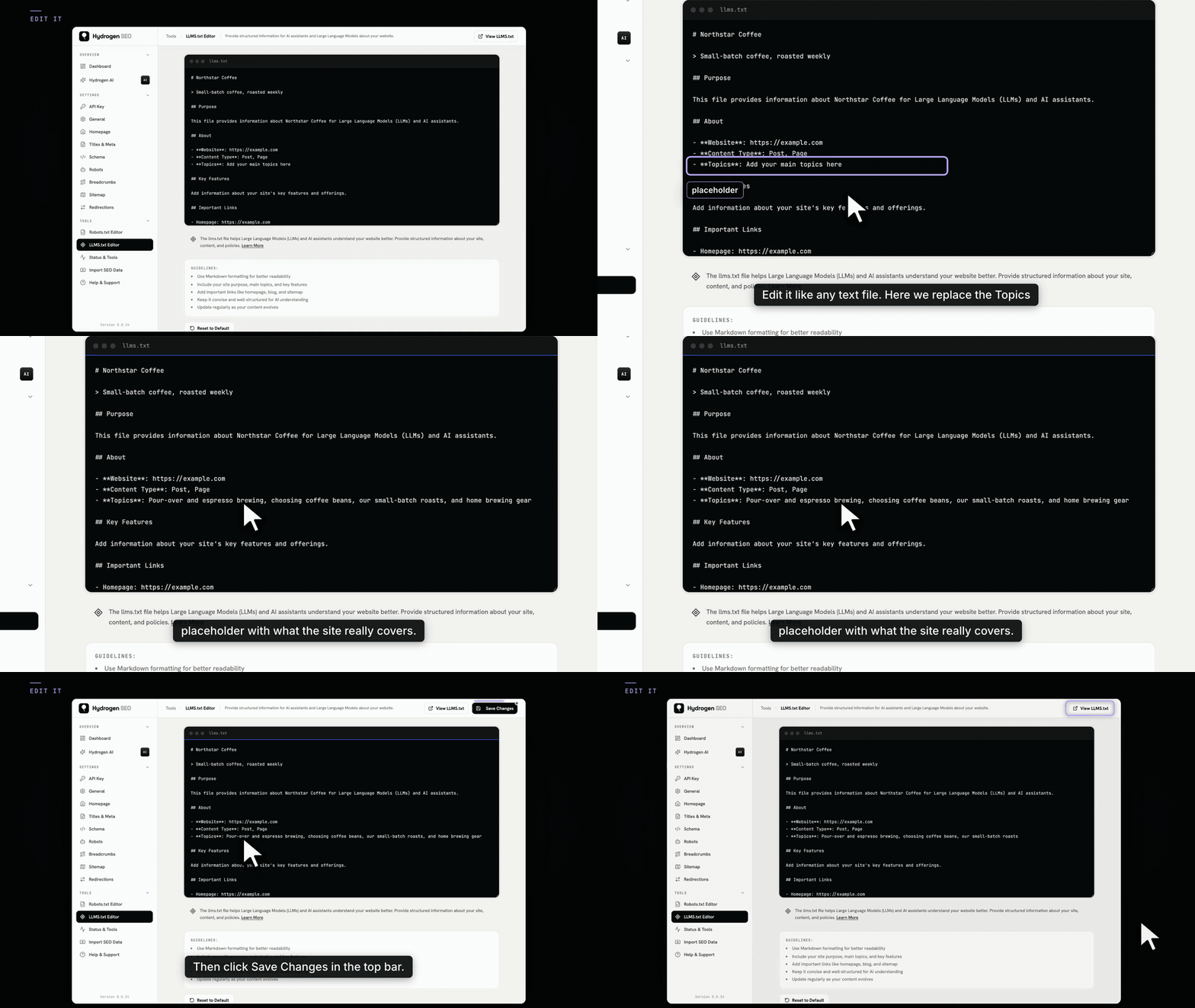
- Edit the content to describe your site and highlight your key pages.
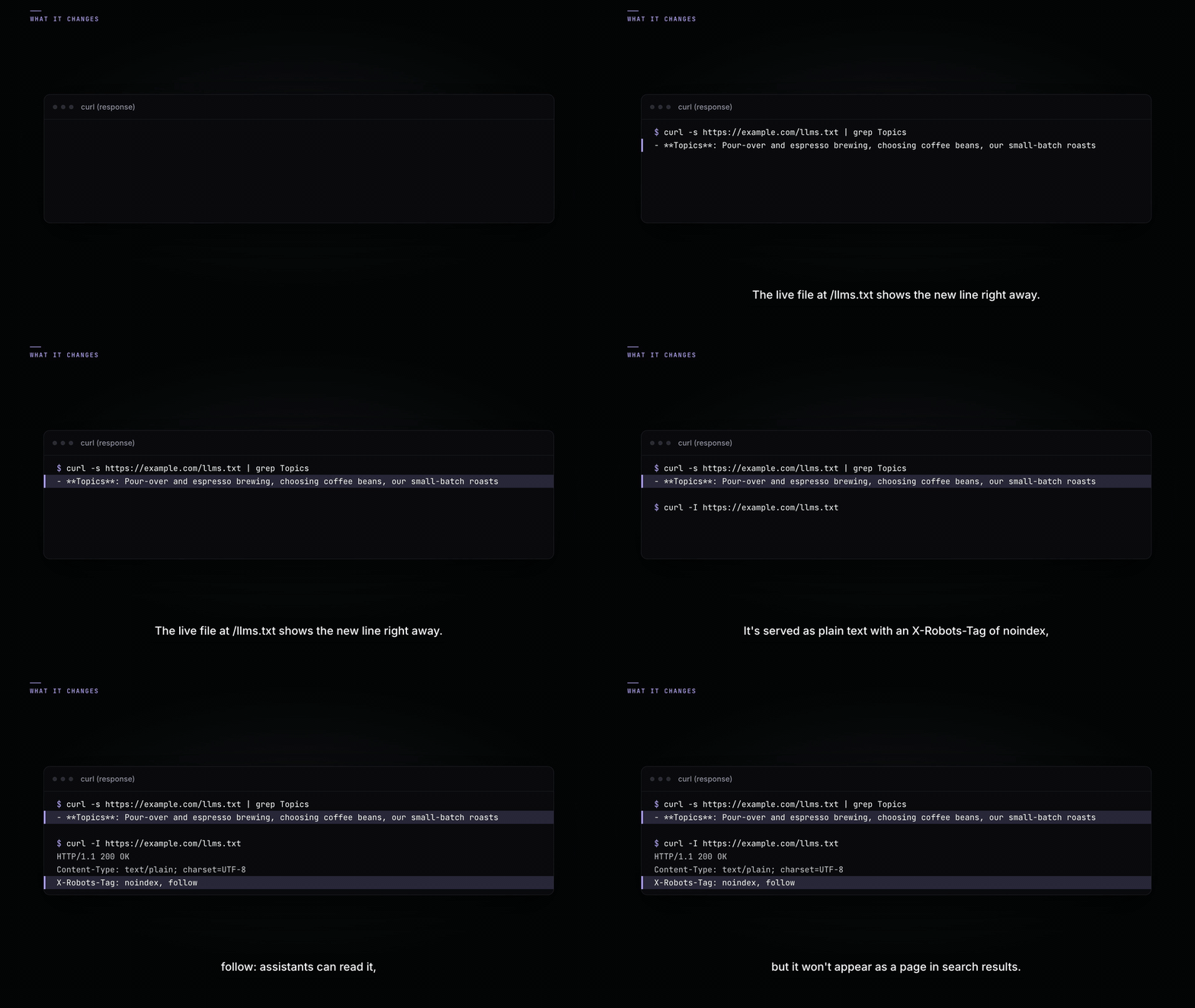
- Save. The file is served at your site's
/llms.txtimmediately. - Confirm by opening
yoursite.com/llms.txtin a browser.
The file is served as you typed it, line breaks included. Links with percent-encoded characters, such as https://example.com/caf%C3%A9-guide/, keep them; versions before 0.0.27 removed those sequences on save, which broke any link to a URL with accented or non-Latin characters in its slug. HTML tags are stripped, since the file is plain text.
For developers, the served content is filterable with hydrogen_seo_llms_txt_content and the default with hydrogen_seo_default_llms_txt_content; saves and resets fire the hydrogen_seo_llms_txt_updated and hydrogen_seo_llms_txt_reset actions. All are listed in the filters reference and actions reference.
What to put in it
The file should read like a well-written orientation note for a machine:
- A one-paragraph description of the site: who you are, what you publish, who it serves. Write it plainly; this may be the first thing an AI system reads about you.
- Links to your most important content: cornerstone guides, documentation, product pages. Curate; don't dump your whole sitemap here, that's what your XML sitemap is for.
- Usage guidance, if you have any: how you'd like content attributed, or pointers to licensing terms. State it clearly and remember it is a request, not an enforcement.
- Where to learn more: contact or about pages that establish who is behind the site.
Keep it current the way you'd keep an about page current: review it when your site's focus or flagship content changes.
Reset to default
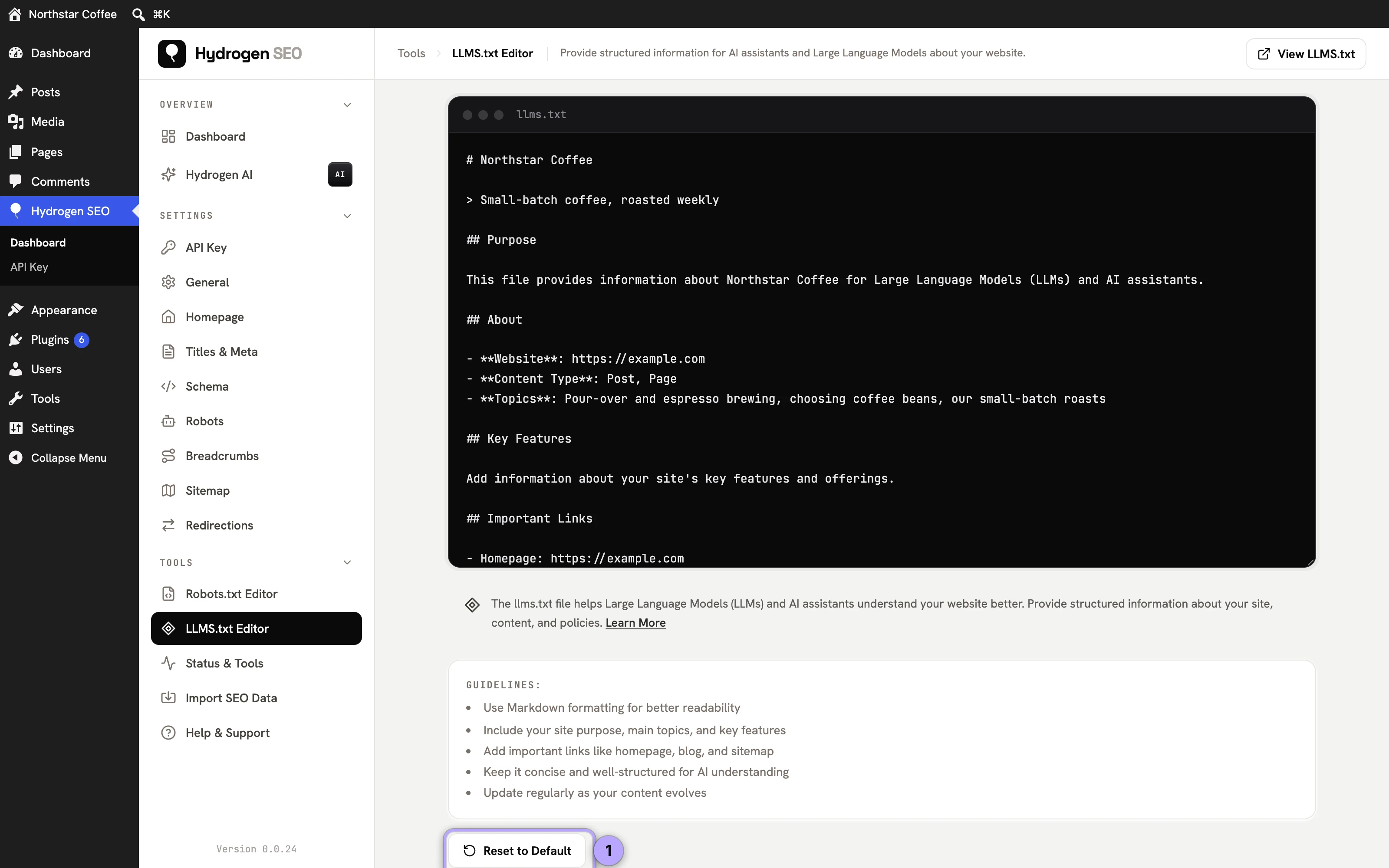
If your edits drift or you want a clean slate, the editor's reset option restores Hydrogen SEO's default llms.txt content in one step. As with the robots.txt editor, reset gives you a known-good baseline to build from rather than an empty file.
Why machine-readable guidance matters now
Search is no longer the only machine audience that matters. ChatGPT, Perplexity, and Google's AI experiences answer questions directly, drawing on the sites they can read and understand, and increasingly deciding which sources get named and linked. Being legible to these systems is the discipline behind answer engine optimization, and it runs through everything Hydrogen SEO renders: clean meta, structured data, and now llms.txt.
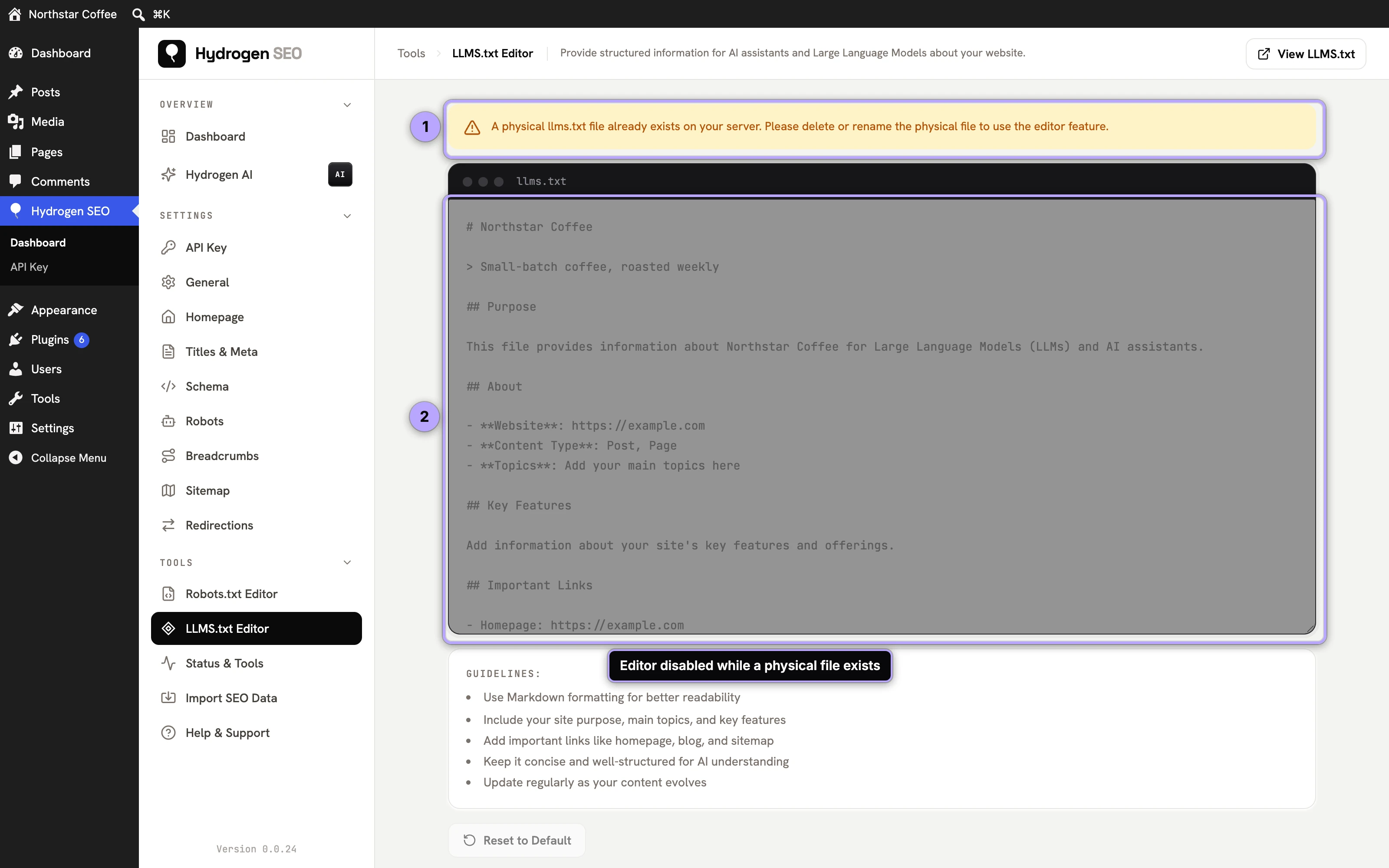
llms.txt fits that picture as the explicit layer: rather than leaving AI systems to infer what your site is about, you state it, in a location a growing number of tools know to check. The cost is a few minutes in the editor. The payoff, if and as adoption grows, is that your own words shape how AI systems summarize and cite you. That asymmetry, tiny cost against plausible upside, is the whole argument, and it's why we'd rather you publish an honest, modest file today than wait for the convention to finish maturing. For the wider context, read the llms.txt guide on our blog.
FAQ
Will llms.txt stop AI companies from training on my content?
No, and don't let anyone tell you otherwise. It is a proposed convention; each crawler decides whether to fetch and honor it. It is a clear statement of your guidance, not an enforcement mechanism. Genuinely restricting access requires measures like authentication or server-level blocking.
Is llms.txt a replacement for robots.txt?
No. They coexist and do different jobs: robots.txt issues crawl rules that established crawlers follow; llms.txt offers descriptive guidance aimed at AI systems. Keep both, via the robots.txt editor and the llms.txt editor respectively.
Do I need an account or credits to use the llms.txt editor?
No. Like every non-AI feature of the plugin, the editor works fully with no hydrogenseo.com account.
How do I know if AI crawlers are actually reading my llms.txt?
Check your server access logs for requests to /llms.txt and the user agents making them. Presence in the logs confirms fetching; what a system does with the contents is not observable from your side, which is worth being honest with yourself about.