Connect Your hydrogenseo.com Account
Link your free hydrogenseo.com account to unlock the AI features.
On this page
- What an account unlocks
- What never needs an account
- How to connect
- Credits, in one paragraph
- Connecting Hydrogen AI is a separate step
- Disconnecting
- FAQ
- Is the account really free?
- What data does connecting share?
- What happens when my credits run out?
- Can I use one account across several sites?
- Related reading
Connecting a free hydrogenseo.com account to the Hydrogen SEO plugin unlocks the AI features: AI titles and descriptions, AI content tools, AI image alt text, and the Hydrogen AI agent. Signup is free, comes with free credits, and connecting takes one click from the plugin's API Key screen. Everything else in the plugin works without an account and always will.
What an account unlocks
With a connected account you get:
- AI meta titles and descriptions, drafted by Hydrogen AI from the post's content, in the SEO Settings sheet's Hydrogen AI tab or site-wide (guide)
- AI social titles and descriptions for Open Graph and X cards
- AI content generation and rewriting (AI content tools)
- AI featured image generation
- AI-assisted business schema (AI schema generation)
- AI image alt text, from the ◆ Generate Alt Text buttons in the Media Library for one image or a selection, and optionally on upload (image alt text)
- Hydrogen AI, the agent that acts on plain-language instructions (Hydrogen AI agent)
What never needs an account
Titles and meta templates, schema markup, XML sitemaps, the robots.txt and llms.txt editors, robots meta settings, redirects, canonical URLs, homepage SEO, Open Graph and X card settings, SERP and share-card previews, the SEO score, site-wide audits, the site health score, and every developer hook. No account, no credits, no connection required — ever.
How to connect
- Create a free account. Go to hydrogenseo.com signup and register. Free credits are added to your account automatically on signup.
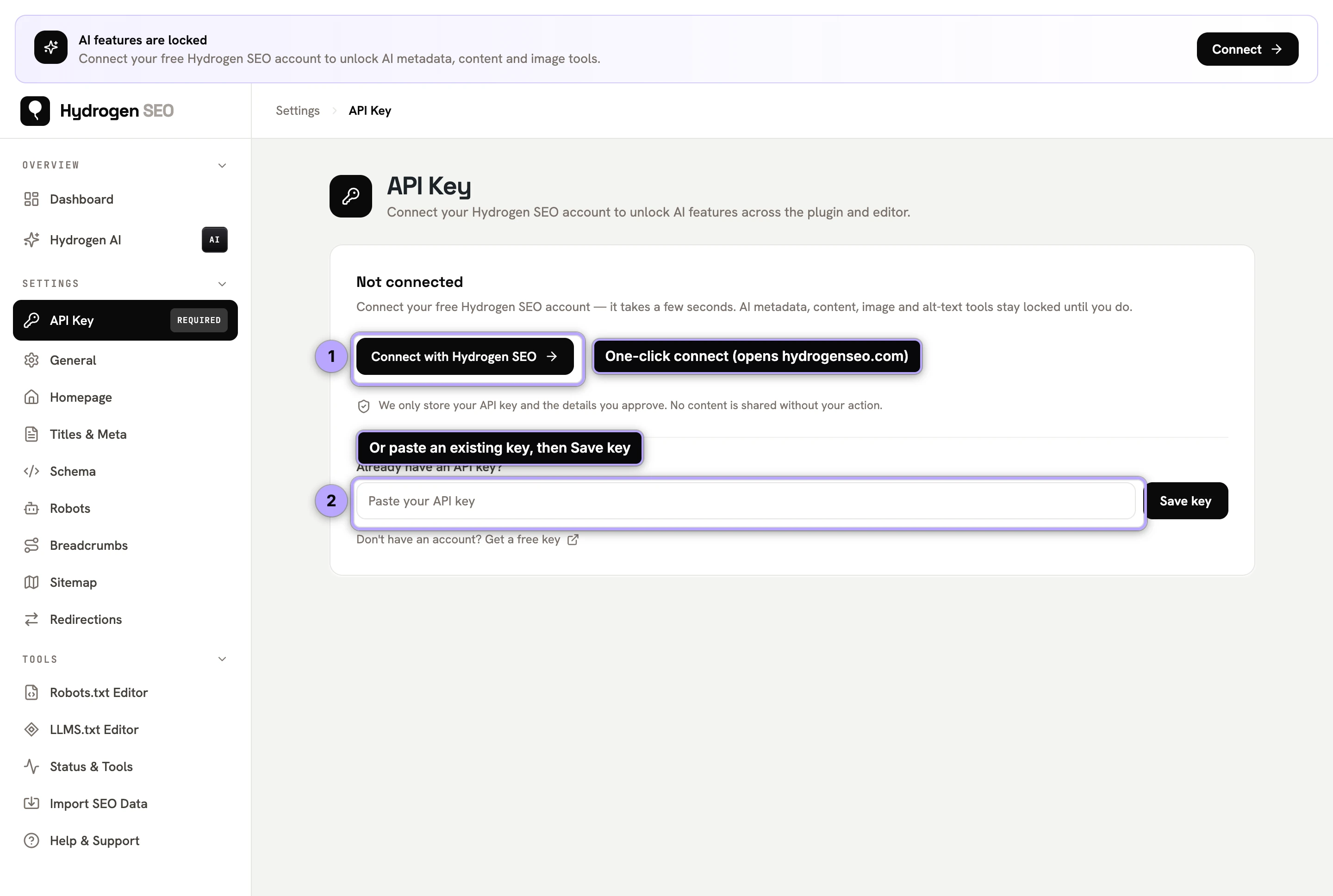
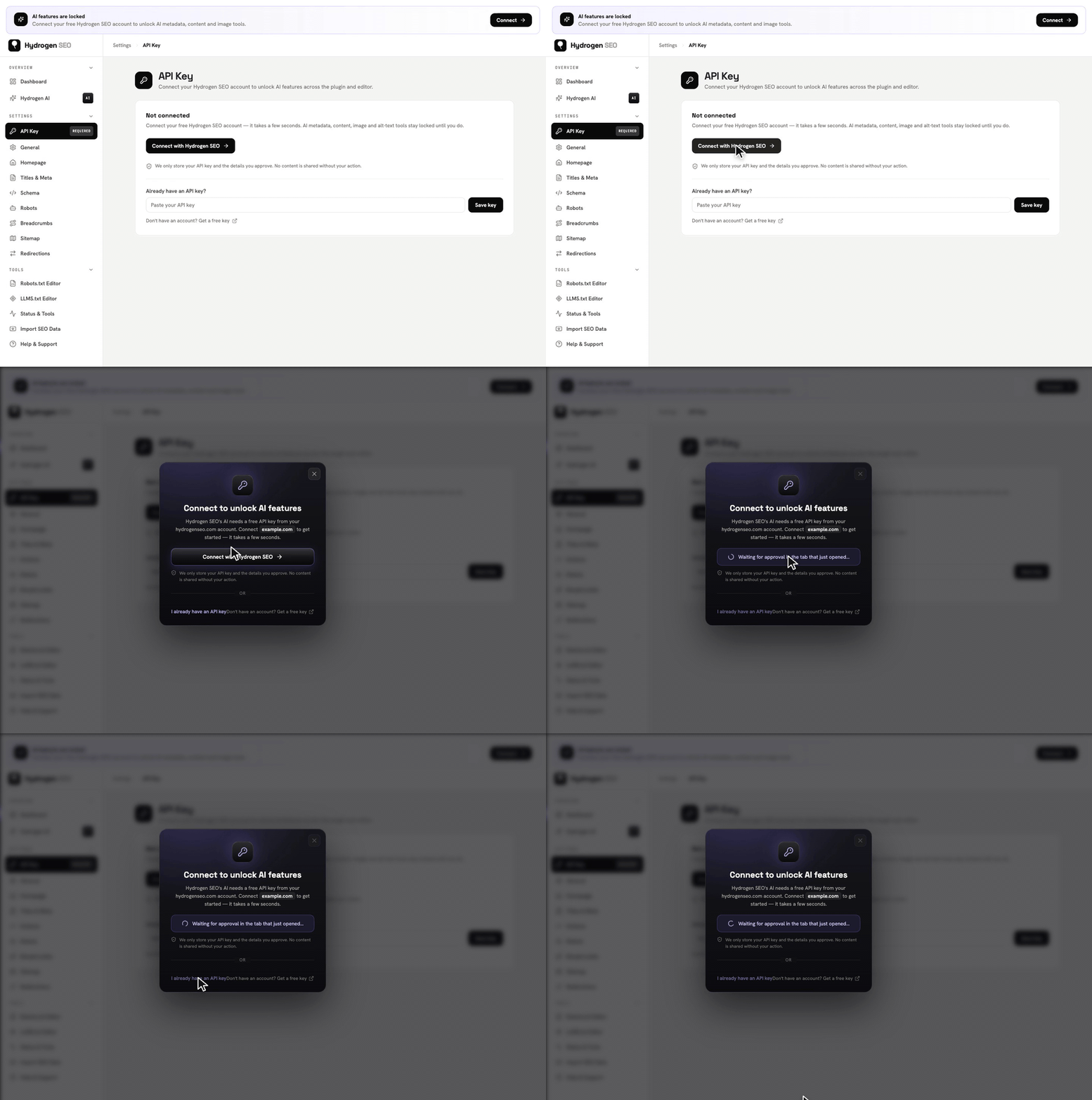
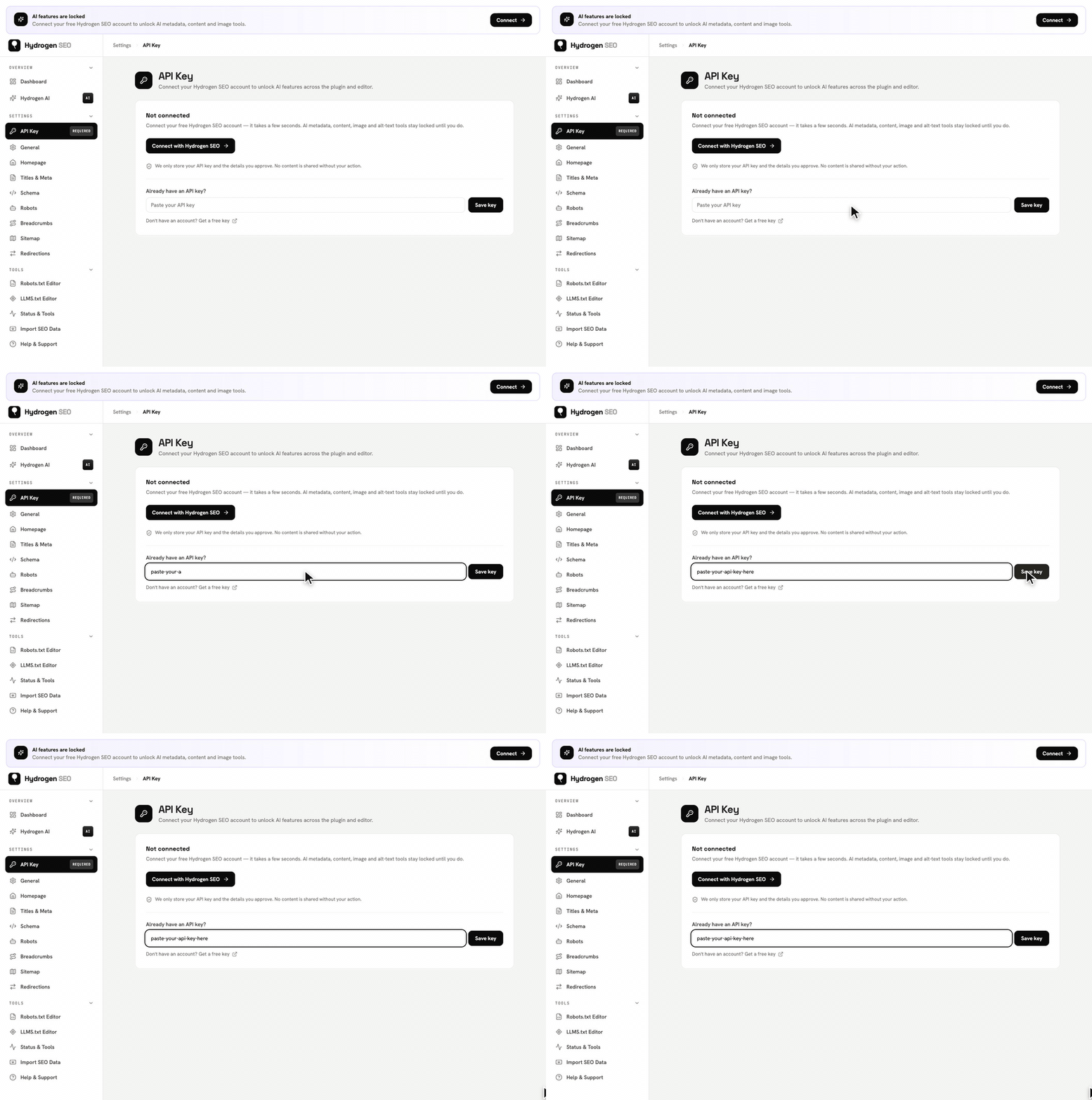
- Open the plugin's API Key screen. In wp-admin, go to Hydrogen SEO → API Key.
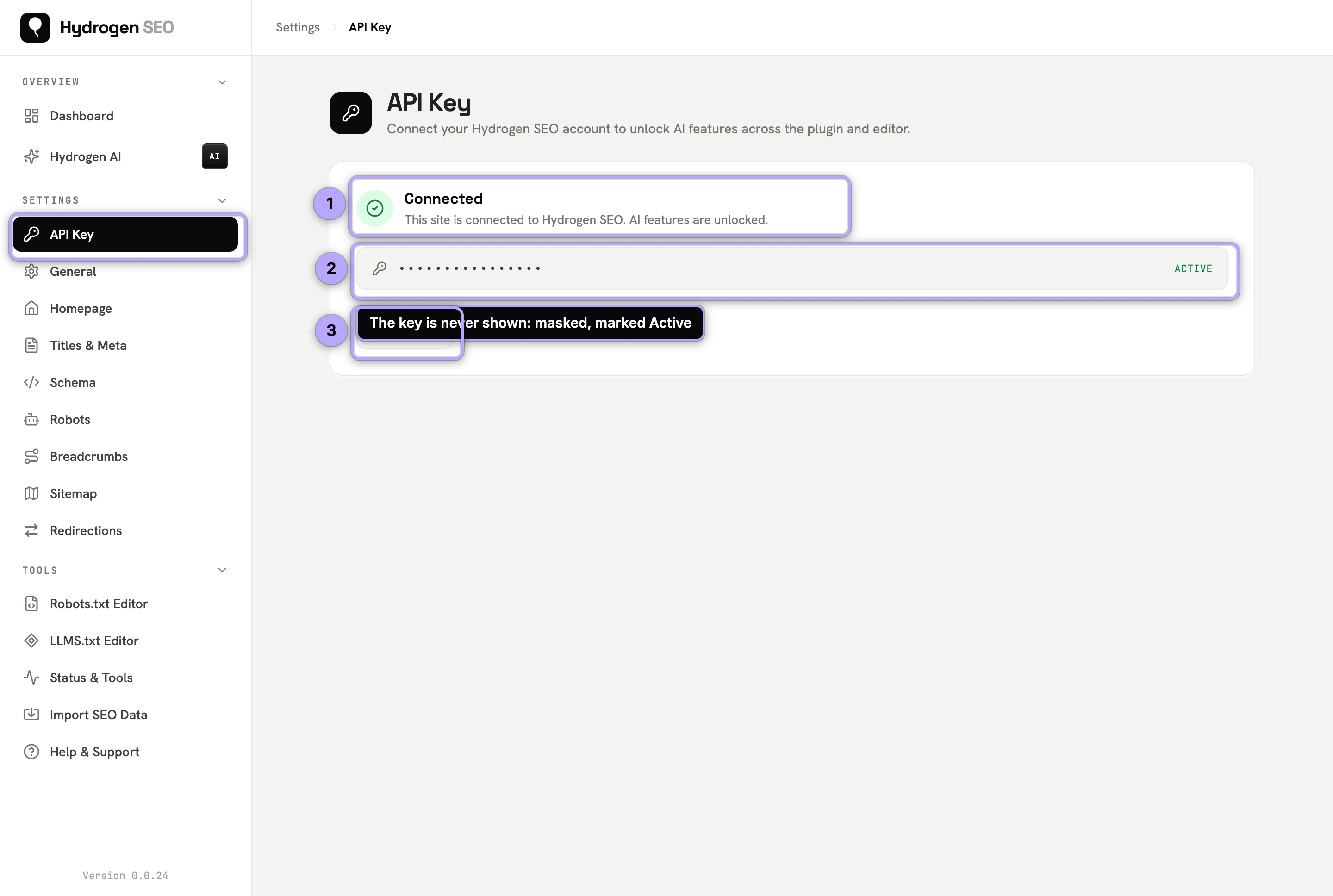
- Connect with one click. Click the connect button. You are taken to hydrogenseo.com to approve the connection for this site, then returned to wp-admin.
- Confirm the status. The API Key screen shows your connection status. The ◆ Generate Alt Text buttons appear in the Media Library, the Generate Alt Text with AI on Upload switch appears on the General screen (off until you turn it on), and Hydrogen AI can be set up; see connect Hydrogen AI.
If you manage licenses for multiple sites, the platform's licenses area is where keys live — see API keys and licenses.
Credits, in one paragraph
AI usage is metered by credits. Free signup includes free credits; paid plans on the pricing page cover heavier use. When credits run out, only AI generation pauses — your titles, meta, schema, sitemaps, redirects, and every other configured feature keep working exactly as before. Full details in credits and billing.
Connecting Hydrogen AI is a separate step
Connecting your account unlocks AI generation features. The Hydrogen AI agent — which can act on your site, not just suggest text — has its own deliberate connection flow with additional safeguards: an application password named "Hydrogen SEO Agent", HTTPS required, and the AI Abilities toggle as a master gate. See connect Hydrogen AI and AI abilities and safety. If the agent connection misbehaves, agent connection issues covers the fixes.
Disconnecting
You can disconnect from the Hydrogen SEO → API Key screen at any time. Disconnecting stops AI features; every non-AI feature continues unaffected, and your settings and content stay exactly where they are — in your WordPress database.
FAQ
Is the account really free?
Yes. Signup is free and includes free credits for AI features. Paid plans exist for heavier AI use — see pricing — but the plugin itself is free either way.
What data does connecting share?
Connecting links your site to your hydrogenseo.com account so AI requests can be processed and metered. AI features send the relevant content (for example, the post you request a meta description for) to generate suggestions. Non-AI features run entirely on your server and send nothing.
What happens when my credits run out?
AI generation pauses until you top up or your plan renews. Nothing else breaks: published titles, meta, schema, sitemaps, and redirects are stored in WordPress and keep rendering normally.
Can I use one account across several sites?
Yes — the platform manages licenses and API keys per site from your account's licenses area. See API keys and licenses and manage your account.