Submit Your Sitemap to Google
Register your sitemap in Search Console and confirm it is being read.
On this page
- Set up a Search Console property
- Submit the sitemap
- Reading the Sitemaps report
- Bing Webmaster Tools too
- How often do engines re-read the sitemap?
- FAQ
- Do I need to resubmit the sitemap every time I publish?
- The status says Success but my pages aren't indexed. Why?
- Should I submit the child sitemaps individually?
- How long until my pages show up in Google after submitting?
- Related reading
Submitting your sitemap to Google means giving Google Search Console the URL of the sitemap index that Hydrogen SEO generates, so Google can discover every page you want crawled without waiting to find them through links. It takes five minutes, you do it once, and Google re-reads the sitemap automatically from then on. This guide walks through Search Console step by step, covers what the report statuses actually mean, and does the same for Bing Webmaster Tools.
Before you start, confirm your sitemap works: open the Sitemap settings in the Hydrogen SEO menu, copy the sitemap index URL, and load it in a browser. If you see XML listing your per-type sitemaps, you are ready. If not, fix that first with XML sitemaps in Hydrogen SEO and sitemap troubleshooting.
Set up a Search Console property
If your site is already verified in Search Console, skip to the next section.
- Go to Google Search Console at search.google.com/search-console and sign in with a Google account.
- Click Add property. Choose Domain (covers every protocol and subdomain, verified via DNS) or URL prefix (covers one exact address, with more verification options).
- Complete verification. For a Domain property, add the TXT record Google gives you at your DNS host. For a URL prefix property, use any offered method such as an HTML file upload or your existing analytics tag.
- Wait for verification to confirm. DNS changes can take a little while to propagate.
Submit the sitemap
- In Search Console, open your property and go to Sitemaps in the left sidebar (under Indexing).
- In Add a new sitemap, enter the path of your sitemap index exactly as Hydrogen SEO's Sitemap settings show it.
- Click Submit.
- The sitemap appears in the Submitted sitemaps table with a status. It may briefly show as pending while Google fetches it for the first time.
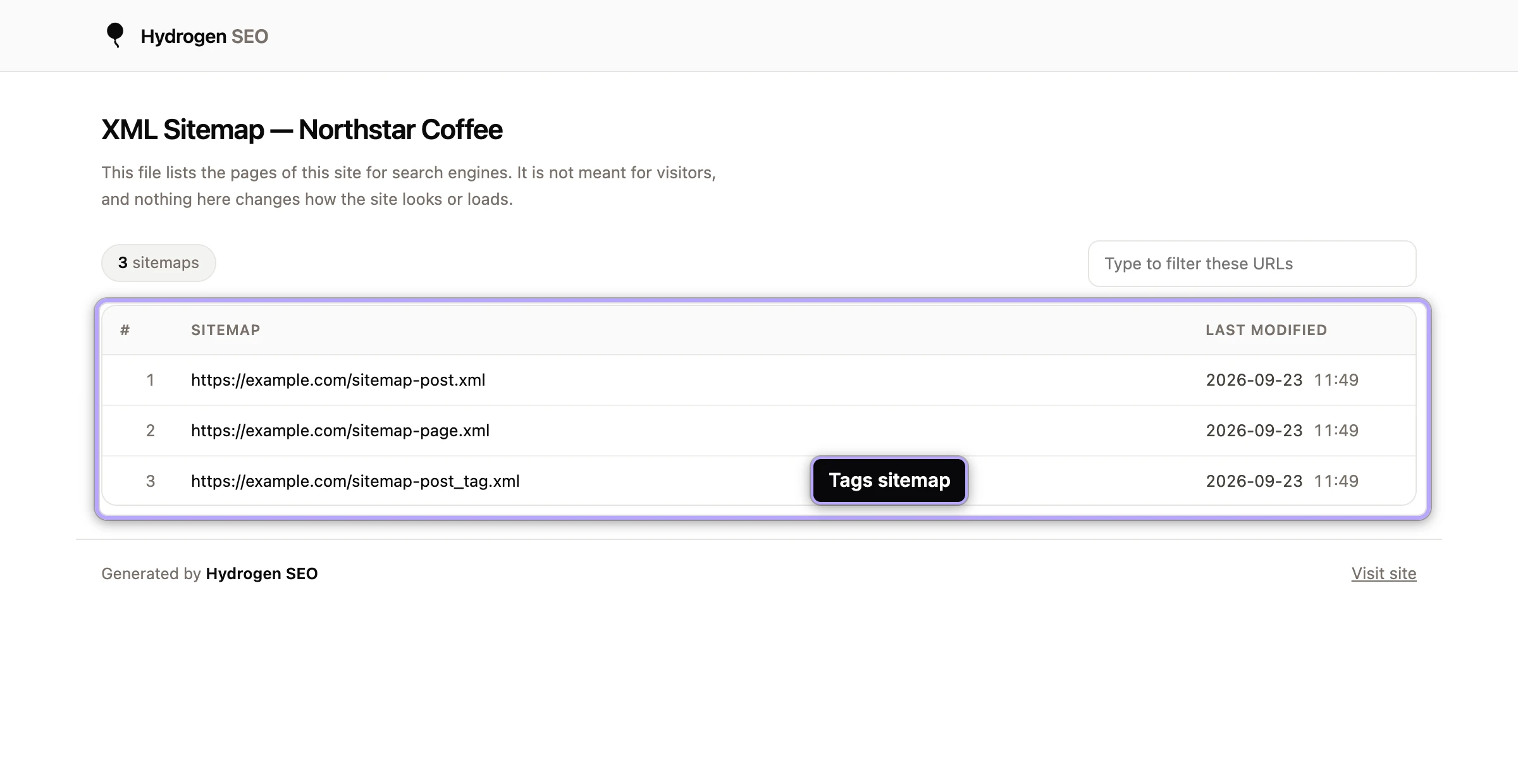
Submit only the sitemap index. Google reads the index and follows it to every per-post-type and taxonomy sitemap beneath it; submitting each child individually adds nothing.
Reading the Sitemaps report
The status column is the part people misread, so here is what the two common values mean.
"Success" means Google fetched and parsed the sitemap file. It does not mean every URL is indexed, or will be. Indexing decisions are made per URL, on that URL's merits. To see how the discovered URLs are actually faring, use the Pages (page indexing) report, which breaks down indexed and non-indexed pages with reasons.
"Couldn't fetch" means Google could not retrieve the sitemap at that URL. Work through the causes in order:
- Open the exact submitted URL in your own browser. A typo in the submitted path is the most common cause of all.
- Check that robots.txt is not blocking it, in the robots.txt editor.
- Check for a security plugin, firewall, or host rule blocking Googlebot.
- If the URL works for you but not for Google, give it a day; transient fetch failures happen, and Google retries.
The report also shows Discovered URLs: how many URLs Google found in the sitemap. If that number looks wrong, open the sitemap yourself and compare; sitemap troubleshooting covers the usual mismatches.
Bing Webmaster Tools too
Bing powers its own results plus other services, and submission is just as quick:
- Go to Bing Webmaster Tools at bing.com/webmasters and sign in.
- Add your site. If it is already verified in Search Console, use the import option to bring the property across without separate verification.
- Open Sitemaps and submit the same sitemap index URL.
Same rules apply: submit the index, watch the status, judge indexing by the URL-level reports rather than the submission status.
If you would rather verify Bing with its own tag, paste the msvalidate.01 code into Webmaster Tools. Bing also accepts IndexNow notifications, which Hydrogen SEO can send as you publish; see Instant Indexing. Google does not use IndexNow, so the sitemap stays your main channel there.
How often do engines re-read the sitemap?
Continuously, on their own schedule. After the first successful fetch, Google re-reads your sitemap periodically, typically checking more often for sites that change often, and uses the last-modified data to spot what changed. You never need to resubmit after publishing content: Hydrogen SEO clears its sitemap cache automatically when content changes, so the file engines fetch is always current. Resubmitting manually is only worth doing after fixing a "Couldn't fetch" error or moving the sitemap to a new URL.
FAQ
Do I need to resubmit the sitemap every time I publish?
No. Google re-reads submitted sitemaps on its own schedule, and Hydrogen SEO keeps the sitemap current automatically. Submit once, then let both sides do their jobs.
The status says Success but my pages aren't indexed. Why?
"Success" only covers fetching the sitemap file. Indexing is a separate, per-URL decision. Check the Pages report in Search Console for the specific non-indexing reasons, and make sure the pages are not excluded by your robots meta settings.
Should I submit the child sitemaps individually?
No. Submit the sitemap index only. Google follows the index to every per-type and taxonomy sitemap automatically, and one entry keeps your report readable.
How long until my pages show up in Google after submitting?
Anywhere from days to weeks, depending on your site's authority and crawl activity. The sitemap accelerates discovery; it does not set the indexing timetable.