Google SERP Preview
See your search snippet exactly as Google will render it, as you type.
On this page
The Google SERP preview in Hydrogen SEO shows you, live as you type, how your page's title and meta description are likely to appear in Google's search results, on both desktop and mobile. It sits inside the SEO Settings sheet in the editor, so you can catch a truncated title or a cut-off description before the post is ever published, not after it starts ranking.
Where to find it
- Open a post or page in the editor.
- Open the SEO Settings sheet.
- The SERP preview renders near the SEO title and meta description fields, styled like a Google result: your URL, title, and description snippet.
- Start typing in either field. The preview updates with every keystroke, so you see truncation the moment it happens.
- Switch between the desktop and mobile views to check both layouts; mobile typically cuts descriptions earlier and wraps titles differently.
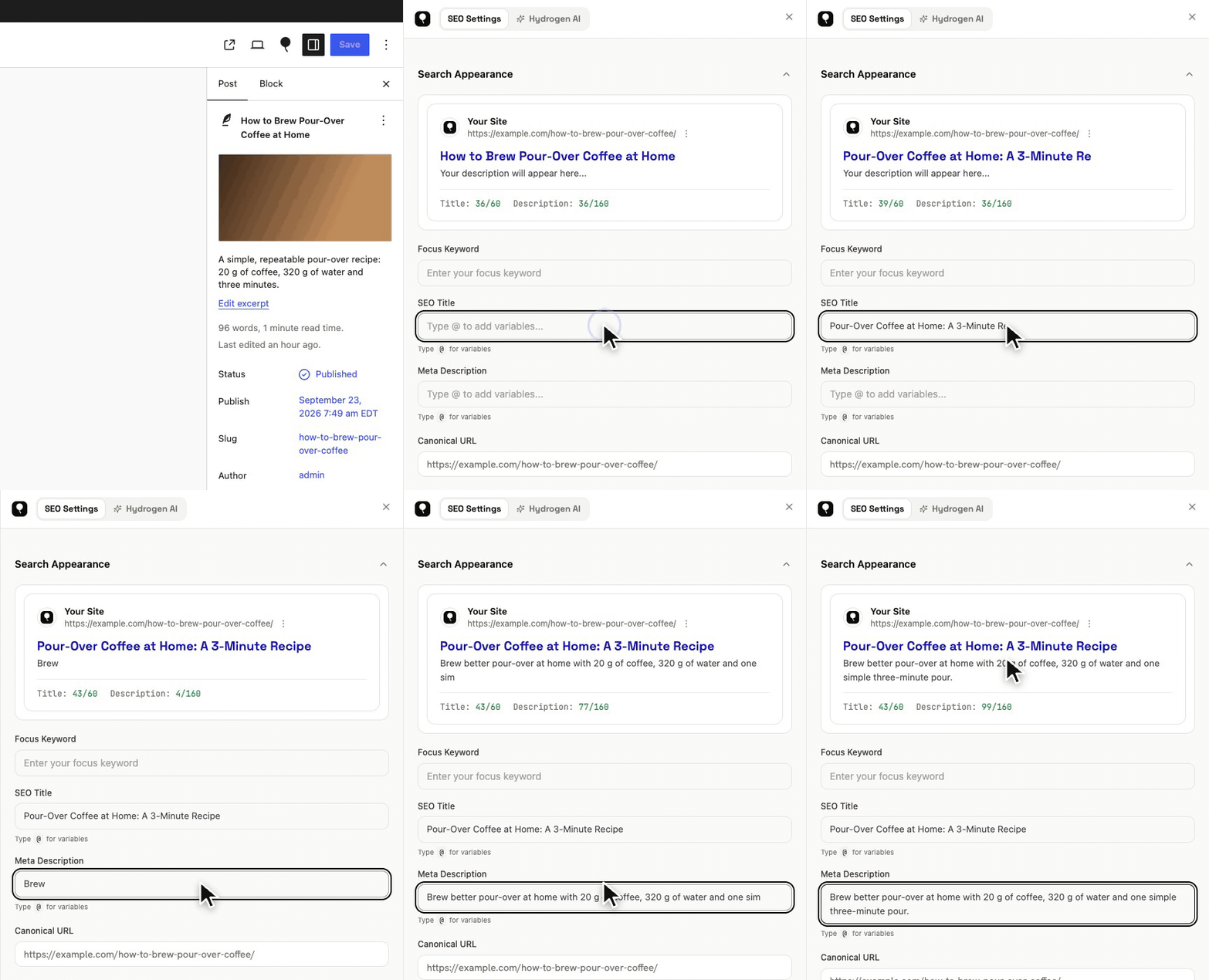
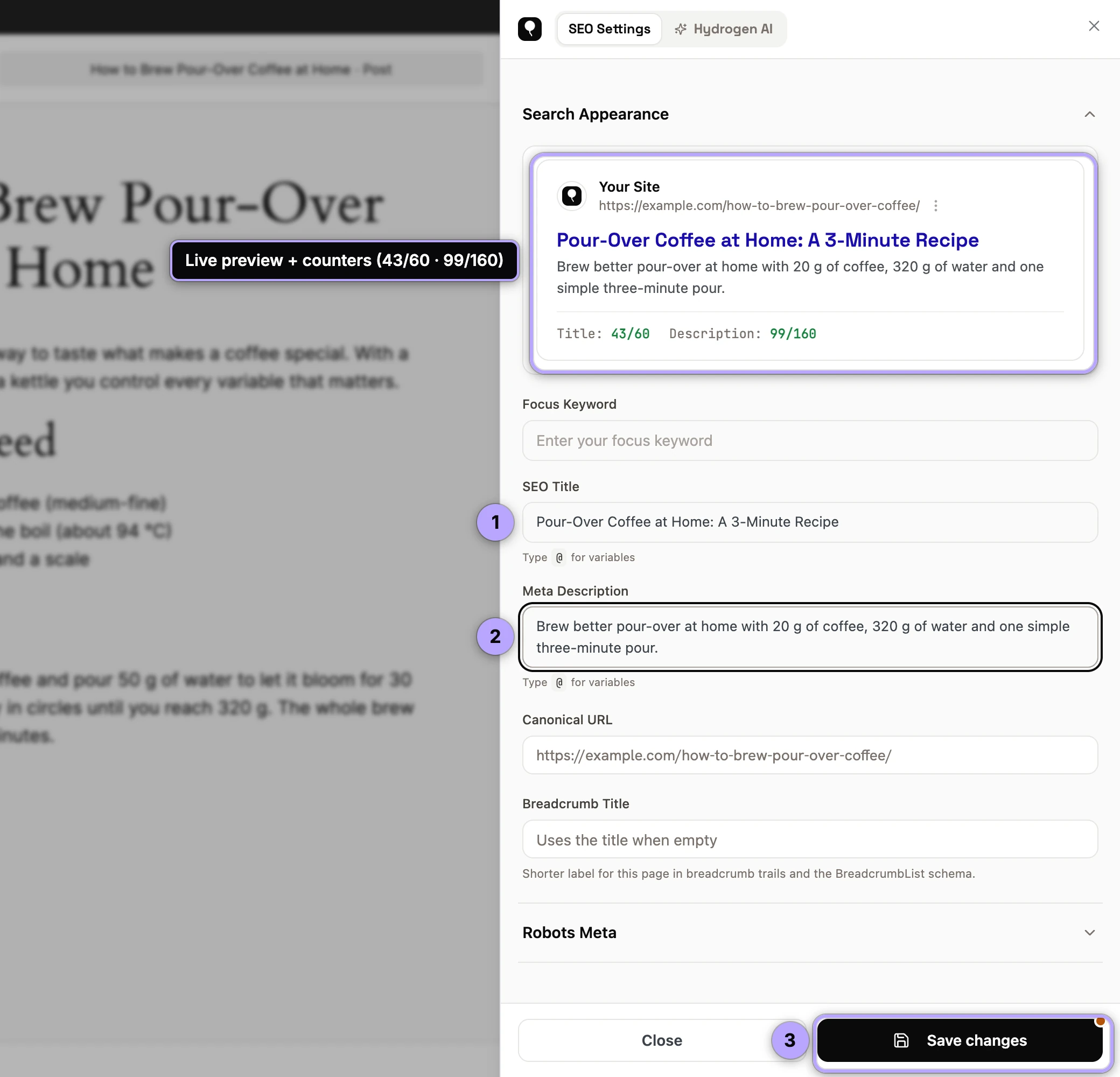
The preview reflects whatever will actually be output for the page, so if you have not written an override, you are previewing the resolved template with its variables already replaced.
Pixels vs. characters, honestly
Most SEO advice says "keep titles under 60 characters," and as a rule of thumb that is fine. But it is worth being precise about what Google actually does: it truncates by pixel width, not character count. Desktop titles get roughly 600 pixels; descriptions get a similar pixel budget per line.
That distinction matters because characters vary enormously in width. "WWW" occupies several times the pixels of "ill". A 58-character title made of wide capitals can truncate, while a 65-character title of narrow letters fits. Character counts are a convenient proxy; pixel width is the reality.
This is exactly why a visual preview beats a character counter alone. Hydrogen SEO shows character counts on the fields, useful as a quick sanity check, and the SERP preview shows how the string behaves at Google's real-world widths. Trust the preview when the two disagree.
Two more honest caveats:
- Google's limits shift. Google adjusts its result layout from time to time, so any preview (ours included) is a close approximation, not a contract.
- Google rewrites. Even a perfectly sized title can be replaced if Google decides other wording serves the query better. Accurate, specific titles that match the page content get rewritten least.
Using the preview to prevent truncation
A truncated snippet is not fatal, but the ellipsis usually lands mid-thought and costs clicks. A quick pre-publish routine:
- Write your title, front-loading the keyword and the payoff: the words that matter must survive truncation.
- Check the desktop preview. If the title shows an ellipsis, trim modifiers rather than the core phrase.
- Check the mobile preview, where the description is cut sooner. Make sure your first ~120 characters carry the complete pitch.
- Read the description aloud. If the visible portion ends mid-promise, tighten it.
- Save. As always, nothing reaches the live site until the post is updated.
If you would rather start from generated options, ask the Hydrogen AI tab in the SEO Settings sheet for a title and description, then check them here; see AI meta titles and descriptions.
Previewing pages in bulk
The in-editor preview covers the page you are writing. To review snippets for pages you are not actively editing, the hydrogenseo.com platform includes a standalone SERP preview tool along with site-wide checks that flag metadata that is too long or too short across your whole site. See the SaaS platform overview and site audits.
FAQ
Is the preview exactly what Google will show?
No preview can promise that, and we will not pretend otherwise. It is a faithful approximation of Google's current desktop and mobile layouts, and it reliably catches the common failure (text that is clearly too long), but Google controls the final rendering and sometimes rewrites titles and descriptions entirely.
Why does the preview show text I didn't type?
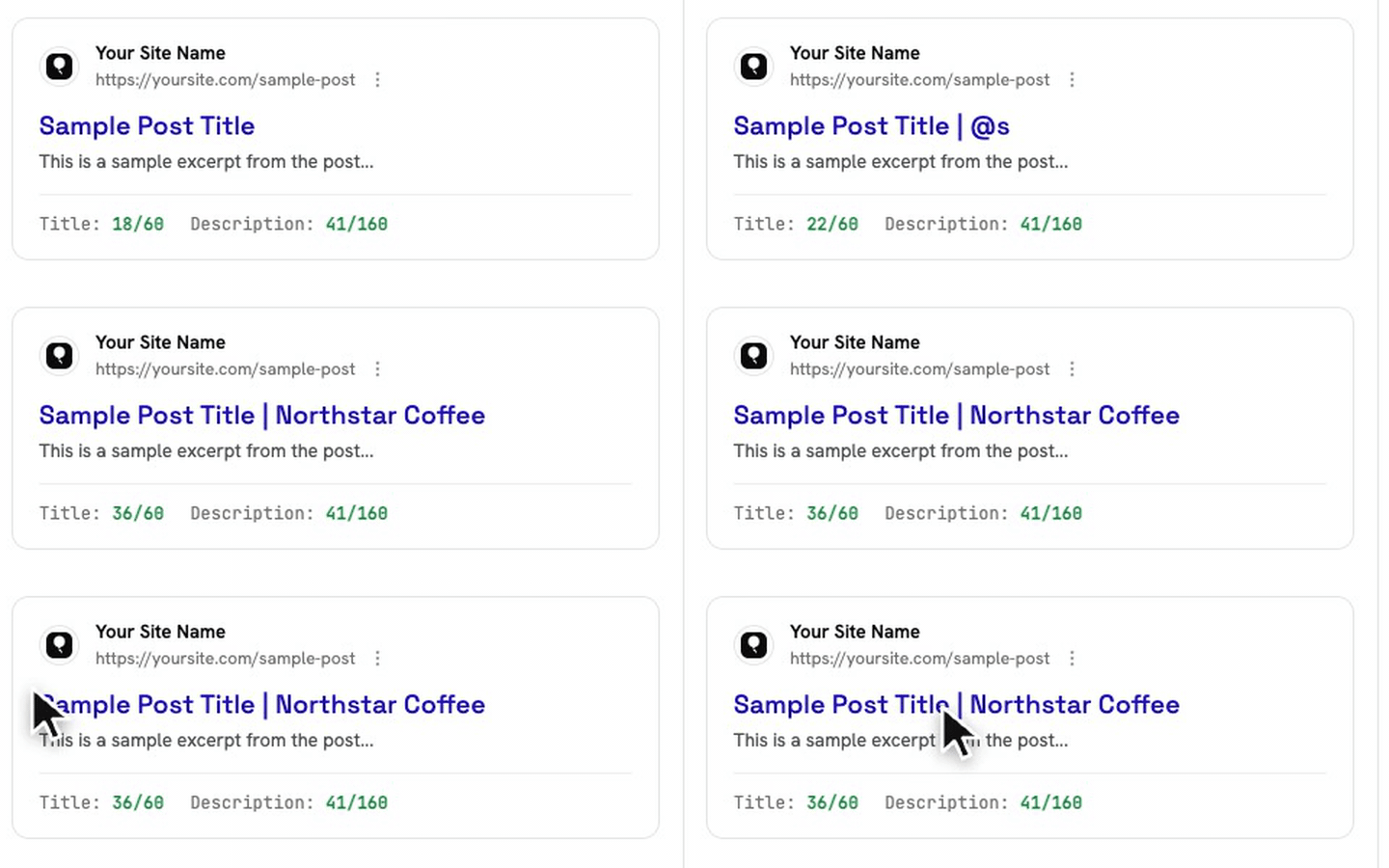
If the SEO title or meta description field is empty, the preview shows the value resolved from your global templates, with variables like %title%, %separator% and %site_name% already replaced. Type in the field to override it for this post.
What character counts should I aim for?
Roughly 50–60 characters for titles and 120–160 for descriptions, with the caveat that pixels are what actually count. See the guidance table in SEO titles and meta descriptions.
Does the preview require an account?
No. The SERP preview, like every non-AI feature of the plugin, works with no account at all. Only AI help through Hydrogen AI needs a free connected account.