Credits, Plans & Billing
How credits are metered, what happens when they run out, how to upgrade.
On this page
- Free credits on signup
- What consumes credits
- What never consumes credits
- What happens at zero
- Plans and upgrading
- The billing screen
- Making credits go further
- FAQ
- Do I lose AI-generated content when credits run out?
- Does the free plugin stop working without an account?
- Where do I see how many credits I have left?
- Do unused free credits expire when I upgrade?
- Related reading
Hydrogen SEO's AI features run on credits. Signing up for a free hydrogenseo.com account includes free credits; each AI generation and each piece of agent work consumes them; and when they run out, only AI generation pauses while every non-AI feature of the plugin keeps working. This page explains what costs credits, what happens at zero, and how plans and billing work.
Free credits on signup
Creating an account at /signup is free and comes with free credits, enough to genuinely try the AI features: generate titles and descriptions, run the agent, produce images and alt text, and decide whether heavier use is worth a paid plan. There's no card required to start.
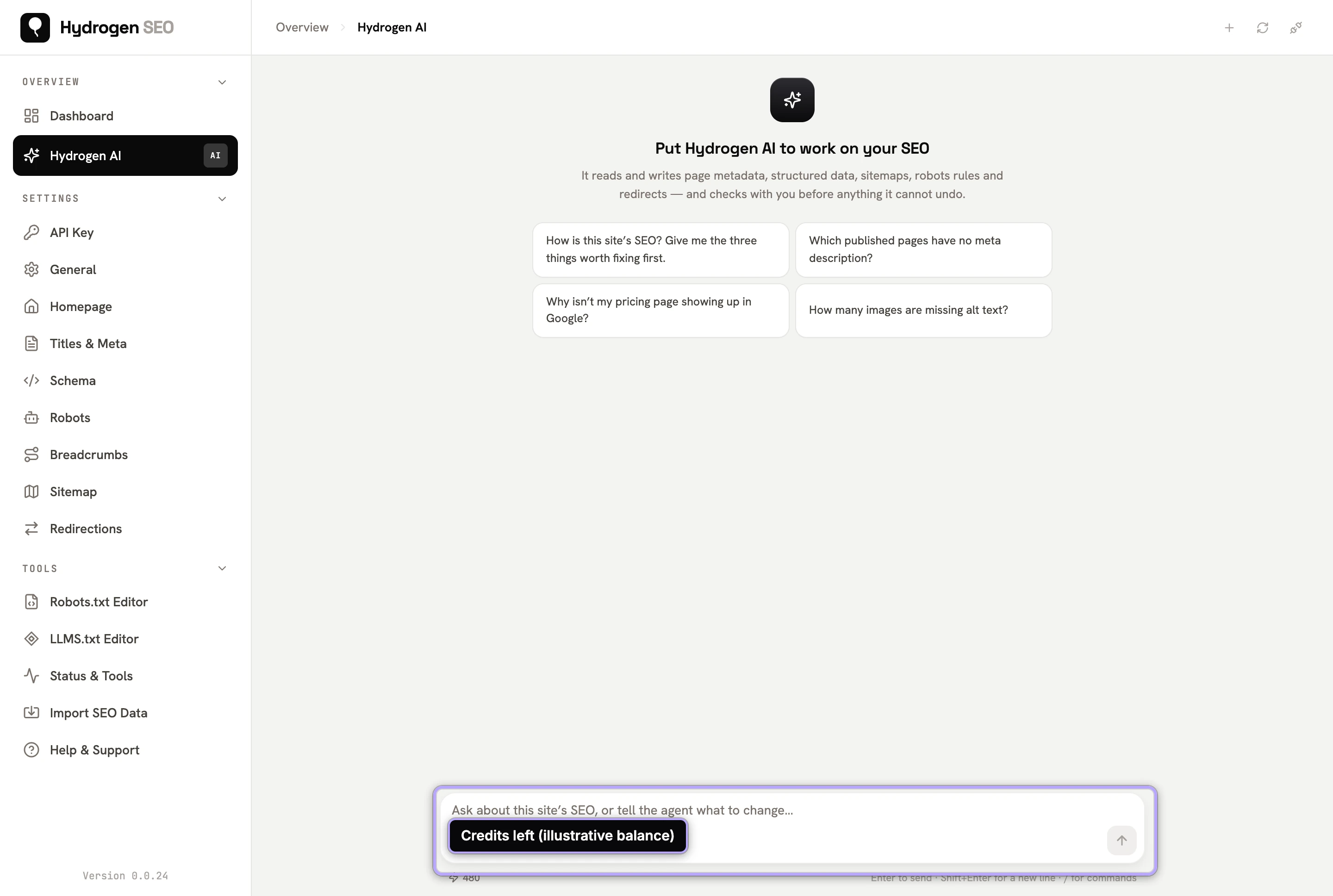
One account serves both the WordPress plugin and the hydrogenseo.com platform, drawing on one shared credit pool. Connect the plugin to your account via connect your account, or with a license key under Hydrogen SEO → API Key (see API keys and licenses).
What consumes credits
Credits are consumed by AI work, specifically:
- Each AI generation. Title and description drafts, social title and description drafts, content generation and rewriting, AI featured images, and AI-assisted schema. The full list is in AI content and image tools.
- AI image alt text, 1 credit per image. That applies to the ◆ Generate Alt Text button in the attachment details panel, the bulk ◆ Generate Alt Text button in Media → Library (which asks you to confirm first), and alt text the agent writes. See image alt text.
- AI alt text on upload, if you switch it on. Generate Alt Text with AI on Upload (Hydrogen SEO → General → Images) is off by default. When it is on, every image uploaded without alt text uses 1 credit. Other files, such as PDFs, are never sent. See general settings.
- Agent work. Tasks you give Hydrogen AI, whether from the plugin dashboard or the editor's SEO Settings sheet.
Nothing spends credits in the background unless you have switched on AI alt text on upload.
A useful rule of thumb: if the machine is generating something for you, it costs credits; if you're doing it yourself, it doesn't. Writing a meta description by hand, editing schema fields, creating redirects, and editing robots.txt cost nothing and never will.
What never consumes credits
The free plugin's non-AI features work with no account at all, let alone credits:
- SEO titles and meta descriptions with template variables
- Schema markup, XML sitemaps, robots controls and the robots.txt editor
- The llms.txt editor, redirection manager, canonical URLs, homepage SEO
- Open Graph and X card settings with live previews, the Google SERP preview
- The SEO score, site audits, and the site health score
- Add Missing ALT Attributes, which fills empty alt text from the Media Library or a template without AI (general settings)
What happens at zero
This is worth stating precisely, because it's where SEO tools often behave badly:
- Only AI generation pauses. Agent tasks, the Generate Alt Text buttons and AI alt text on upload wait until you have credits again.
- Nothing else breaks. Every non-AI feature keeps working exactly as before.
- Nothing is lost or reverted. Metadata, schema, redirects, and images that AI already produced are ordinary saved data on your site. They stay, credits or not.
- Your site's front end is never affected. All SEO output is server-rendered by the plugin and doesn't depend on the platform being reachable, paid, or in credit.
There is no lock-out, no watermark, no degraded mode. Zero credits simply means no new AI generation until you top up.
Plans and upgrading
Free credits cover trying things out; sustained AI use, especially bulk work and regular agent runs, is what paid plans are for.
- Go to /pricing and choose the plan that matches your usage.
- Upgrade from your signed-in account; the billing screen handles payment details and plan changes.
- Credits from your plan draw down as you use AI features, across the plugin and platform alike, metered per license key so you can see where usage goes (per-key metering).
The billing screen
From your signed-in account at hydrogenseo.com, the billing screen is where you manage your plan and payment details, and your account screens are where you view usage. For anything billing-related the screens don't cover, /support is the direct line; include your account email so the team can find you quickly. Broader account management, including profile and password, is covered in manage your account.
Making credits go further
- Batch with intent. One well-scoped agent run ("write meta descriptions for every post missing one") beats many exploratory ones. Recipes with good scoping are in agent recipes.
- Run audits first. The plugin's site audits are free; use them to find exactly what needs AI attention before spending generation on it.
- Use read-only agent runs to plan. Reconnaissance is cheap; commit to writes once the plan is right.
- Fix by hand where it's trivial. One page's title doesn't need AI; two hundred do.
- Select before you bulk-generate alt text. The bulk button works on the images you select in the Media Library, so select only the images that actually need alt text.
FAQ
Do I lose AI-generated content when credits run out?
No. Anything AI already generated and saved, including metadata, schema, alt text, and images, is ordinary data on your site and stays there. Zero credits only pauses new generation.
Does the free plugin stop working without an account?
No. Every non-AI feature works with no account whatsoever. An account (and credits) are needed only for AI features.
Where do I see how many credits I have left?
In your signed-in account at hydrogenseo.com, alongside your usage. See manage your account.
Do unused free credits expire when I upgrade?
Plan specifics live at /pricing, which is always the current source of truth for what each plan includes. If anything is unclear, ask via /support.