FAQ & HowTo Schema
Mark up questions and step-by-step guides for rich results.
On this page
- Adding FAQ schema to a page
- Writing good Q&A pairs
- Adding HowTo schema
- The honest state of FAQ and HowTo rich results
- FAQ
- Will my FAQ page get an expandable rich result in Google?
- How many questions should an FAQ page mark up?
- Can I put FAQ schema on every page of my site?
- Is HowTo schema dead now that Google removed the rich result?
- Related reading
FAQ schema marks up question-and-answer pairs, and HowTo schema marks up step-by-step instructions, so machines can read each answer or step as a discrete, quotable unit. In Hydrogen SEO you add either type from the Schema screen (site-wide) or from a post's SEO Settings sheet (per page), fill in the questions or steps, and valid JSON-LD is rendered server-side with the page.
One honest note up front: Google no longer shows FAQ or HowTo rich results for any site. HowTo rich results went in 2023, and FAQ rich results were retired on May 7, 2026. The markup is still valid and still worth adding where it fits, and this guide explains why, but it will not add an expandable result under your listing.
Adding FAQ schema to a page
You can add FAQ schema in two places.
Per page, in the editor:
- Open the post or page in the editor.
- Open the SEO Settings sheet (Hydrogen SEO's panel in the editor).
- In the schema section, choose FAQ as the schema type.
- Add each question and its answer as a pair. The Q&A content should match what visitors can actually read on the page.
- Save the post. The JSON-LD is now printed with the page.
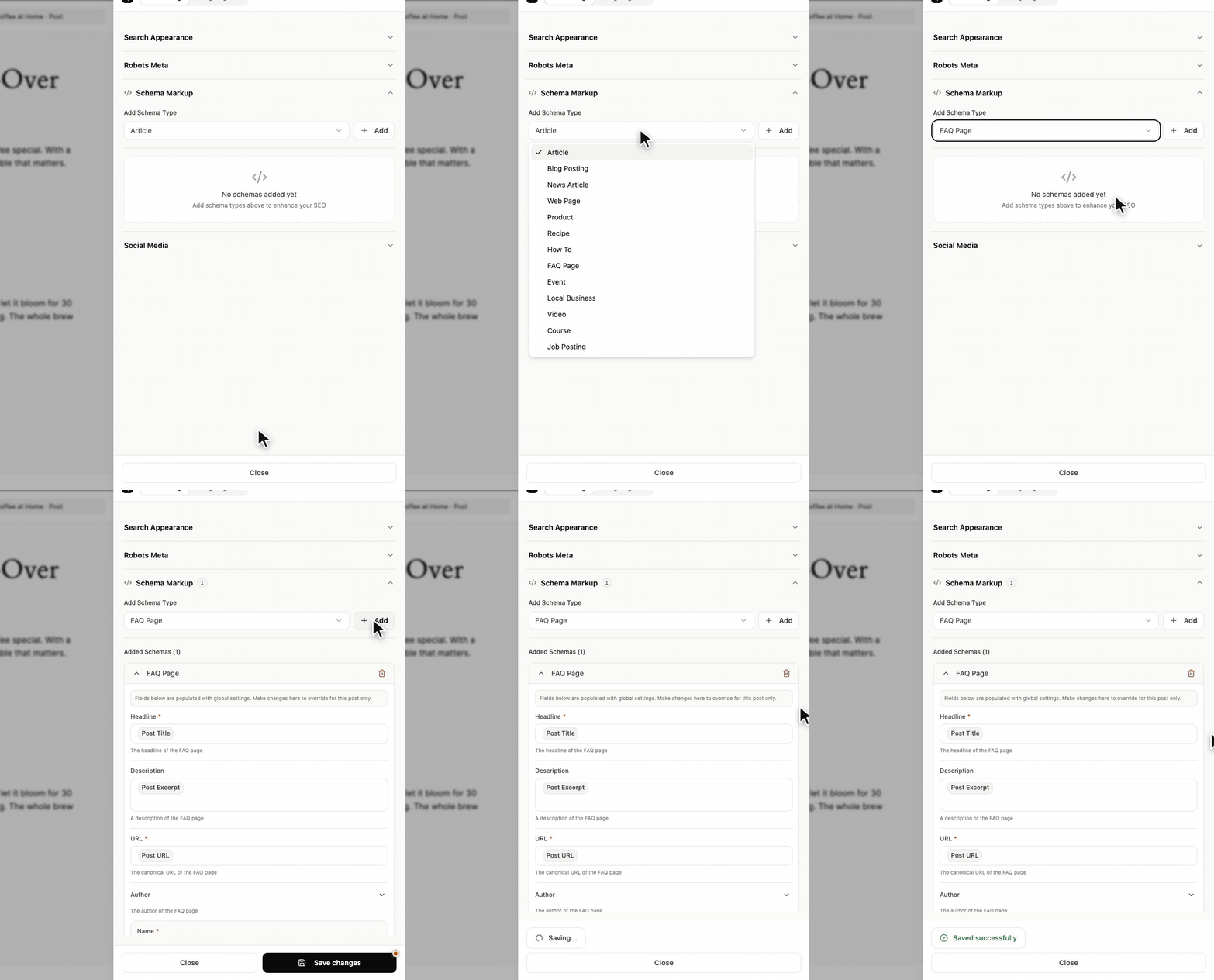
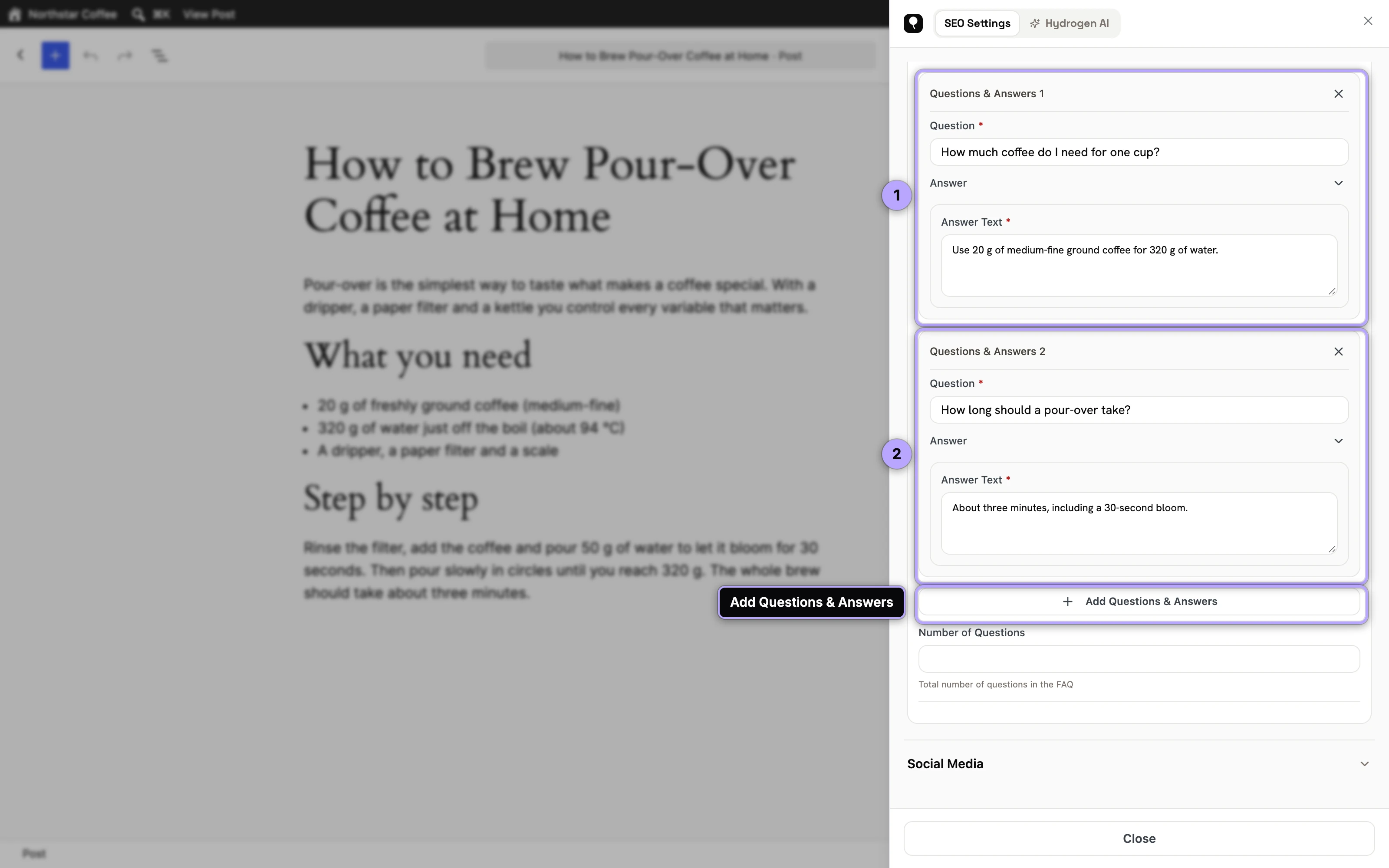
Each pair is printed as a Question with an acceptedAnswer of type Answer, which is the shape schema.org defines for an FAQPage. Versions before 0.0.27 printed per-post FAQ pairs without those two types, and could keep only the first character typed into a question or answer field; if you added FAQ schema to a post before updating, open its sheet, check the questions are all there, save, and re-test the page as described in the rich results validation guide.
Site-wide, on the Schema screen: if a whole post type is FAQ-shaped (say, a "questions" custom post type), configure FAQ schema for it once in the Schema screen in the Hydrogen SEO menu. Schema fields support smart tags, so you can type @ to insert dynamic values such as %title% where that makes sense.
You can also simply ask the Hydrogen AI agent: "add FAQ schema to this page" from the agent tab of the SEO Settings sheet, then review the changes it proposes before saving.
Writing good Q&A pairs
The markup only carries value if the content inside it is good. A few rules that hold up:
- Use real questions people ask, phrased the way they ask them. "How long does shipping take?" beats "Shipping information."
- Answer in the first sentence. Lead with the direct answer, then add nuance. Machines extracting an answer will usually take the opening.
- Keep answers self-contained. Each answer should make sense read alone, without the surrounding page.
- Match the visible page. Google's general structured data guidelines require marked-up content to be visible to users on that page. Never mark up questions the page doesn't actually show.
- Skip promotional non-answers. "Contact our award-winning team to find out!" is not an answer and earns you nothing.
Adding HowTo schema
HowTo schema structures a task into ordered steps, optionally with total time, tools, and supplies.
- Open the tutorial post and open its SEO Settings sheet.
- Choose HowTo as the schema type.
- Give the HowTo a name that states the task ("How to install a WordPress plugin manually").
- Add each step in order, one action per step, with a short name and description.
- Save and check that the JSON-LD parses, as described in the validation guide. There is no HowTo rich result to test for, so the Schema Markup Validator is the useful check here.
Good steps are imperative and atomic: "Click Upload Plugin" rather than a paragraph covering three actions. If your content is a recipe, use the Recipe type from the schema types reference instead; it is a better fit and better rewarded.
The honest state of FAQ and HowTo rich results
Google removed HowTo rich results in 2023. The same year it limited FAQ rich results to well-known government and health sites, then retired them for everyone on May 7, 2026, and took the FAQPage documentation off Search Central on June 15, 2026. So why still add the markup?
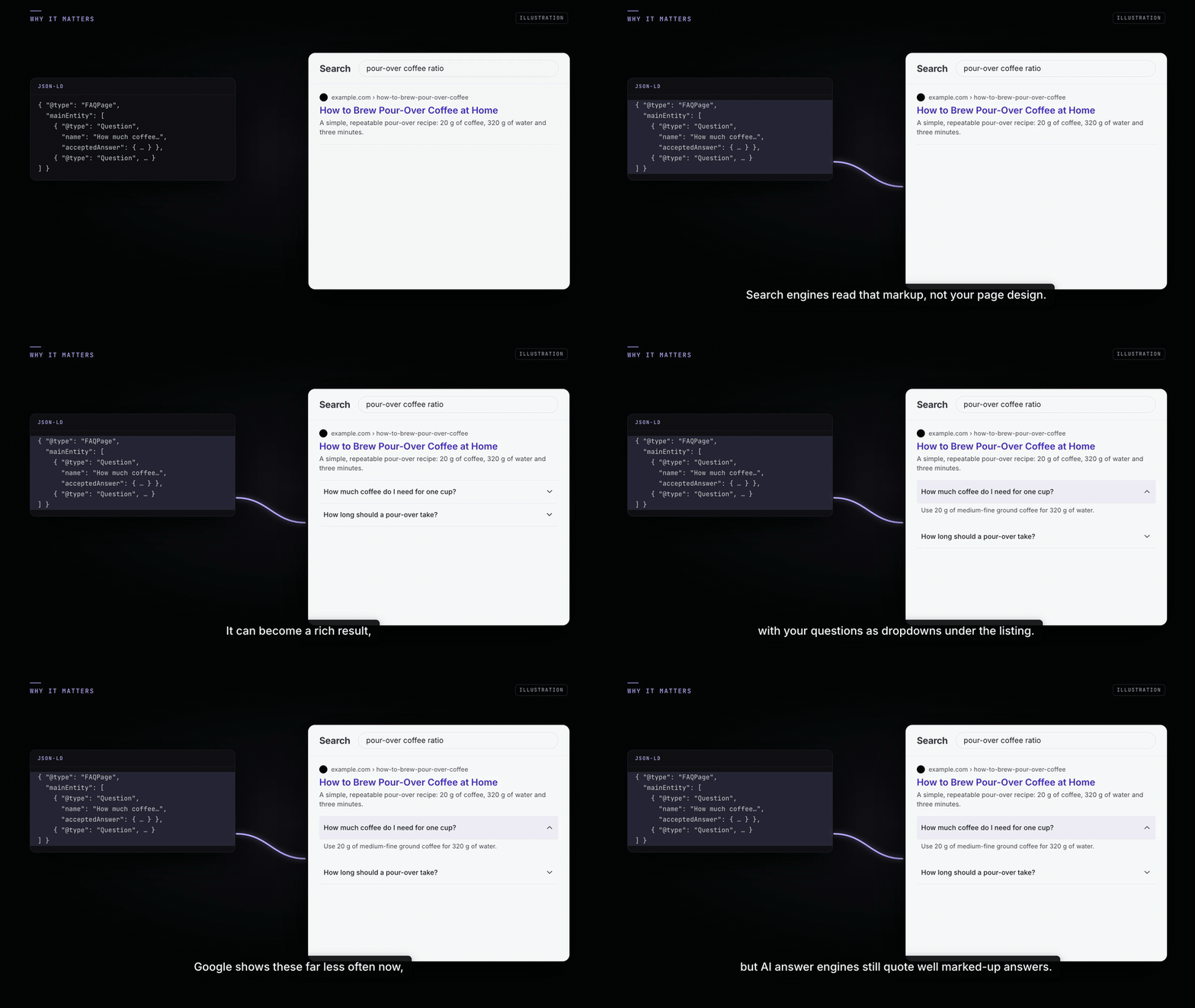
Because rich results were never the only consumer. Structured Q&A and step data makes your content dramatically easier for any machine to parse: search crawlers building their understanding of your page, and AI answer engines such as ChatGPT and Perplexity assembling answers with citations. A cleanly marked-up answer is the kind of unit these systems can lift and attribute. That is the core bet of answer engine optimization: write for the machines that write the answers.
In short: add FAQ and HowTo schema where the content genuinely fits, expect no visual treatment from Google, and treat the markup as machine-comprehension infrastructure rather than a rich-result lottery ticket.
FAQ
Will my FAQ page get an expandable rich result in Google?
No. Google retired FAQ rich results for every site on May 7, 2026, including the government and health sites that had kept them since 2023. The markup is still valid, Google says unused structured data does no harm, and it still helps machines, including AI answer engines, understand and quote your answers.
How many questions should an FAQ page mark up?
Mark up the questions that are genuinely on the page and genuinely useful, typically somewhere between three and ten. Padding the markup with thin questions dilutes the good ones and adds nothing.
Can I put FAQ schema on every page of my site?
You can, but you shouldn't. Only mark up pages that actually contain visible question-and-answer content. Site-wide FAQ markup on pages without FAQs violates Google's guidelines and will fail validation against the visible content.
Is HowTo schema dead now that Google removed the rich result?
The rich result is gone; the markup is not pointless. Structured steps remain readable to crawlers and answer engines, and they cost you nothing since Hydrogen SEO renders them automatically once configured.